Note:
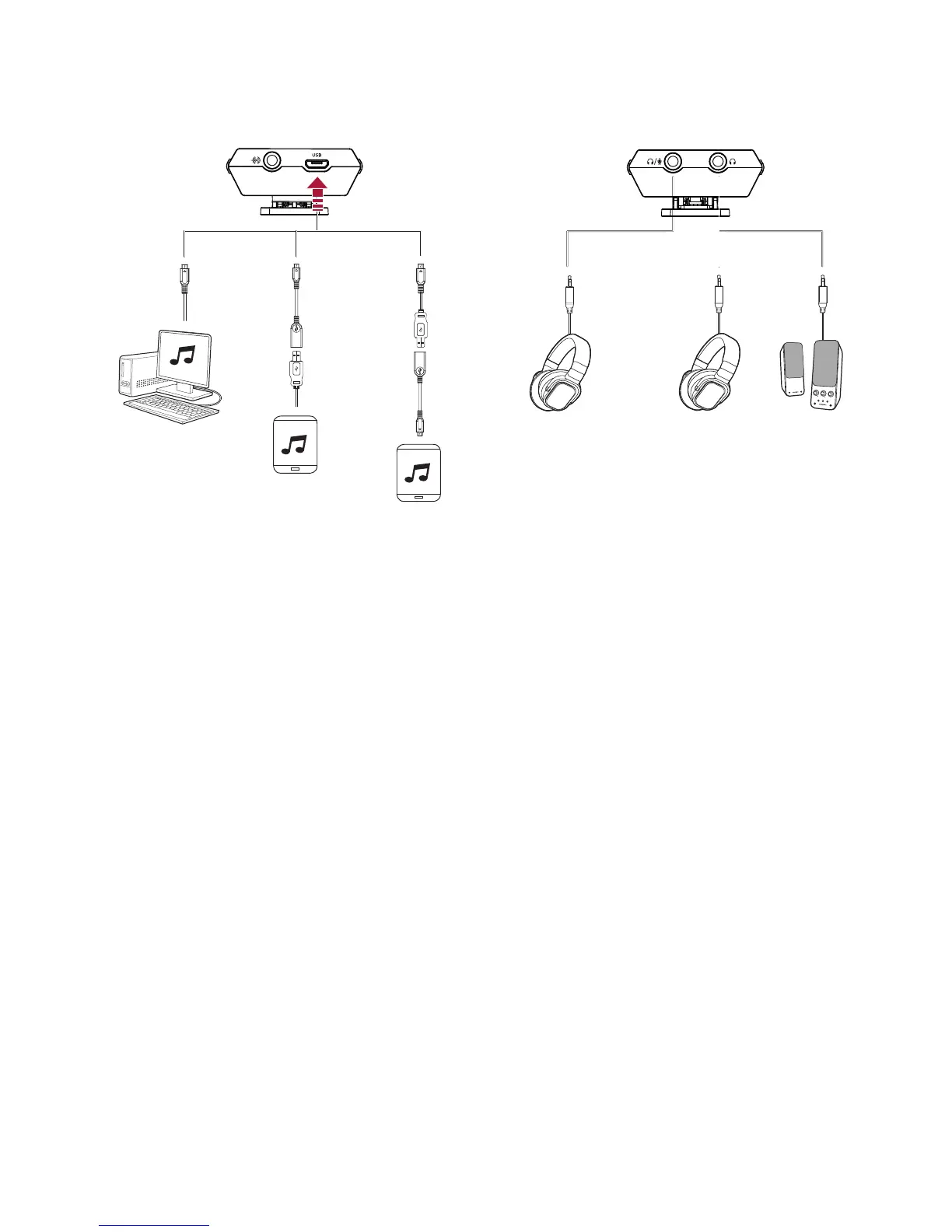
USB audio from your computer/mobile device is muted if an audio cable is connected to the Line In
jack.
Enhance audio playback with SBX Pro Studio enhancements such as immersion control, dynamic
range restoration, low-frequency boost, dialog boost, and automatic volume levelling. See Using
the Creative Software Suite – SBX Pro Studio Settings.
Sound Blaster E3 – Using Your Audio Device 16


 To Next Page