14
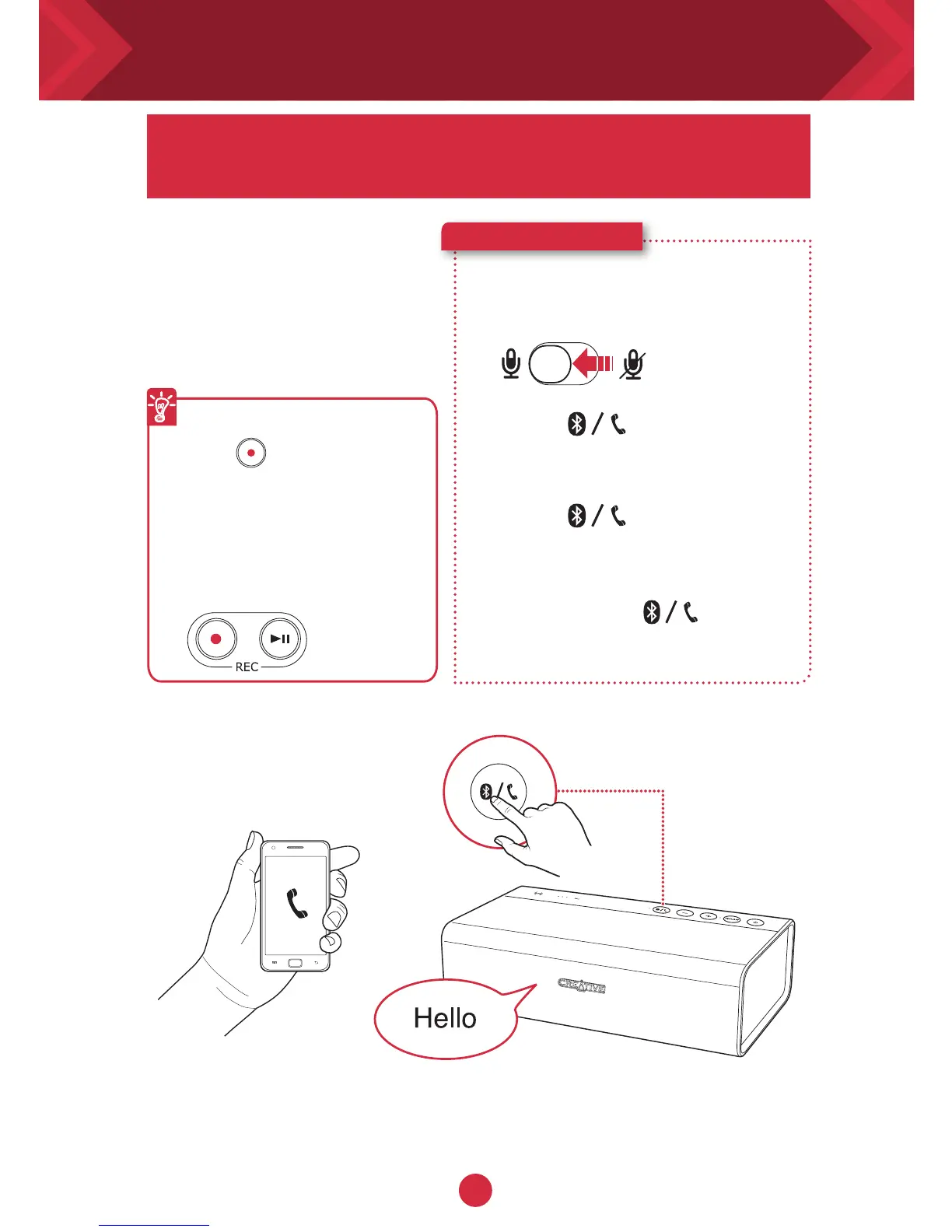
When your phone is
connected to the Sound
Blaster Roar you can simply
answer calls without lifting
your phone – just press
a button!
Here’s how you do it!
1 Connect your smart device.
(Ensure the microphone is on)
2 Press to answer an
incoming call.
3 Press again to end a
call.
To reject a call:
Press and hold for more
than 2 seconds.
Recording calls
Press (REC) during
a call to start recording.
Ensure a microSD card is
inserted into the speaker and
the conversation will be saved
in the VOICE folder on the
microSD card.
You can use the Sound Blaster Roar as a
speakerphone.
Answering call with your speaker










 To Next Page