4
Charging your speaker - USB Power
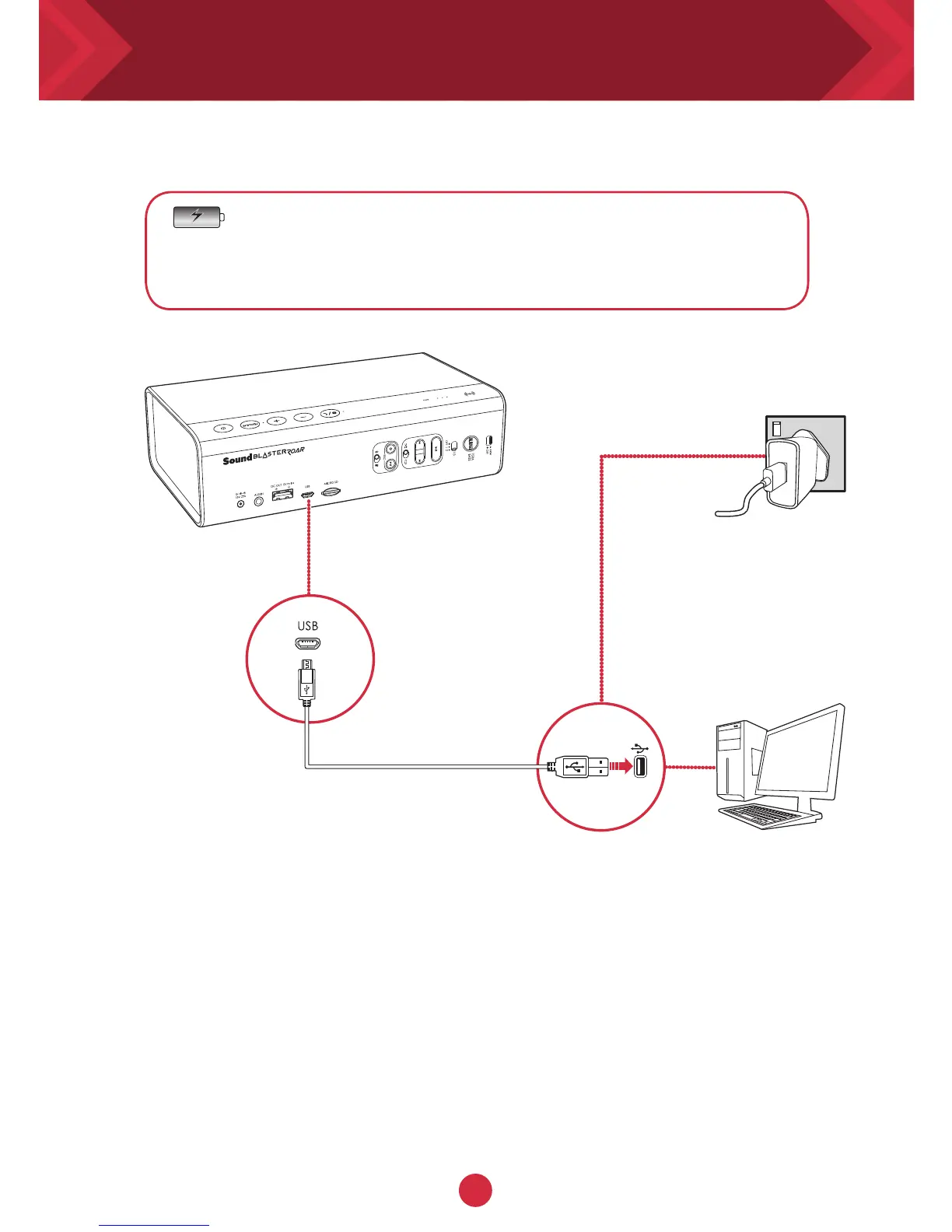
Option 2 : USB
The Sound Blaster ROAR can also be charged using a
USB cable.
It may take longer to charge due to USB power limitation.
Switch off your speaker when charging.
TIP:
Lithium-ion battery life may suffer when it is constantly fully depleted or
overexerted at low voltage. It is a good practice to keep the battery well
charged.
For optimized charging: Creative recommends using the bundled USB
cable for optimized charging.
Mains
PC/Mac
* Not included, USB
adapter with DC 5V
and up to 1A output
rating can be used.










 To Next Page