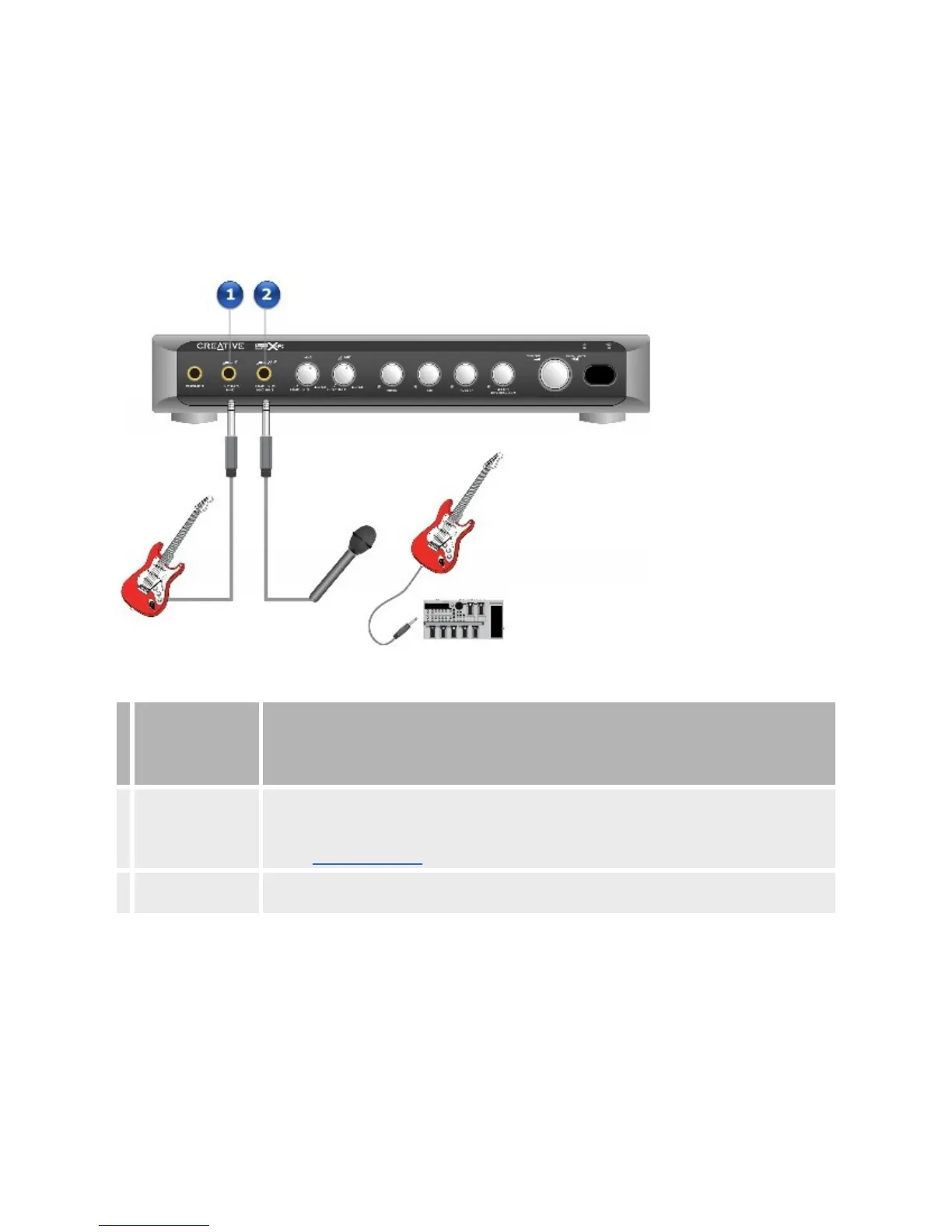
TheX-FiI/OConsolehostsalltheconnectorsnecessarytomeetevery
conceivablemusiccreationneed.ItfeaturesaHi-Zconnectorwhichoffershigh
inputimpedancetomatchtheloaddeliveredbylowoutputimpedancedevices
suchaselectricguitars,eliminatingtheneedtorunsuchdevicesthroughpre-
ampequipment.
FrontPanel
Jack,
Connector
orCable
Description
1. LineIn3/Hi-Zjack
Connectaline-levelsourcetothisjackwhenLineIn3isenabled.Connectalowoutput
impedancedevice,suchasanelectricguitarwithnopreamplification,tothisjackwhenHi-Zis
enabled.
UsetheLineIn3/Hi-ZdialonyourX-FiI/OConsoletotogglebetweenLineIn3andHi-Z.
2.
LineIn2/MicIn2
jack
Connectamicrophone,anelectricguitarrunningthroughaPre-ampFXBox,orotherline-level
devicestothisjack.














 To Next Page