Product Manual — Doc. 9020C AirMedia® Series 3 Receivers • 50
l
Touch Screen Auto Load: Turn the toggle on to allow project files to be pushed to the
touch screen from the cloud automatically.
l
.AV Framework User Interface Theme: For future use.
l
Reservation: Turn the toggle on to allow calendar reservations from the touch screen.
l
Touch Screen Custom Help: Turn the toggle on to display a custom help screen when the
information button is tapped on the touch screen. A Custom Help URL field appears. Enter
the image's URL in the Custom Help URL field and save the changes.
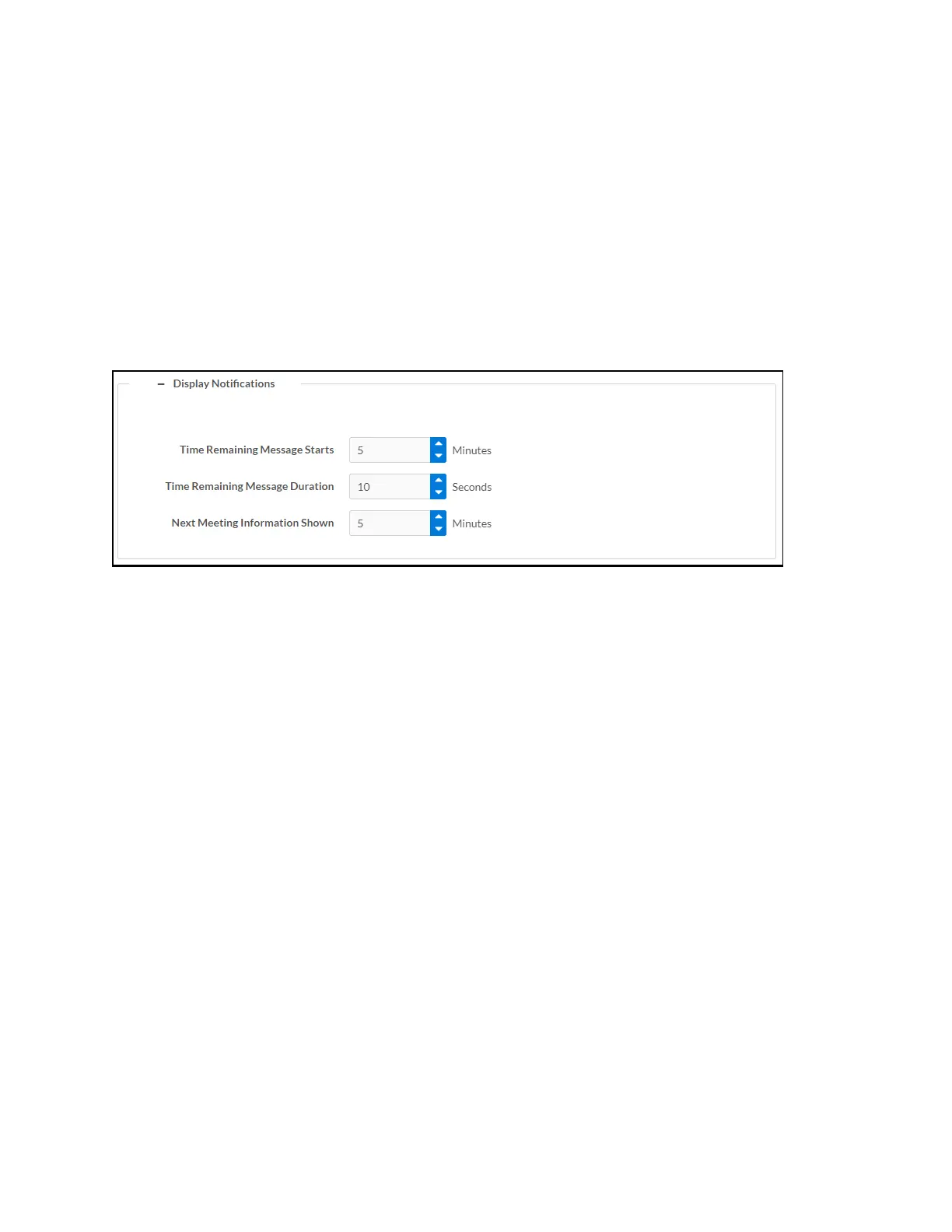
Select the + (plus) icon next to Display Notifications to reveal settings for how notifications are
displayed when an AirMedia device is in use.
Settings screen – Connected Devices (Display Notifications)
l
Time Remaining Message Starts: Enter the amount of time that must pass (in minutes)
before the meeting’s time remaining message is displayed.
l
Time Remaining Message Duration: Enter the amount of time (in seconds) that the time
remaining message is displayed.
l
Next Meeting Information Shown: Enter the amount of time (in minutes) before the next
meeting’s information is displayed.















 To Next Page