Product Manual — Doc. 9020C AirMedia® Series 3 Receivers • 64
Receiver users are listed in table format. The following information is displayed for each user:
l
Username: The chosen username
l
AD User: Reports whether the user is (Yes) or is not (No) authenticated through Active
Directory
NOTE: A user must be added to an Active Directory group before the user may be
selected as an Active Directory user. For more information, refer to Groups (on the next
page).
If the receiver users span multiple pages, use the navigation arrows on the bottom of the page to
move forward or backward through the pages, or select a page number to navigate to that
page.
An Action column is also provided for each user that allows various actions to be performed. The
following selections may be selected from the Action column:
l
Select the information button to view a user's username, Active Directory status, and
group membership.
l
Select the edit button to edit a user's password and group membership.
l
Select the trashcan button to delete a user.
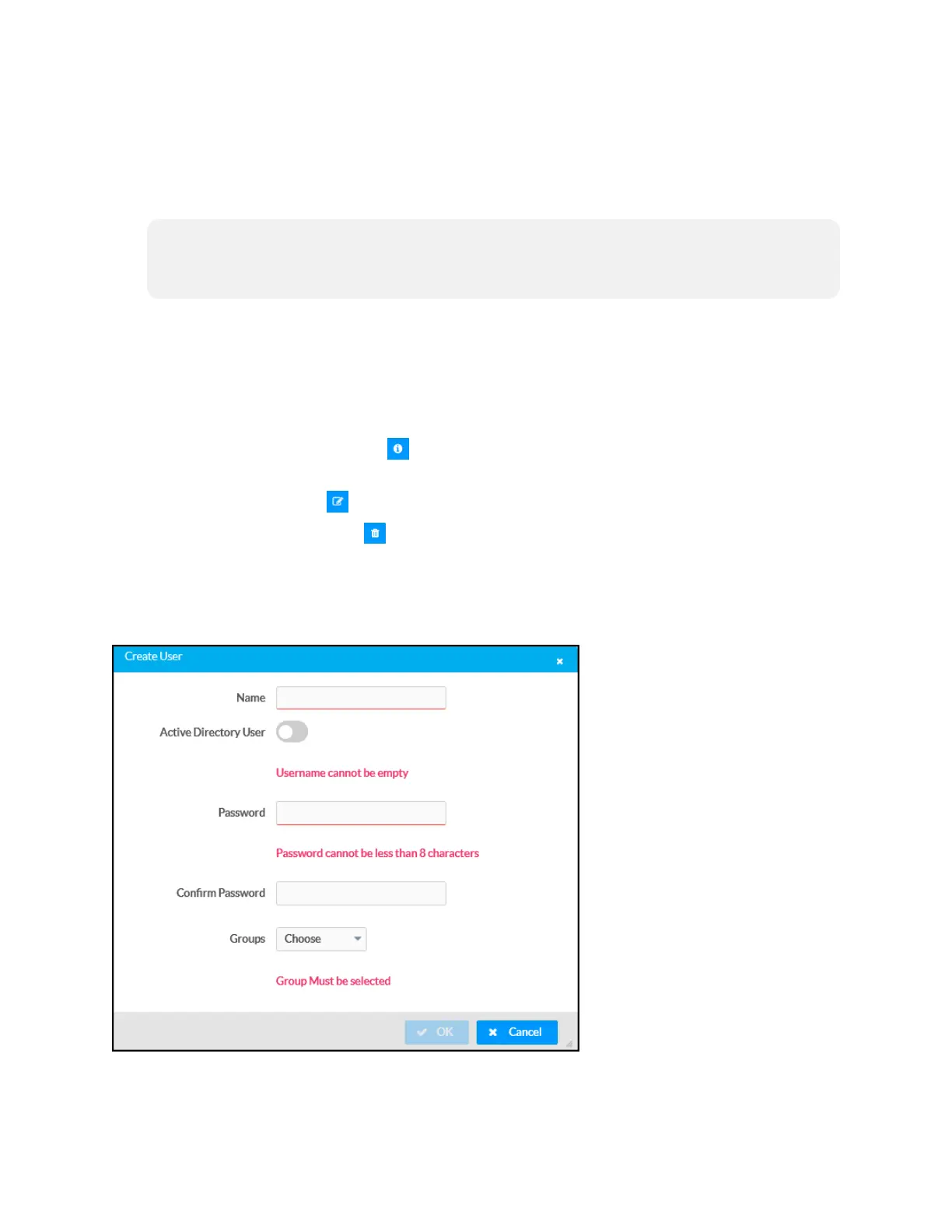
Create User
Select Create User to create a new user. The Create User dialog box is displayed.
Create User Dialog Box















 To Next Page