Product Manual — Doc. 9020C AirMedia® Series 3 Receivers • 80
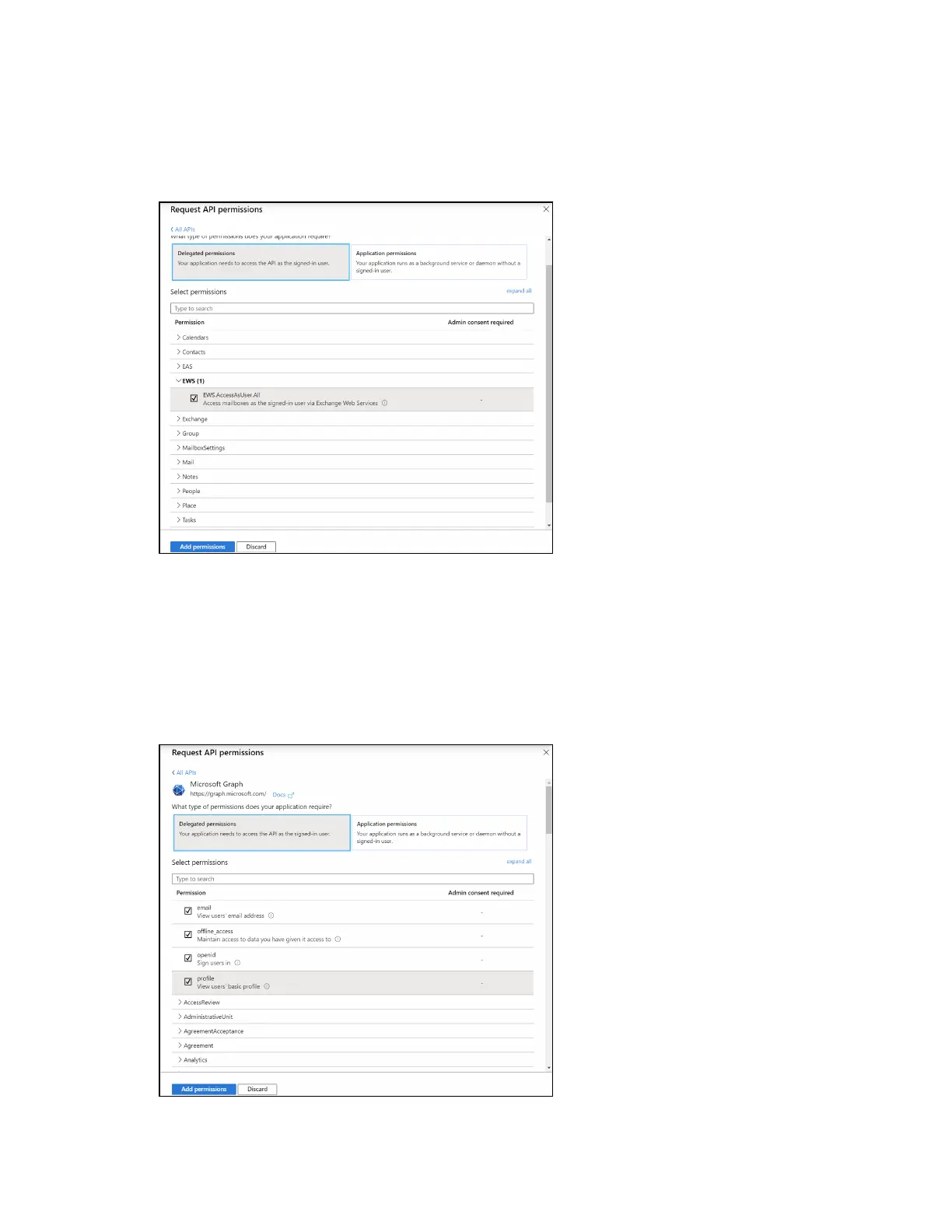
To set the APIpermissions for EWS:
1. Select Exchange to display a list of permissions for EWS.
Request API permissions Pane - Exchange
2. Expand the EWSaccordion.
3. Fill the checkbox next to EWS.AccessAsUser.All to allow the application to make requests
to the Exchange Web Services API on behalf of the configured user.
To set the APIpermissions for the Microsoft® Graph function:
1. Select Microsoft Graph to display a list of permissions for Microsoft Graph.
Request API permissions Pane - Microsoft Graph















 To Next Page