Route the Inputs
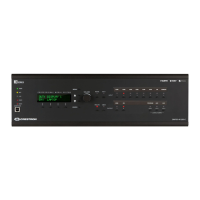
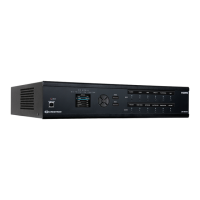
To route an input to one or more outputs, use the web interface or the
front panel push-button controls.
To route the inputs using the front panel controls:
1. Press the ROUTE button.
2. Press the INPUT button that corresponds to the input to be routed.
3. Press the OUTPUT button(s) that correspond(s) to the desired
output(s).
4. Press the ENTER button.
Visit the Product Page
Scan the QR code to visit the product page.
DMPS3-200-C
www.crestron.com/model/6506614
DMPS3-300-C
www.crestron.com/model/6506615
DMPS3-300-C-AEC
www.crestron.com/model/6506616
7
DMPS3-200-C, DMPS3-300-C, & DMPS3-300-C-AEC
QuickStart
3-Series® DigitalMedia™ Presentation Systems



 To Next Page
 Loading...