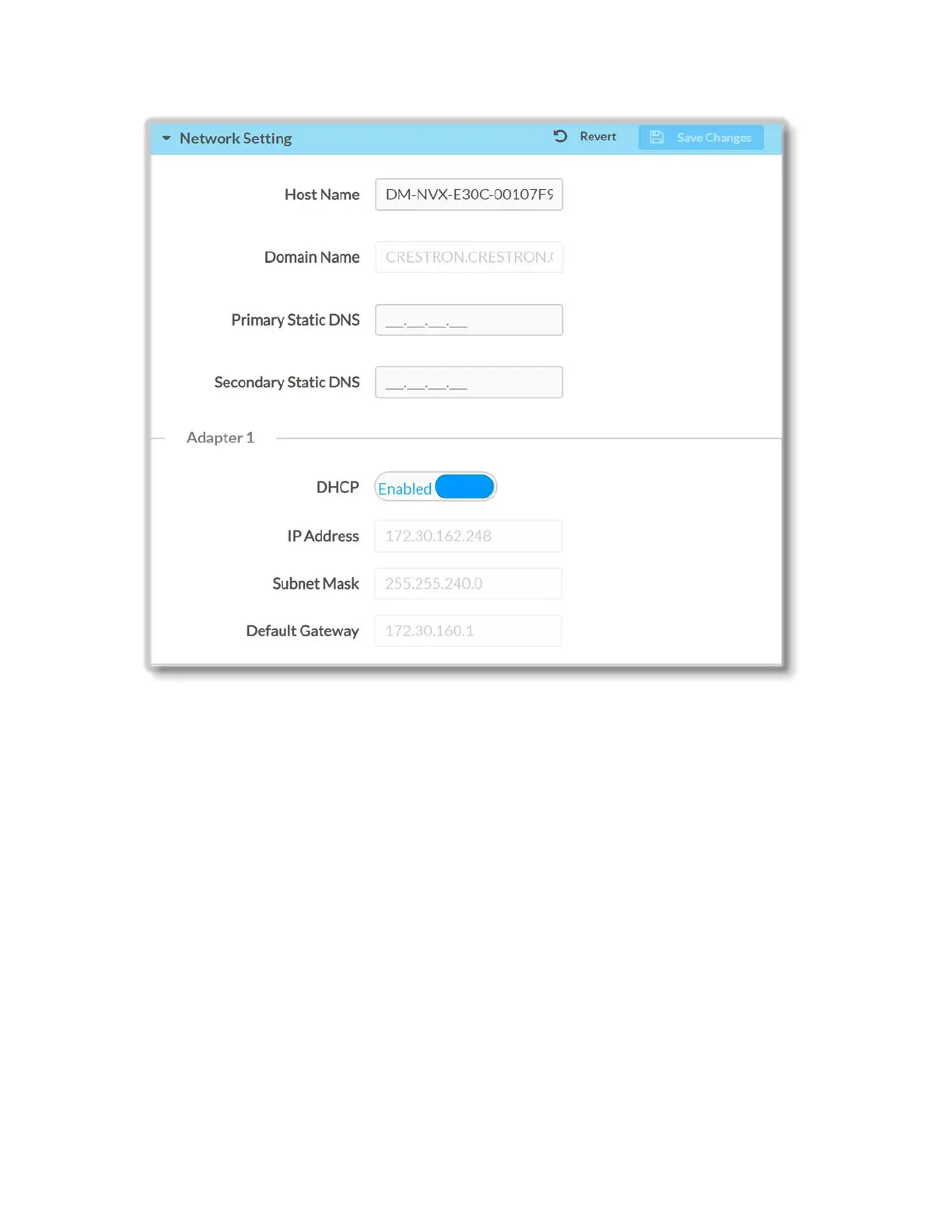
Set the DHCP slider to Enabled or Disabled to specify whether the IP address of the
DM-NVX-E30(C) is to be assigned by a DHCP (Dynamic Host Configuration Protocol)
server.
• When DHCP is enabled: (default setting) The IP address of the DM-NVX-E30(C)
would be automatically assigned by a DHCP server on the local area network
(LAN) for a predetermined period of time.
• When DHCP is disabled: Manually enter information in the following network
settings fields:
o IP Address: Enter unique IP address for the DM-NVX-E30(C).
o Subnet Mask: Enter the subnet mask that is set on the network.
o Default Gateway: Enter the IP address that is to be used as the
network’s gateway.
o Primary Static DNS: Enter the IP address of the primary DNS server.
o Secondary Static DNS: Enter the IP address of the secondary DNS
server.
To save any changes, click the Save Changes button. The DM-NVX-E30(C) automatically
reboots.
25 • DM-NVX-E30(C)



 To Next Page