Information about existing users is displayed in table format and the following details are
provided for each user:
• Username: Displays the name of the user
• AD User: Displays whether the user requires authentication using Active Directory
Click the corresponding button in the Actions column to view detailed group information
or delete group .
To create new group, click the Create User button.
Create new local user
1. Click Create User button in the User tab
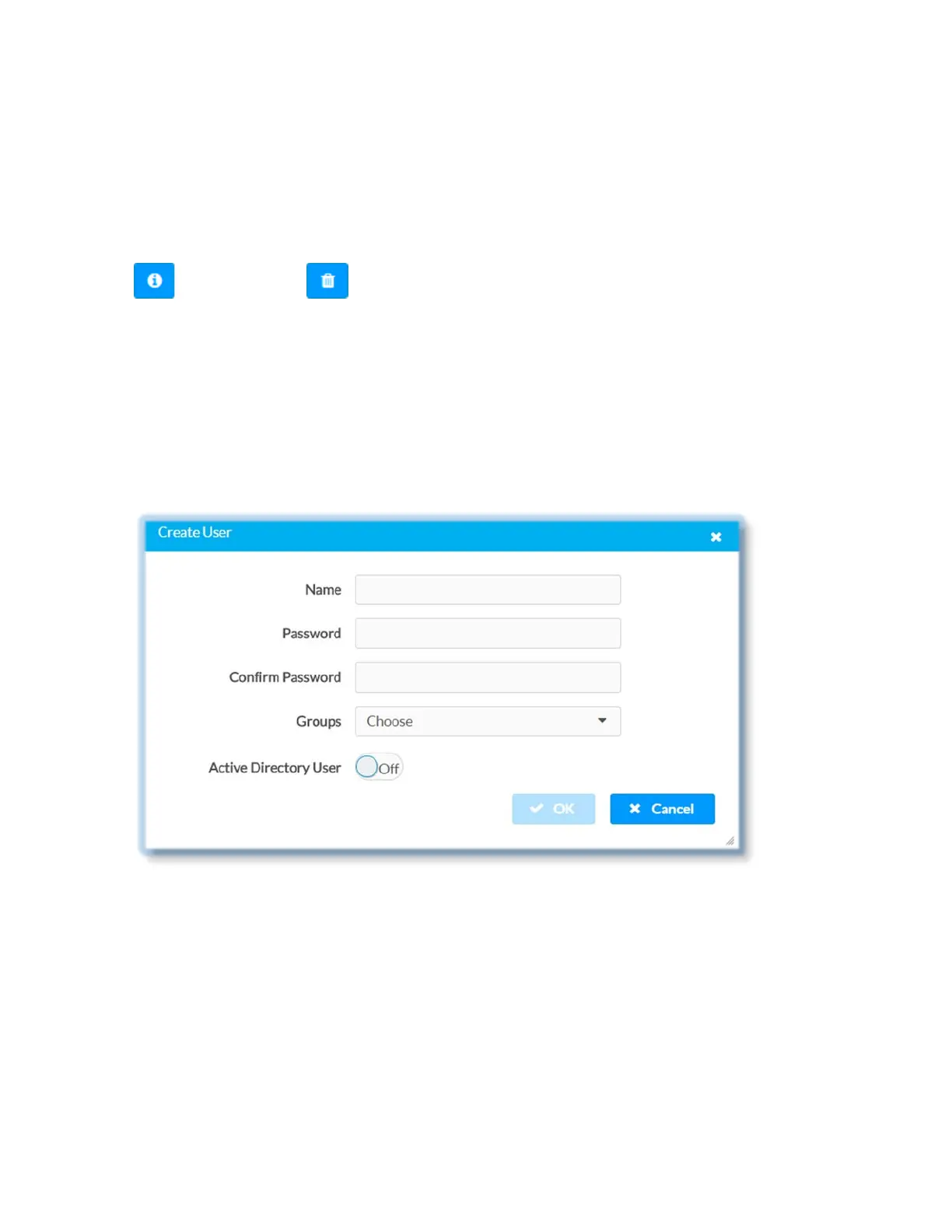
2. In Create User dialog enter the following:
• Enter user name in the Name text field. Valid user name can consist of
alphanumeric characters (letters a-z, A-Z, numbers 0-9) and the underscore
“_” character.
• Enter password in the Password text field; re-enter the same password in the
Confirm Password text field
• Assign access level by selecting one or more groups from the Groups drop-
down list
• Make sure that the Active Directory User slider is set to Off
3. Click OK to save; click Cancel to cancel the changes.
43 • DM-NVX-E30(C)



 To Next Page