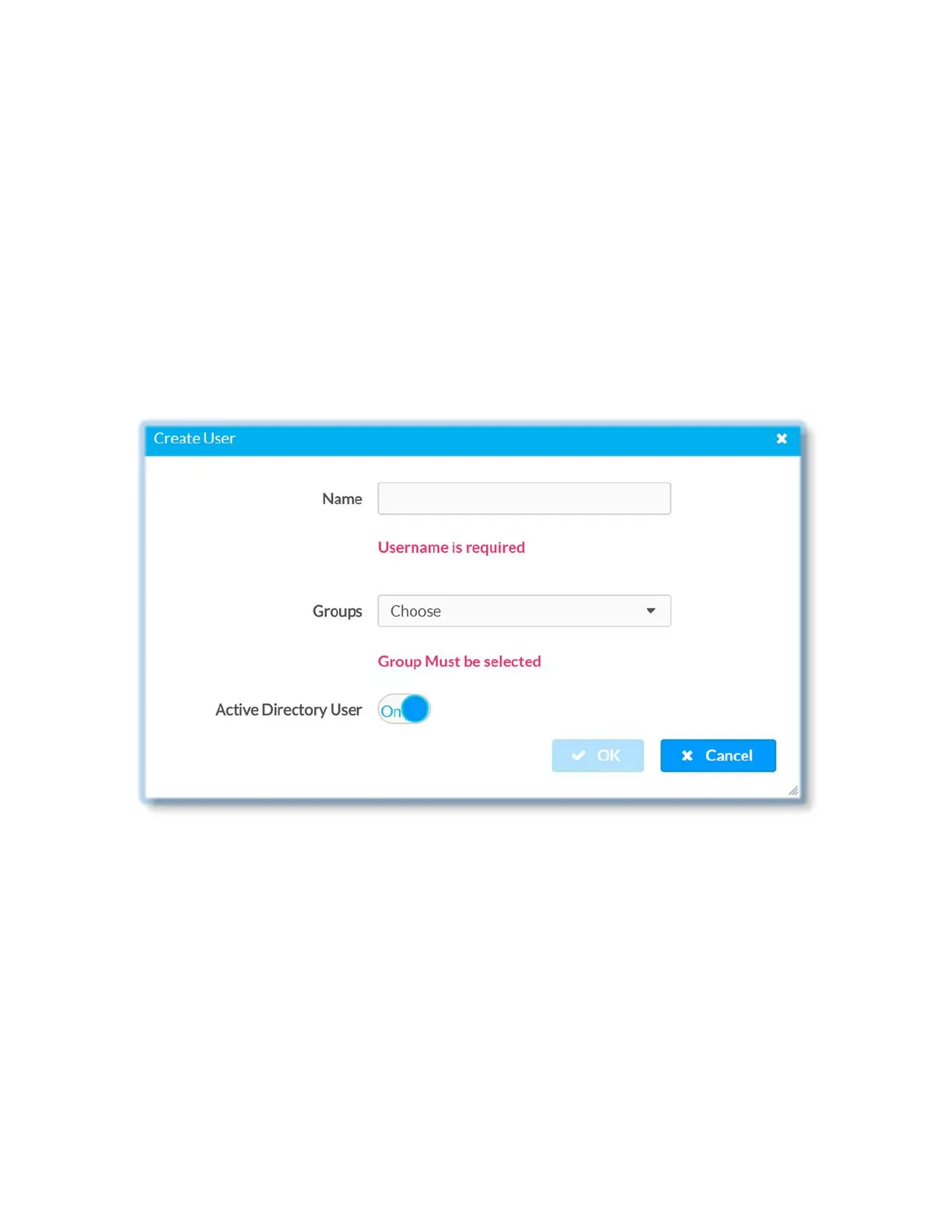
Add Active Directory user
Users cannot be created or removed from the Active Directory server but an access can
be granted to an existing user in the Active Directory server.
To grant access to an Active Directory user, you can either add the user to a local group
on the DM-NVX-E30(C), or add the Active Directory group(s) that they are a member of
to the DM-NVX-E30(C) (see Add Active Directory group).
Add Active Directory user:
1. Click Create User button
2. In Create User dialog enter the following:
• Enter user name in the Name text field in the format “Domain\UserName”, for
example “crestronlabs.com\JohnSmith”.
Valid user name can contain the alphanumeric characters (letters a-z, A-Z,
numbers 0-9) and the underscore character.
• Select one or more groups from the Groups drop-down list
• Make sure that the Active Directory User slider is set to On
3. Click OK to save; click Cancel to cancel the changes.
44 • DM-NVX-E30(C)



 To Next Page