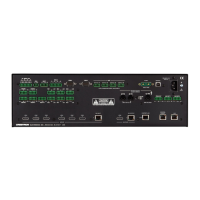
The Crestron® DMPS3-4K-350-C/DMPS3-4K-250-C Series consists of
the DMPS3-4K-350-C, DMPS3-4K-250-C, DMPS3-4K-350-C-AIRMEDIA,
and DMPS3-4K-250-C-AIRMEDIA. The devices provide 4K AV
presentation control and signal routing solutions for boardrooms and
classrooms. A built-in AirMedia® gateway enables wireless presentation
from computers and mobile devices. The DMPS3-4K-350-C and DMPS3-
4K-250-C require the purchase and activation of a license to enable
AirMedia gateway functionality. The DMPS3-4K-350-C-AIRMEDIA and
DMPS3-4K-250-C-AIRMEDIA provide AirMedia gateway functionality
without the need to purchase and activate a license.
In the Box
1 DMPS3-4K-350-C, DMPS3-4K-250-C, DMPS3-4K-350-
C-AIRMEDIA, or DMPS3-4K-250-C-AIRMEDIA 3-Series®
4K DigitalMedia™ Presentation System
Additional Items
2 Bracket, Rack Ear, 3 RU (2033588)
3 Connector, 2-Pin (2012361)
1 Connector, 3-Pin (2003575)
4 Connector, 4-Pin (2003576)
15 Connector, 5-Pin (2003577)
2 Connector, 8-Pin (2003580)
4 Foot, 0.5 in. x 0.5 in. 0.23 in., Rubber (2002389)
1 Power Cord, 6 ft 7 in. (2 m) (2001134)
6 Screw, 6-32 x 5/16 in., Undercut Head, Phillips (2007223)
Install the Device
The Crestron DMPS3-4K-350-C, DMPS3-4K-250-C, DMPS3-4K-350-C-
AIRMEDIA, and DMPS3-4K-250-C-AIRMEDIA can be mounted into a
rack or placed onto a flat surface.
Mounting into a Rack
The DMPS3 devices each occupy 3 RU of rack space.
WARNING: To prevent bodily injury when mounting or servicing the
unit in a rack:
l
When mounting the unit into a partially filled rack, load the rack
from the bottom to the top with the heaviest component at the
bottom of the rack.
l
If the rack is provided with stabilizing devices, install the
stabilizers before mounting or servicing the unit in the rack.
CAUTION: Observe the following rack mount installation guidelines:
l
Elevated Operating Ambient Temperature: If installed in a closed
or multi-unit rack assembly, the operating ambient temperature
of the rack environment may be greater than room ambient
temperature. Therefore, consideration should be given to
installing the equipment in an environment compatible with the
maximum ambient temperature (Tma) specified by the
manufacturer.
l
Reduced Airflow: Installation of the equipment in a rack should be
such that the amount of airflow required for safe operation of
the equipment is not compromised.
l
Mechanical Loading: Mounting of the equipment in the rack
should be such that a hazardous condition is not achieved due to
uneven mechanical loading.
DMPS3-4K-350-C and DMPS3-4K-250-C Series
QuickStart
3-Series® DigitalMedia™ Presentation Systems
1

 Need help?
 General












 To Next Page
