3. Remove the fuse from the fuse holder and insert a new fuse.
Use only the type of fuse specified in the table below. Failure to do so
may cause damage to the HD-XSPA
One spare fuse is included.
MODEL REQUIRED FUSE TYPE
HD-XSPA
(US/North America)
T10AH (1/4” x 1 1/4”, 250 V, 10 A, time-lag, high-rupture
rated)
HDI-XSPA
(International/220-240 Vac)
T5AH (1/4” x 1 1/4”, 250 V, 5 A, time-lag, high-rupture
rated)
4. Insert the fuse holder into the HD-XSPA.
5. Push in the fuse holder with a flat-head screwdriver while turning the screwdriver
clockwise until the fuse holder sets further into the HD-XSPA.
6. Push in the fuse holder a little further, and then turn the screwdriver clockwise until
the fuse holder locks into place.
7. Plug in the HD-XSPA.
Configuration
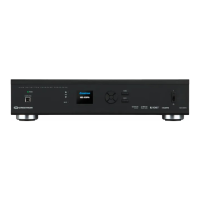
The HD-XSPA can be configured with the front panel controls or with Crestron Toolbox
™
.
For details on using Crestron Toolbox, please refer to the Crestron Toolbox help file.
Using the Installer Menu
The
menu is used to configure the HD-XSPA.
To configure the HD-XSPA using the front panel controls, the
menu must be
displayed. Perform the following to open the
menu:
1. Press
to display the
screen.
2. Press
to display the
screen.
4 • HD(I)-XSPA: 4K UHD Surround Sound AV Receiver Supplemental Guide – DOC. 7448E


 To Next Page