Product Manual — Doc. 8550E TSW-70 Series • 133
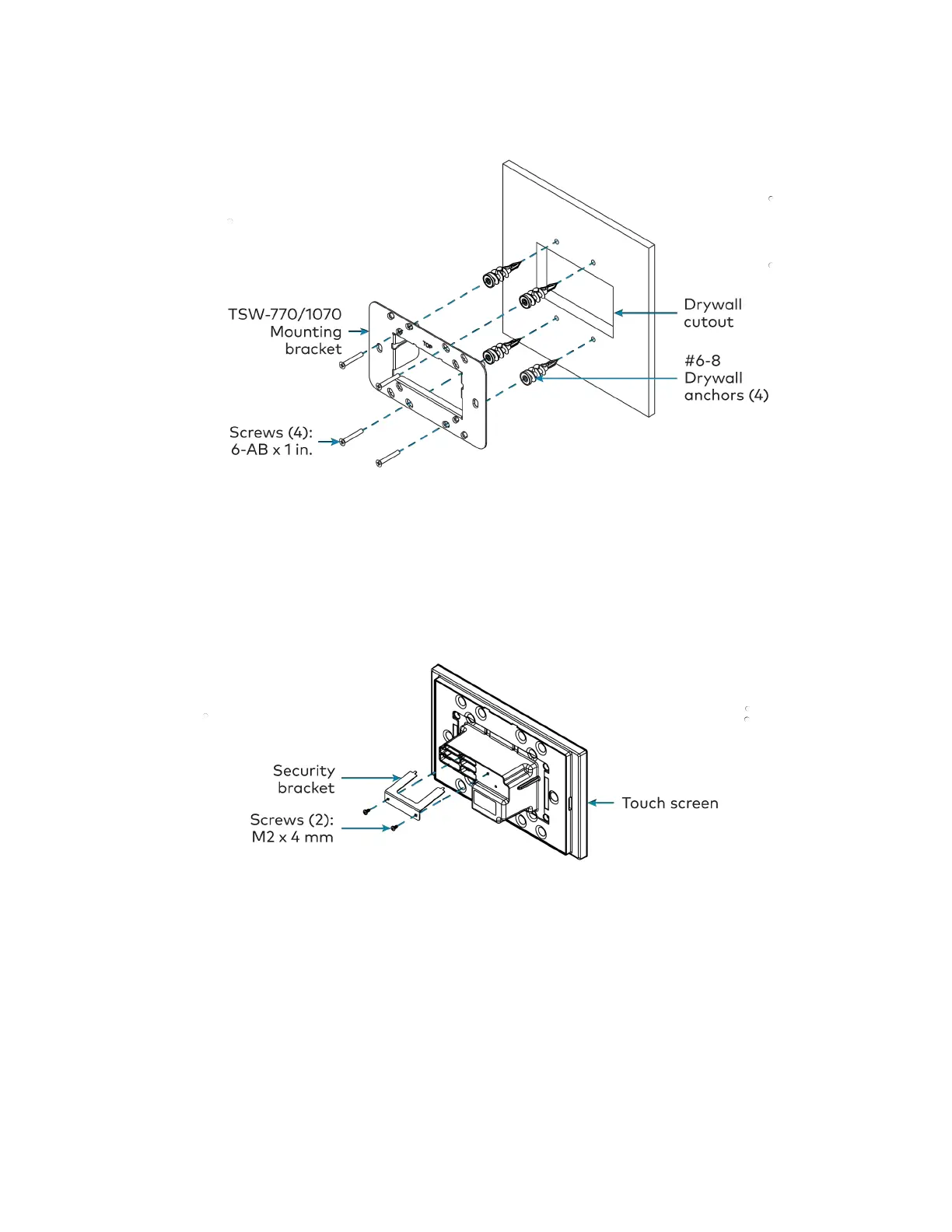
5. Attach the mounting bracket to the anchors using the four 6-ABx 1in. screws as shown in
the image below.
Install the Security Bracket (Optional)
The included security bracket may be attached to the touch screen to prevent unauthorized
removal after installation. The security bracket snaps into place behind the mounting bracket so
that the touch screen cannot be removed without using the included release key.
Use the two M2 x 4 mm screws to attach the security bracket to the touch screen rear housing as
shown in the following illustration.



 To Next Page
 Loading...




