8
Installation
- Pressurizing The System -
1. Make certain the Control Valve is in SERVICE position.
2. Slowly rotate bypass valve to the SERVICE position. (Position of bypass lever is parallel to inlet / outlet piping.)
3. Open the nearest faucet to evacuate air from plumbing lines.
4. Check for leaks! If water is observed leaking from bottom of bypass, close and open bypass lever several times to
seat o-rings. Exercise bypass valve.
5. After air is evacuated from plumbing lines, close bypass (position of bypass lever is perpendicular to the direction
of inlet pipe) on bypass valve.
- Programming The Control Valve -
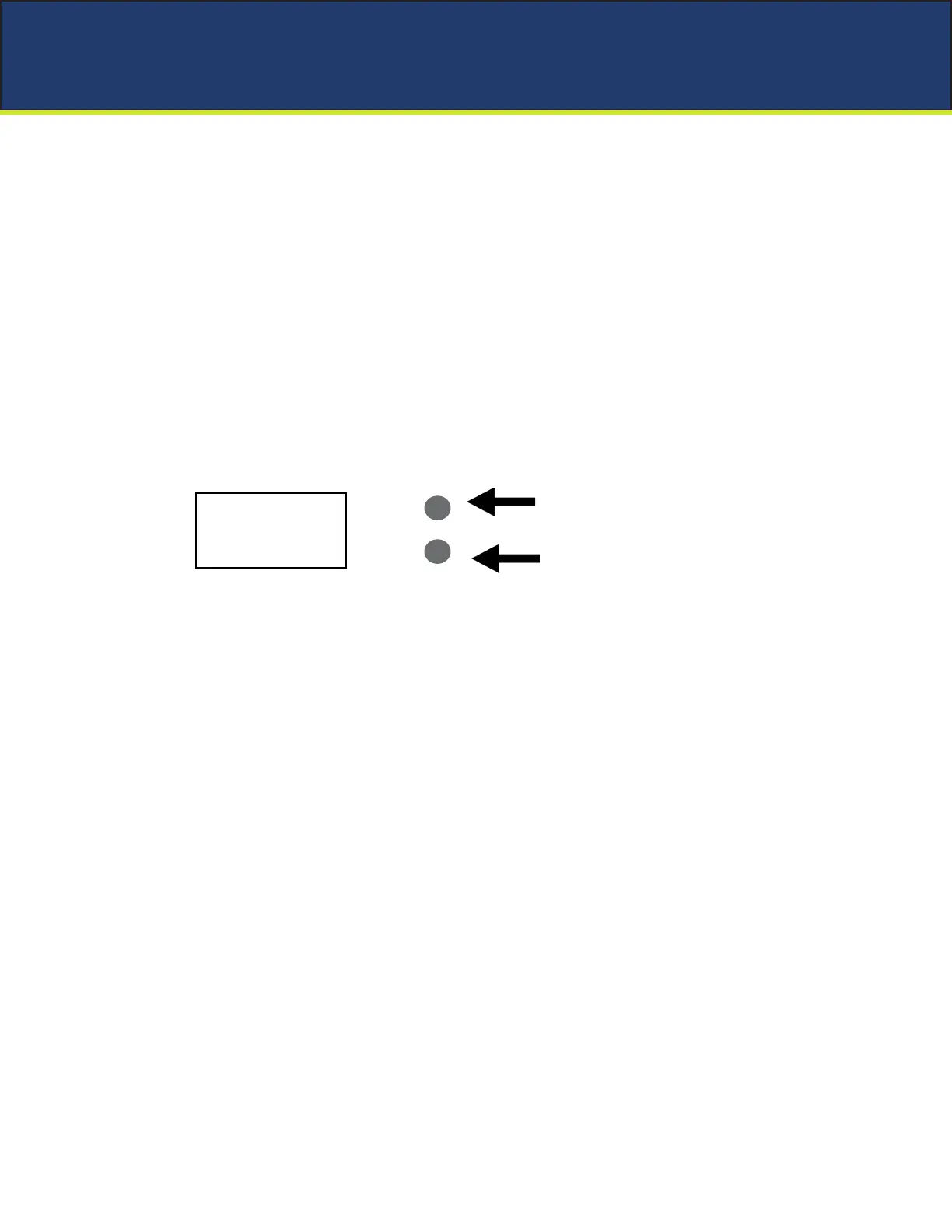
Main Menu
12:00
1. To enter Main Menu, press the Menu/Enter button.
(Time of Day will ash)
2. To set the Time of Day, press the Set/Change button.
(First digit will ash) Example [12-00]
- To change digit value, press the Set/Change button.
- To accept the digit value, press the Menu/Enter button.
- Next digit will ash to begin setting.
- Once the last digit display is accepted, all digits will ash.
3. To set A.M. or P. M ., press the Menu/Enter button.
- To change digit value, press the Set/Change button. Example [ A ]
- To accept the digit value, press the Menu/Enter button.
- Once A.M. or P.M. is accepted, the next menu item will ash.
4. To set Hardness an “H” will appear to enter Compensated Hardness in grains per gallon (gpg)
Default setting is 25 gpg. Example [ H - 25]
5. To Exit Main Menu, press the Menu/Enter button.
Note: If no buttons are pressed for 60 seconds, the Main Menu will be exited automatically.
MENU / ENTER
BUTTON
SET / CHANGE
BUTTON


 To Next Page