INSTRUCTIONS FOR USE
MS-39 AS-OCT| IFU302EN00 - 03/2019
This document is the property of
CSO Costruzione Strumenti Oftalmici srl.
Any reproduction, even partial, it is prohibited.
42/52
4.6 HOW TO CAPTURE THE IMAGE
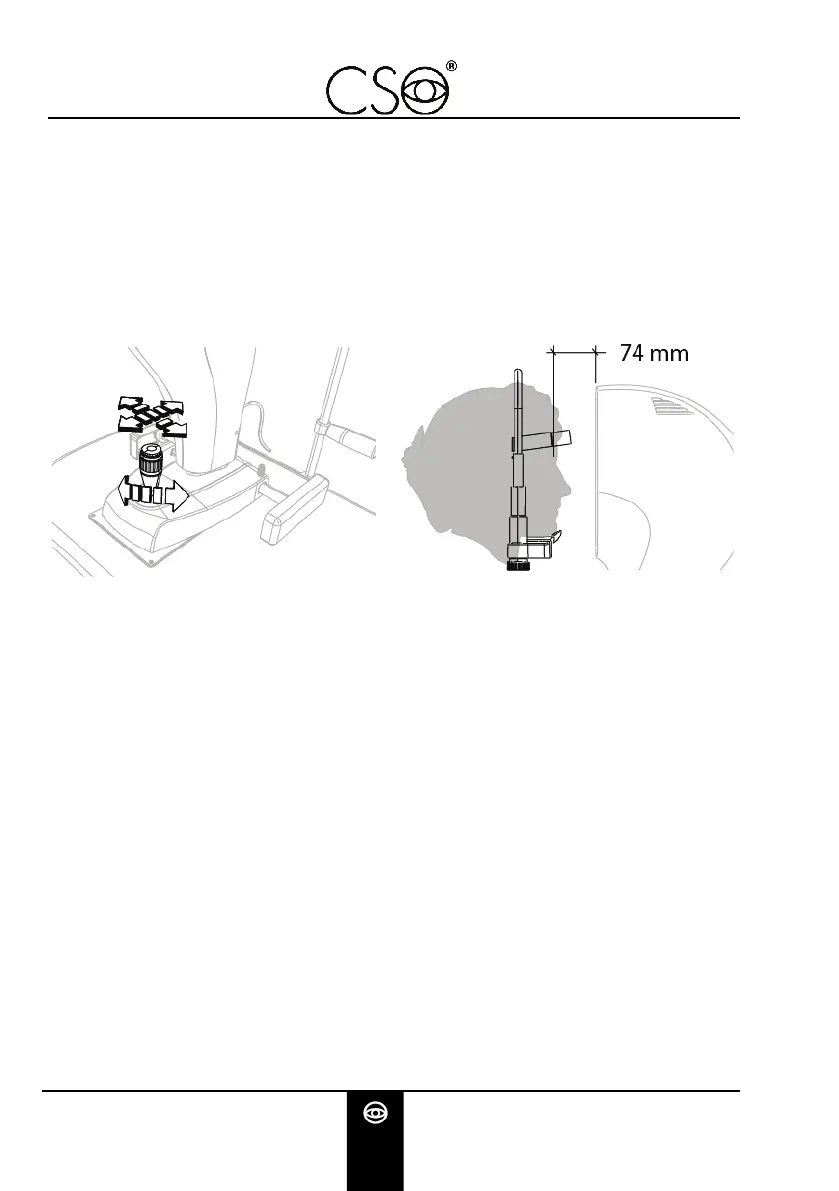
Turn the joystick and align the device with the patient's eye.
Move towards the eye with the tool. Keep centred the
reflection of the corneal vertex in both the images.
Perform some micro movements with the joystick to obtain
the best image alignment.
Fig 23 - Placing the device Fig 24 - Distance from the patient
Push down the joystick to confirm and capture the image. The
image will be saved in the gallery.
Double click on the captured image to process and visualize on
the computer screen.


 To Next Page