Appendix B: Adding an Image field to the Act!
contact layout
Scan2CRM for Act! User Guide, version 3.5 19
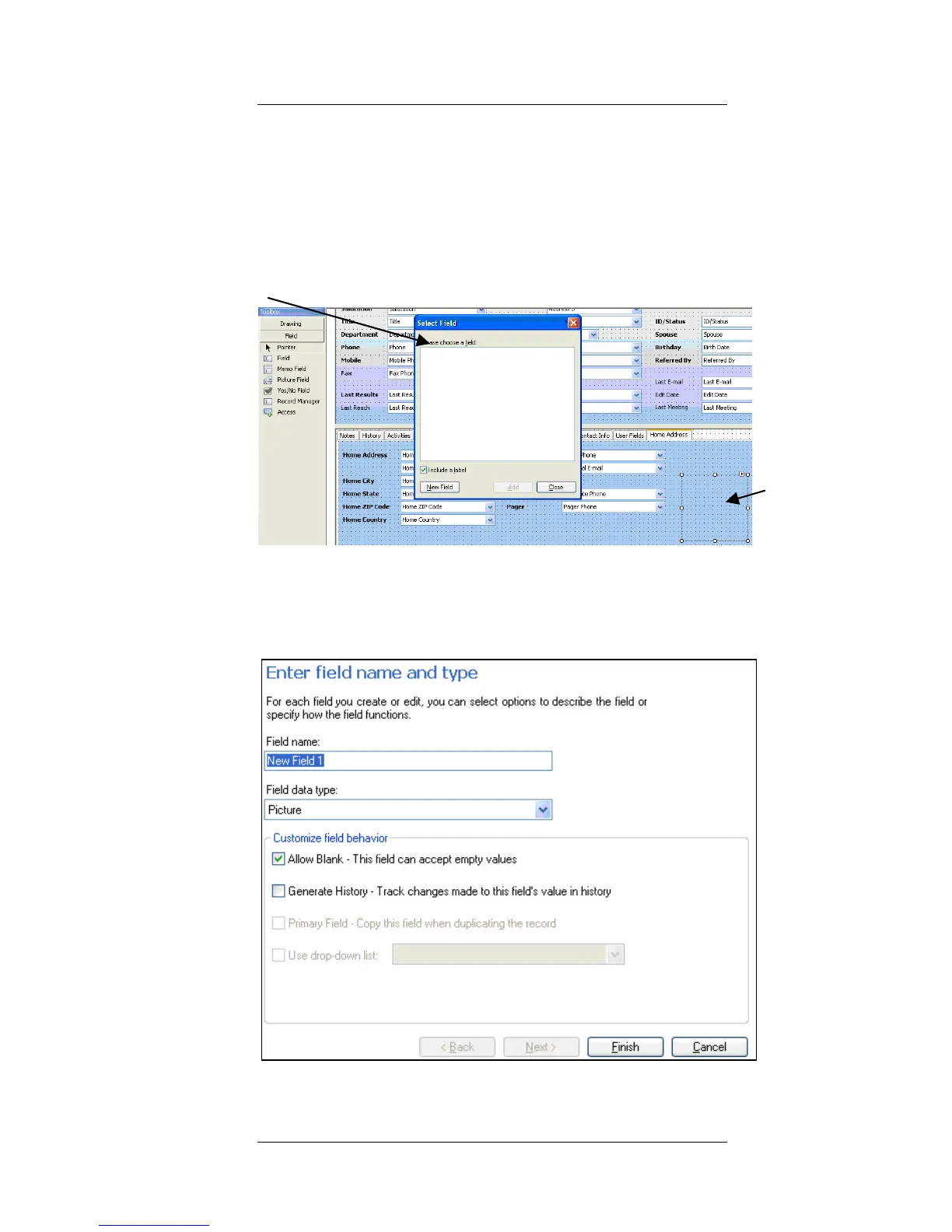
Select Field
Dialog
Drawn
Square
3. In the left tool bar, select "Picture Field" and
then draw a square in the selected layout,
in which the image will be displayed. (If the
"Picture Field" is not available in the left tool
bar, select "Field")
4. The Select Field dialog appears. Press New
Field. The Define Fields screen opens:



 To Next Page