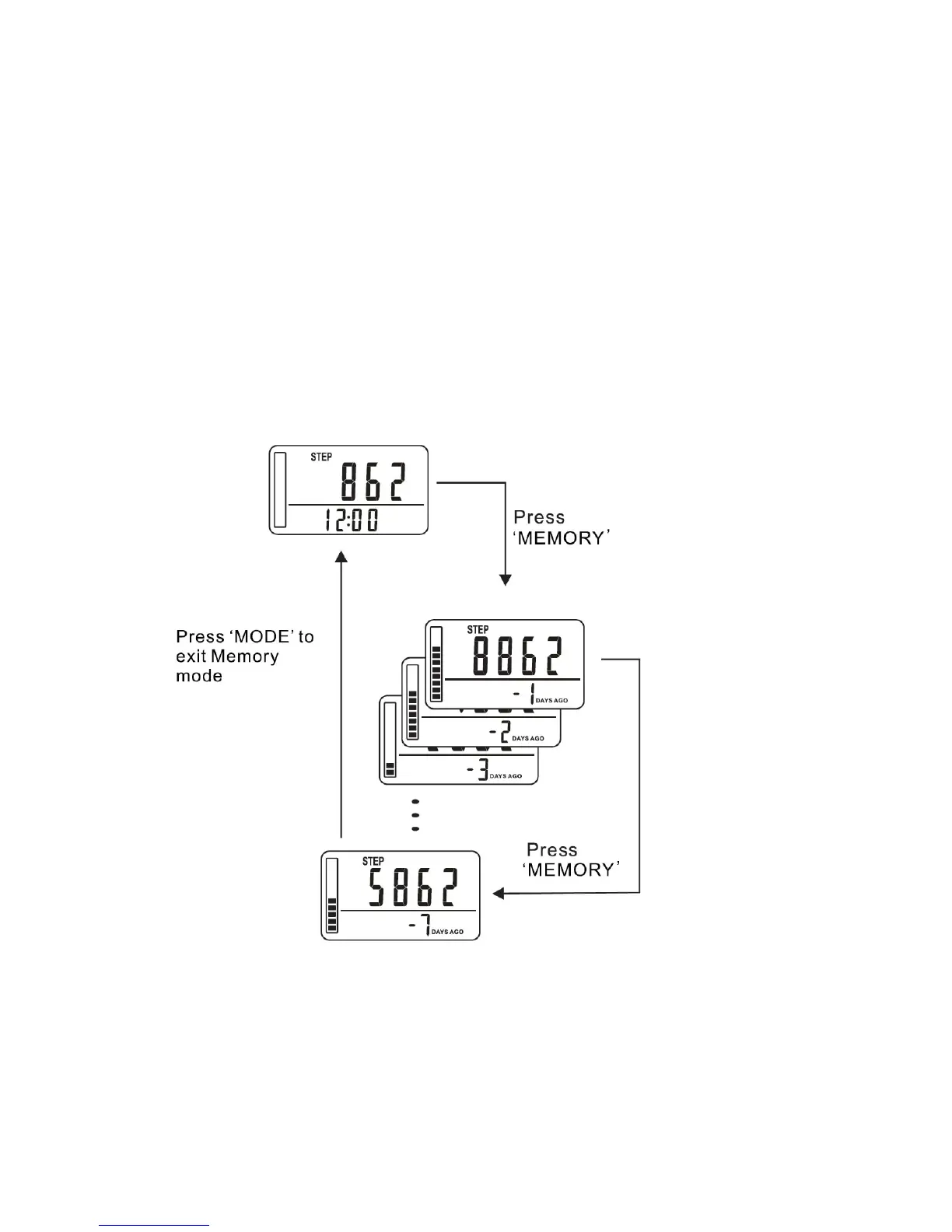
14. MEMORY FUNCTION
The pedometer can store up to seven days of data for the number of steps walked.
The current day data is automatically stored in memory when the clock time reaches
12:00am midnight. The display will reset to ‘0’ for the new day.
WARNING: Changing the clock time may affect the data stored in the pedometer
memory.
- Press the MEMORY button
- The step data from yesterday is displayed: “-1 DAYS AGO” is displayed
- Continue pressing the MEMORY button for “-2, -3, -4, -5, -6, -7 DAYS
- To exit memory mode, press the MODE button to return to the current day data.
VIEW MEMORY DATA FOR EACH DAY
While viewing a memory day press the SET button repeatedly to view the data for
each day:
Step Count Distance Walked



 To Next Page