RESETTING THE MEMORY DATA
To reset all of the Memory data to ‘0’:
Press the MODE button until in “TOTAL STEP” mode
Press and hold “RESET” button until the digits reset
to ‘0’
Note: ALL PEDOMETER DATA INCLUDING MEMORY DATA WILL BE CLEARED!
15. TARGET STEP FUNCTION
The STEP TARGET is the number of steps you would like to walk each day. The
pedometer displays a progress bar to show how many steps you have walked so far
in comparison to your daily step target. This makes it easier for you to make more
informed decisions throughout the day and find ways to walk more steps and
achieve your goal at the end of the day.
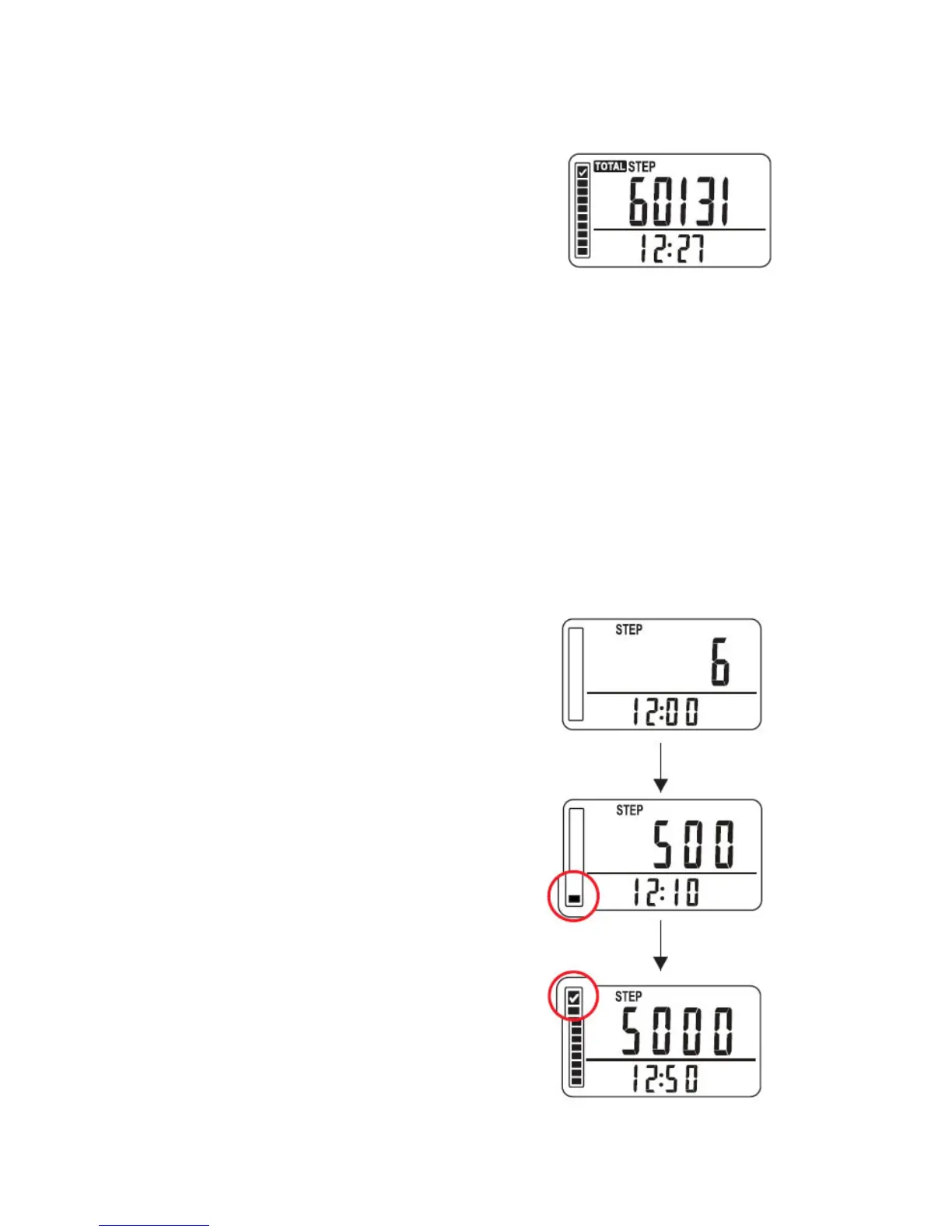
Understanding the “TARGET” progress bar:
For example 5000 steps
At the beginning
After 500 steps (10% target)
- a progress of 1 bar is shown indicating 10% of
target is reached
After 5000 steps (100% target)
- all 10 progress bars are displayed showing
100% of target is reached



 To Next Page