OPERATION
Page 3-10
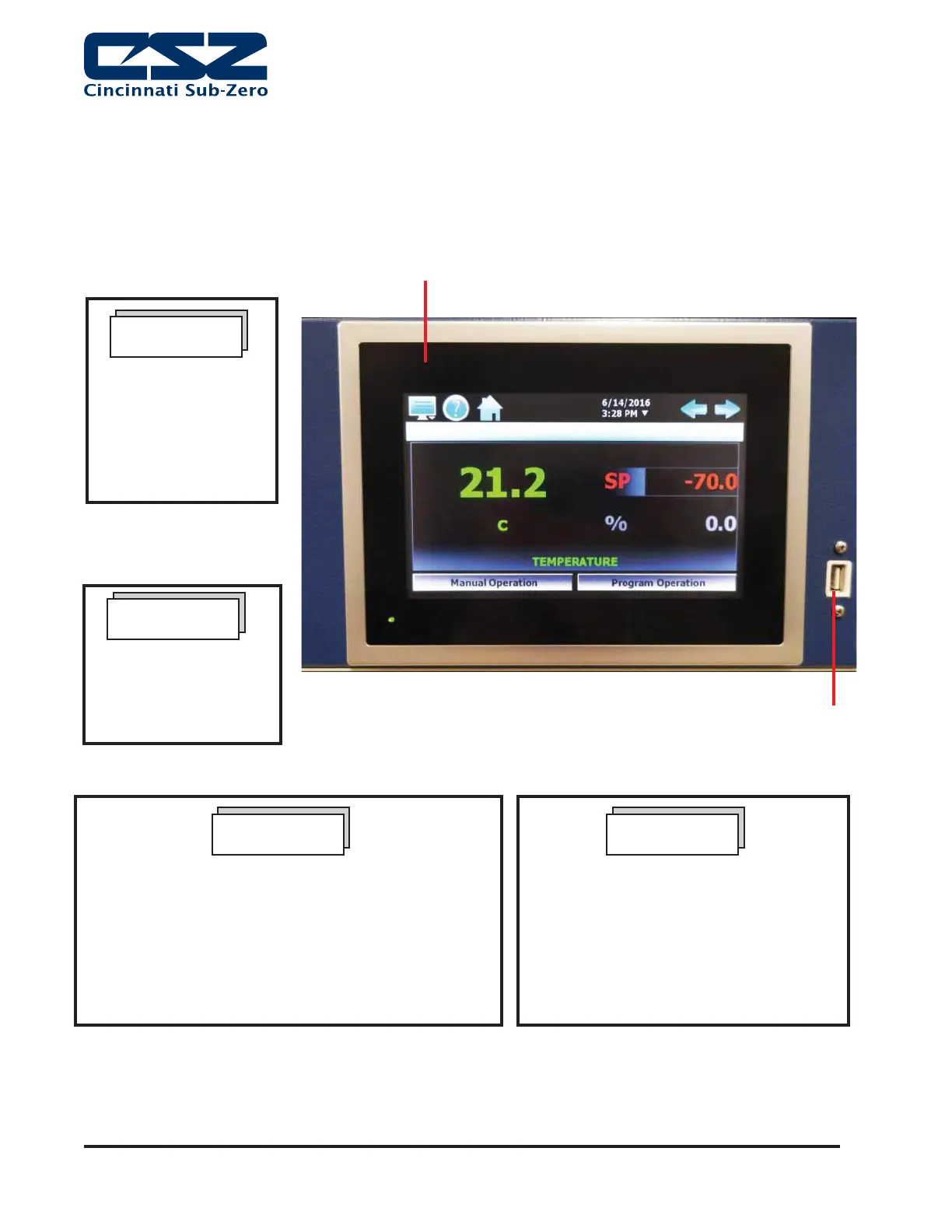
USB Port
EZT-570S Controller
Figure 3. CSZ EZT-570S Controller Section
When running at high humidity levels for an extended period
of time, the tip of the humidity sensor can become saturated,
resulting in erroneous readings. To correct this condition, it is
recommended that the tip be dried out by turning the humidity
system off and raising the temperature to 250ºF/121°C high
temp (max Walk-In temp is only 185ºF/85°C) for 10 minutes.
The sensor accuracy will be restored by evaporating the
water out of the porous cover over the sensing element.
NOTE
Humidity performance will
be affected if live loads
are placed in the chamber
when trying to achieve
certain humidity levels.
NOTE
The following start-up
instructions are written
for the CSZ EZT-570S
Controller. For optional
controllers, please refer
to Speci! c Instructions in
the controller's manual.
NOTE
START-UP INSTRUCTION SUMMARY (EZT-570S CONTROLLER)
The control section, illustrated in Figure 1, is composed of a CSZ EZT-570S
Controller. Speci! cations for the Controller are in the EZT-570S User's manuals
found on the digital media that accompanied your unit.
Note: CSZ is continuously upgrading the components used
in its equipment. Consequently, the physical appearance of
certain components may vary from that shown.
Any changes to the CSZ configurations
programmed in the temperature controller
or safety limit without prior authorization by
CSZ could void warranty. Related issues
and costs associated from the changing
of these configuration settings could be
deemed customers responsibility. Call factory
prior to changing these configurations.
NOTE


 To Next Page