Do not connect unit to
a GFI Circuit Breaker.
WARNING
!
Any changes to the CSZ
con! gurations programmed
in the temperature controller
or safety limit without prior
authorization by CSZ could
void warranty. Related
issues and costs associated
from the changing of these
con! guration settings could
be deemed customers
responsibility. Call factory
prior to changing these
con! gurations.
NOTE
START-UP INSTRUCTION SUMMARY
The standard controller installed on MC-Series units is the CSZ EZT-430S. Optional
controllers, including the Watlow F-4 and the CSZ EZT-570S are also available.
Speci! cations for the controller may be found in the individual controller's manuals,
located on the digital media included in this binder.
The controller on both the MCB(H) and MC(H)-3 units, is on whenever the chamber
is supplied with power.
1. Load your test sample into the chamber.
2. Enter the Single Setpoint Operation Temperature/humidity (optional).
3. Turn ON the conditioning and/or humidity (optional) system.
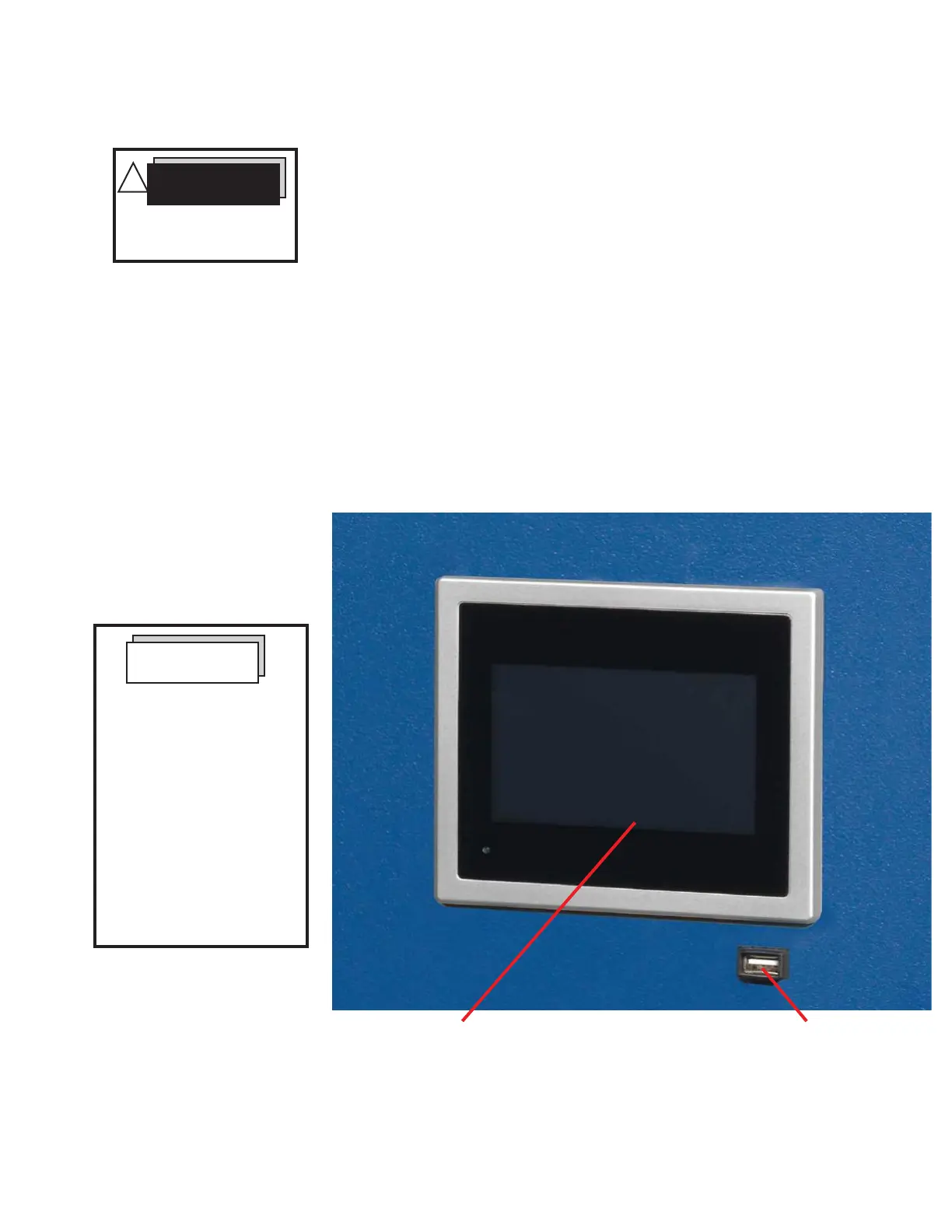
EZT-430S Controller USB Port
Figure 1. CSZ EZT-430S Controller Section
Note: CSZ is continuously upgrading the components used
in its equipment. Consequently, the physical appearance of
certain components may vary from that shown.
SUMMARY FOR STEP-BY-STEP SET-POINT OPERATION -
EZT-430S CONTROLLER
These instructions will enable the operator to use the EZT-430S Controller in a single set-point operation. The
User's Manual for the EZT-43S Controller (found on the digital media that accompanied your unit) should be
reviewed for more detailed operation.


 To Next Page