OPERATION
Page 3-8
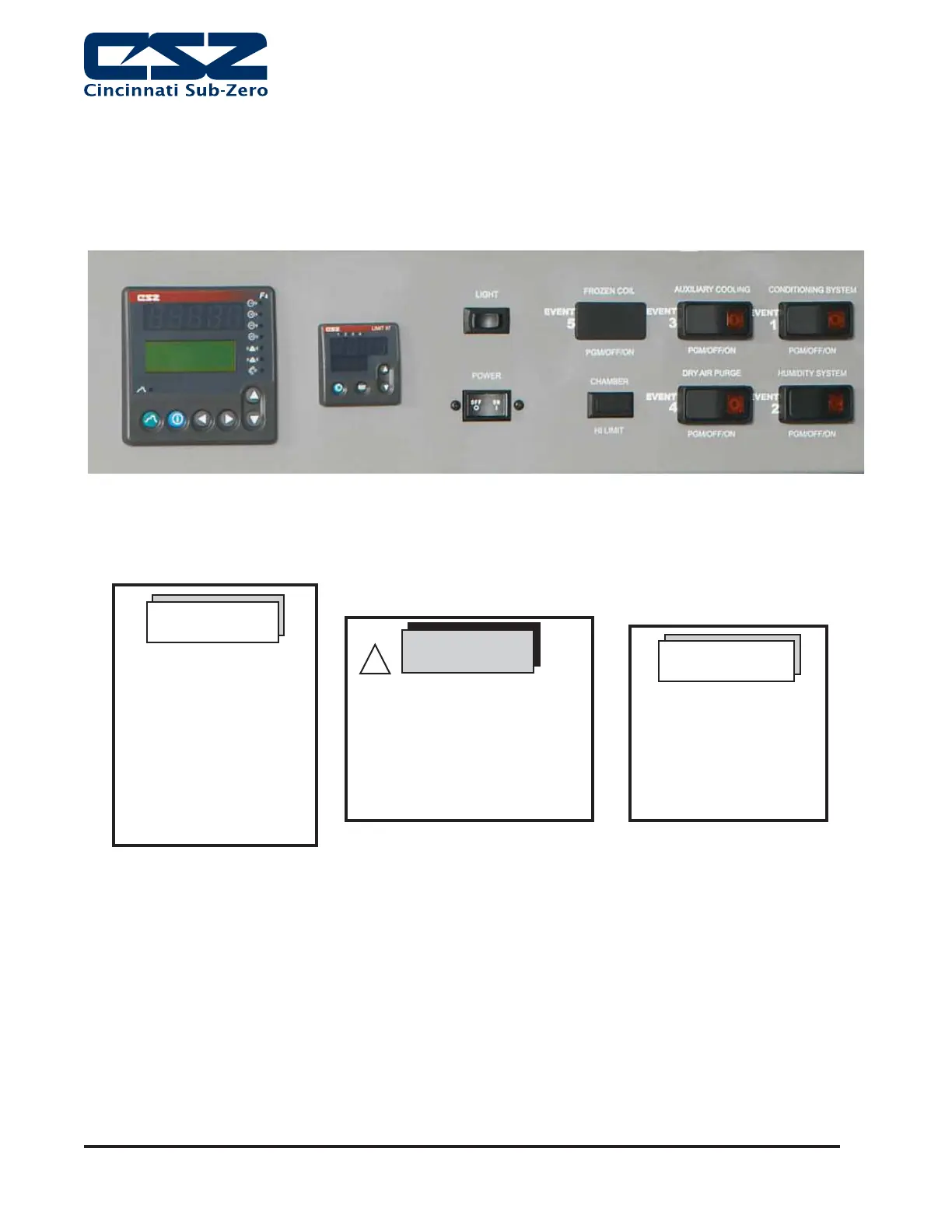
Figure 2. Watlow F4 Controller Section
For MCH-3 units, you
can manually turn on the
conditioning system using
the switch on the front of
the chamber. If desired,
the switch can be placed
in program mode. This
allows the digital output
of the F4 to control the
c o n d i t i o n i n g s y s t e m .
NOTE
The following start-up
instructions are written
for the F4 Controller.
For optional controllers,
please refer to Specific
I n s t r u c t i o n s i n t h e
c o n t r o l l e r ' s m a n u a l .
NOTE
When running a programmed
pro! le the end step must HOLD
the final temperature. If other
end step option are chosen the
unit will Pull-Down chamber
temperature to maximum low
temperature. MC-3 = -68°C
CAUTION
!
Note: CSZ is continuously upgrading the components used
in its equipment. Consequently, the physical appearance of
certain components may vary from that shown.


 To Next Page