EVENT CONTROL
Events are the “switches” used to turn the digital outputs of the EZT-430S loop controls on and off. These
events can be manually turned on and off as well as programmed into automatic ramp/soak programs so that
they can be turned on and off at set time intervals.
SINGLE SETPOINT OPERATION - TEMPERATURE/HUMIDITY
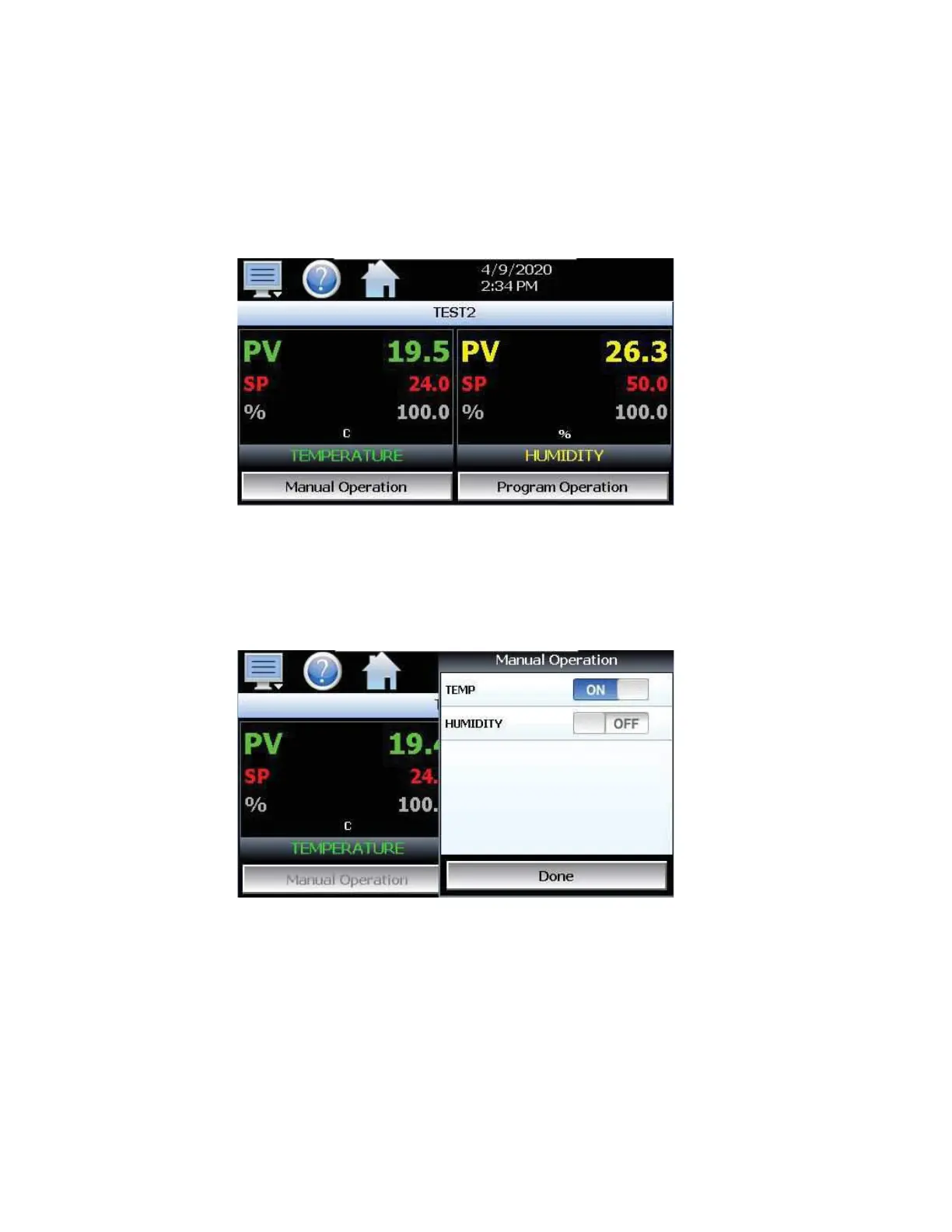
1. Press the numeric setpoint for temperature or humidity, the setpoint adjust key pad will be shown on
the screen. Enter the desired setpoint.
2. Turn on the conditioning/humidity system by pressing the Manual Operation button then, turning ON/
OFF the corresponding “event” switch (see manual event control).


 To Next Page