GETTING STARTED
18
USING THE TOUCHPAD
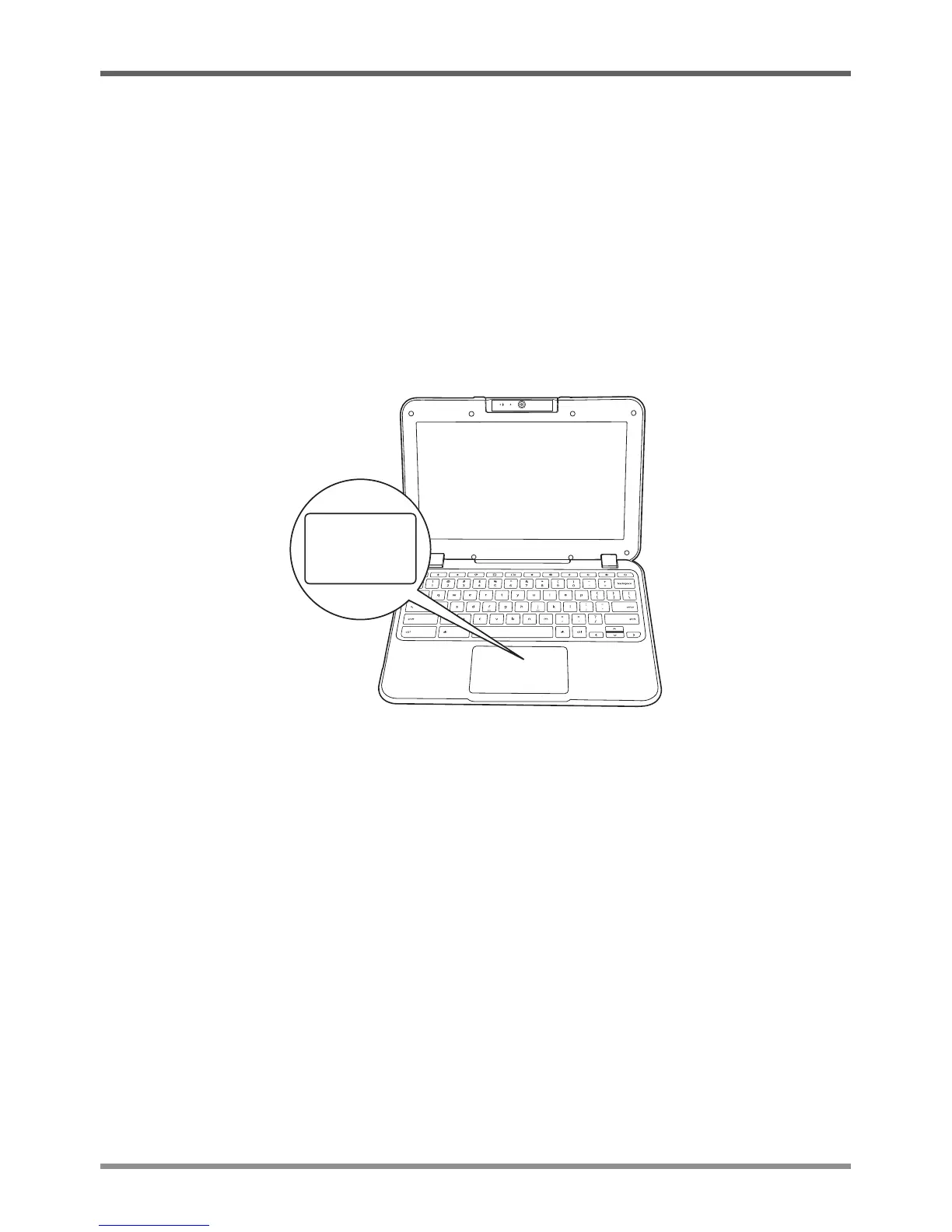
Atouchpadpointingdevicecomesbuiltintoyourcomputer.Itisusedtocontrolthemovementof
thepointertoselectitemsonyourdisplaypanel.
Thetouchpadconsistsofacursorcontrol,andaclickingarea.Thecursorcontrolworksthesame
wayamousedoes,andmovesthecursoraroundthedisplay.Itonlyrequireslightpressurefrom
thetipofyourfinger.Theclickingareaisonthelowerhalfofthetouchpadthatfunctionsasmouse
button.Iftap-to-clickisenabled,youcanquicklytapthetouchpadtoperformtheclickfunction.
Toright-click,clickthetouchpadwithtwofingers.Theactualfunctionalityoftheclickingarea
mayvarydependingontheapplicationthatisbeingused.
Clicking
Clickingmeanspushingandreleasingabutton.Toleft-click,movethecursortotheitemyouwish
toselect,presstheclickingareaonce,andthenimmediatelyreleaseit.Toright-click,movethe
mousecursortotheitemyouwishtoselect,taponthetouchpadwithtwofingers.Youalsohave
theoptiontoperformtheclickingoperationbytappinglightlyonthetouchpadonce.
Double-Clicking
Double-clicking means pushing and releasing the clicking area twice in rapid succession. To
double-click,movethecursortotheitemyouwishtoselect,presstheclickingareatwice,andthen
immediatelyreleaseit.Youalsohavetheoptiontoperformthedouble-clickoperationbytapping
lightlyonthetouchpadtwice.


 To Next Page