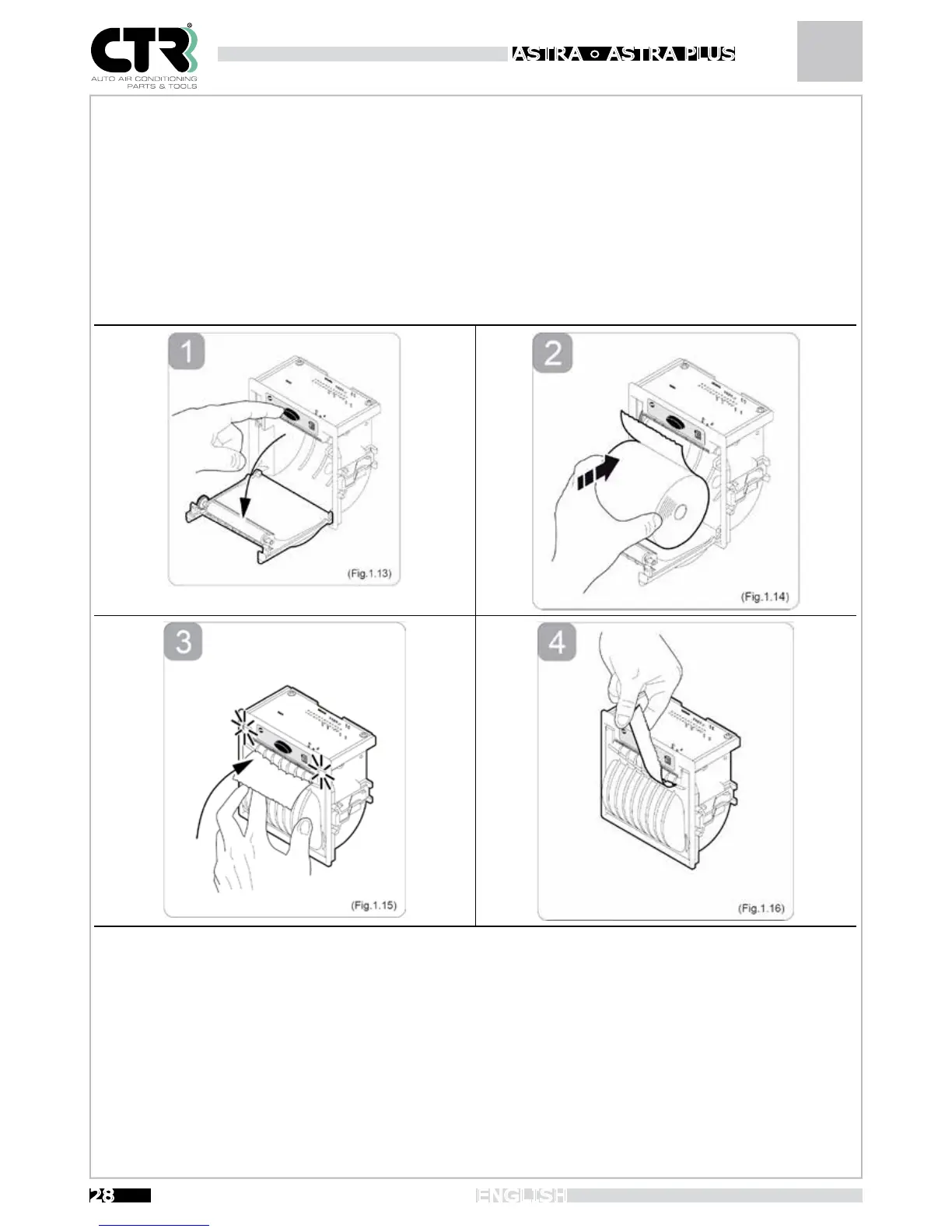
To change the paper roll, proceed as follows:
1- Open the printer cover by pressing the OPEN button (see Fig.1.13).
2- Position the paper roll in the compartment, respecting the rotation direction indicated (see Fig.1.14).
3- Pull the paper until it comes out of the compartment and close the cover (see Fig.1.15). The cover locks.
4- Tear off the excess paper using the serrated edge (see Fig.1.16).
5- The printer is now ready for printing.


 To Next Page