10. SD card database update
The vehicle database resides on the removable SD card housed on the circuit board of the unit.
This operation may only be carried out by technical service staff authorised by CTR S.R.L.
Contact your local Dealer.
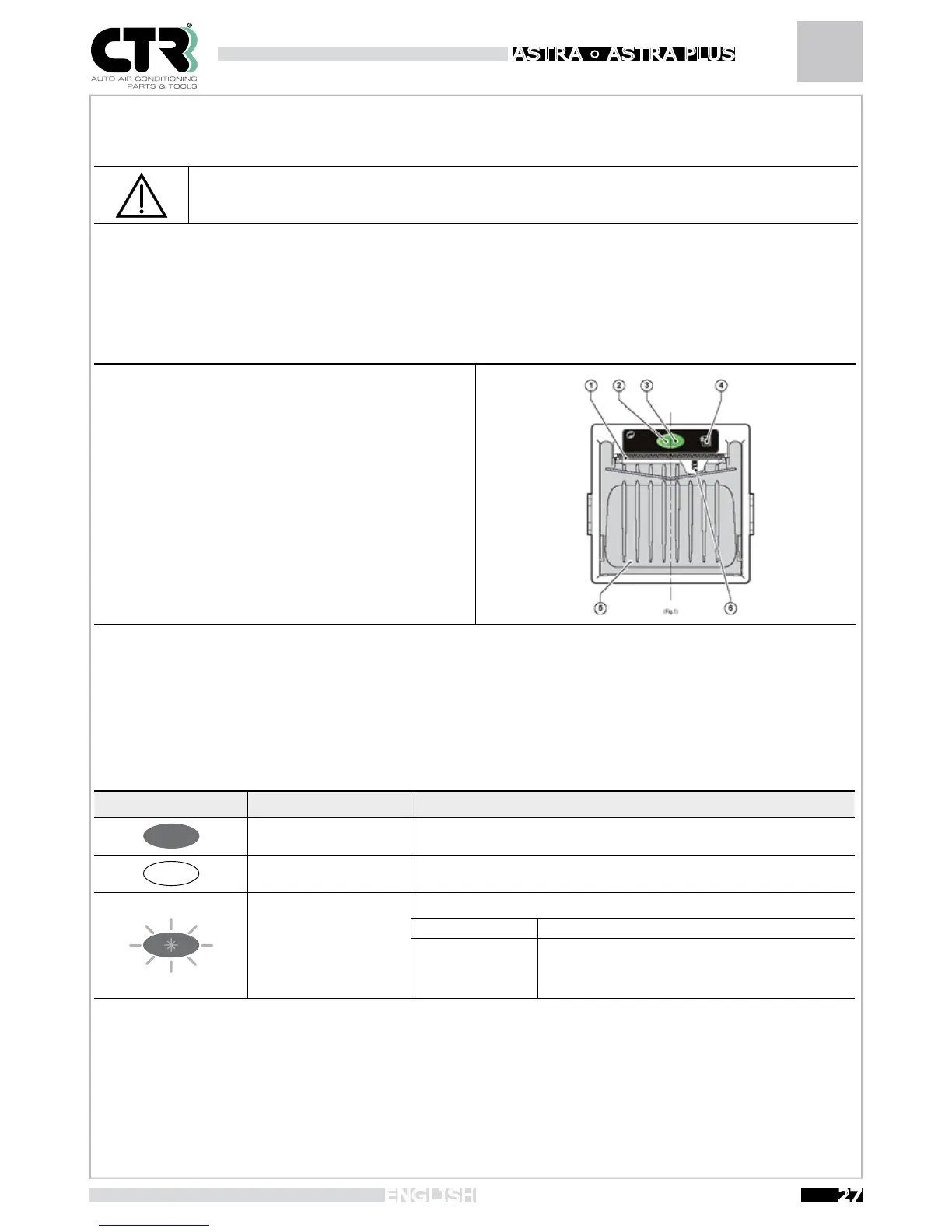
11. Printer
1- Paper feed slot
2- Status LED
3- OPEN button for paper roll compartment
4- Paper FEED button
5- Paper roll compartment
6- Out-of-paper sensor (internal)
The green status LED indicates the hardware status of the printer. In the event of malfunctioning, the LED ashing frequency will
change according to the following table.
Status LED Colour Description
OFF Printer off
ON
Printer on: no error
FLASHING
RECOVERABLE ERROR
Slow Out of paper
Fast
Print head overheating
Incorrect supply voltage


 To Next Page