22
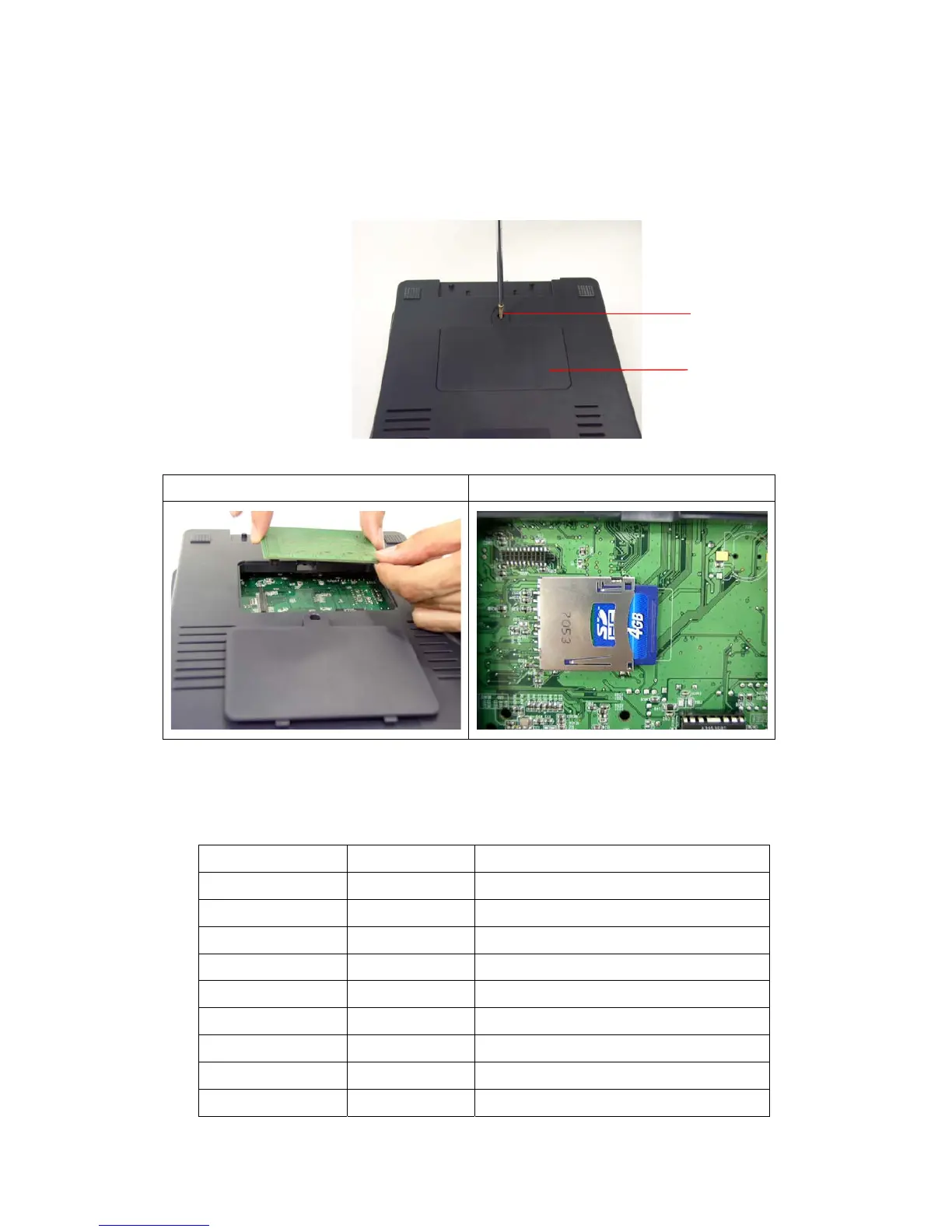
3.9 Installing SD Memory Card
1. Turn the printer upside down.
2. Remove the screw that fixes the memory card cover.
3. Plug the memory card into the memory card socket on main board.
CB-524 (Option) CB-724e/CB-534e (SD Card)
4. Re-install the memory card cover.
* Recommended SD card specification.
SD card spec SD card capacity Approved SD card manufacturer
V1.0, V1.1 128 MB SanDisk, Transcend
V1.0, V1.1 256 MB SanDisk, Transcend, Panasonic
V1.0, V1.1 512 MB SanDisk, Transcend, Panasonic
V1.0, V1.1 1 GB SanDisk, Transcend, Panasonic
V2.0 SDHC CLASS 4 4 GB
V2.0 SDHC CLASS 6 4 GB SanDisk, Transcend, Panasonic
V1.0, V1.1 microSD 128 MB Transcend, Panasonic
V1.0, V1.1 microSD 256 MB Transcend, Panasonic
V1.0, V1.1 microSD 512 MB Panasonic
Memory Card Cover
Screw



 To Next Page