4
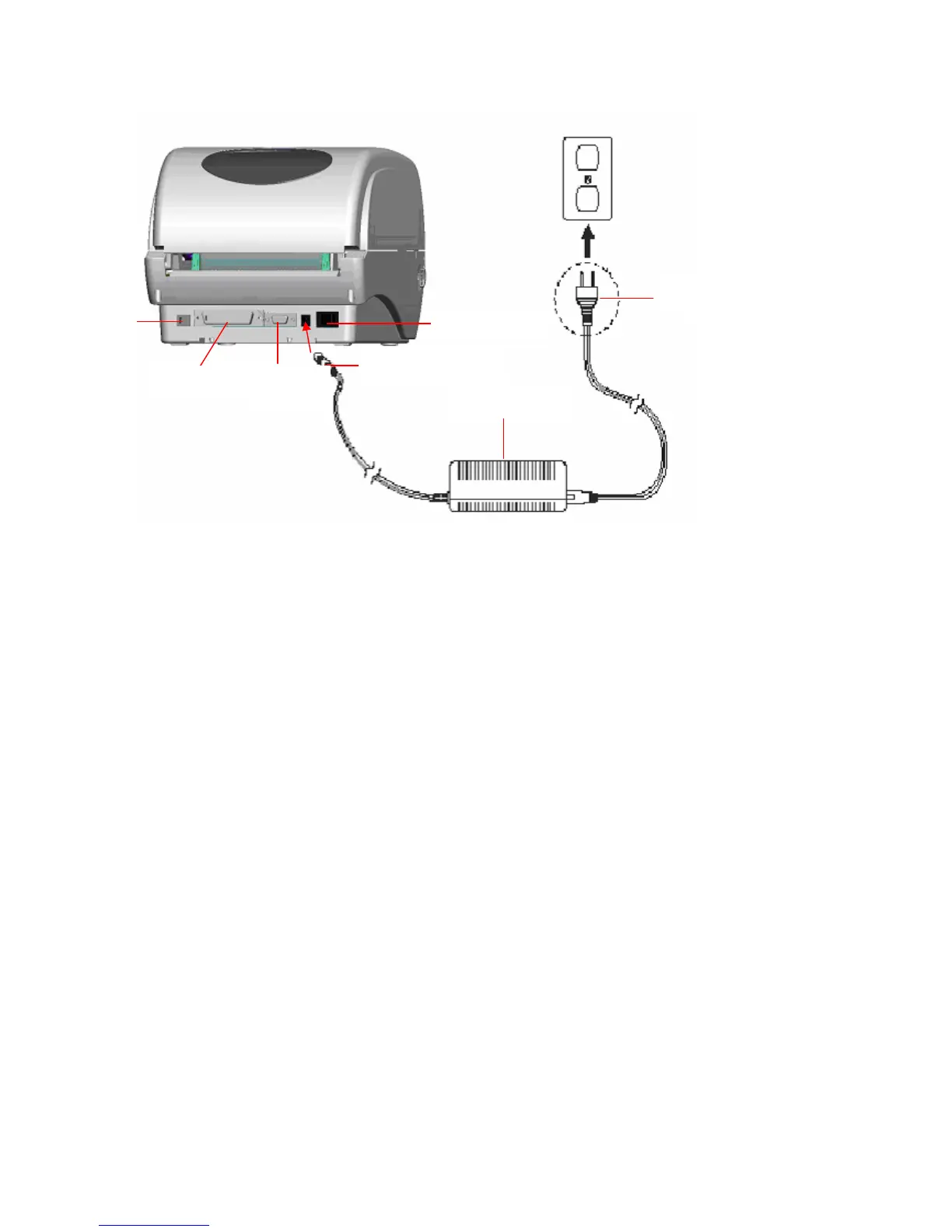
Fig. 3 Attach power supply to printer
3.2 Loading the Ribbon
The printer will detect the ribbon if installed when turning on power and will set the
printing mode to thermal transfer or direct thermal. If the printer does not detect a
ribbon, the ribbon take up motor will be turned off.
Make sure both the ribbon access window and the printer top cover are closed prior to
powering up the printer.
Please follow the steps below to install the ribbon into printer.
1. Push down on the ribbon access window to unlatch and open the cover.
2. Place a paper core onto the ribbon rewind spindle.
3. Mount the ribbon rewind paper core on the front hubs.
4. Install a ribbon on the ribbon supply spindle.
5. Mount the ribbon supply spindle on the rear hubs.
6. Thread the ribbon leading tape downward pass the print head.
7. Attach the ribbon leader to the ribbon rewind paper core.
8. Rotate the ribbon rewind paper core until the ribbon leader is thoroughly, firmly
Power Supply
Plug
Power Cable
Power Switch
USB
RS-232C
Centronics



 To Next Page