EasyManua.ls Logo

Cub SENSOR AID - 4.3 Manual R;L Modify - Manual Modify a Target sensor; Function Selection for Manual R;L Modify; Check Original ID Process; Scan Complete for R;L Setting

Cub SENSOR AID
21 pages
Print Icon
To Next Page IconTo Next Page
To Previous Page IconTo Previous Page
Loading...
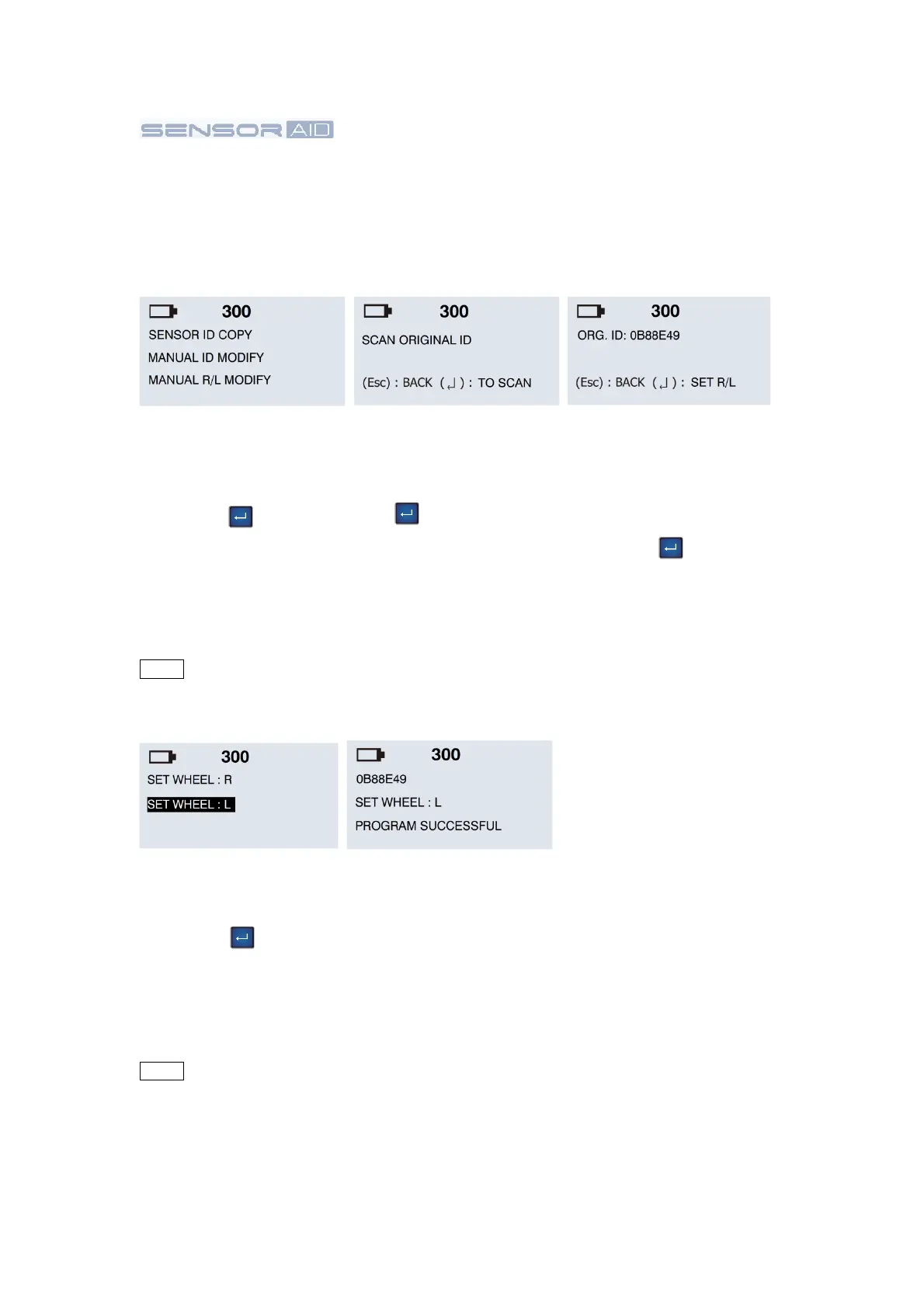
Scan Complete:
Sensor AID will now
show the target sensor
ID. You will hear 2 short
beeps when the sensor is
scanned. Press the
“Enter” key to set
R/L.
Check Original ID:
To place the target
sensor close to Sensor
AID and press the “Enter”
key to scan the
original ID number to
make sure this target
sensor is correct what
you want to modify.
Function selection:
Use the arrow key
to select MANUAL R/L
MODIFY and press the
“Enter” key to select.
R/L wheel selection:
Use the arrow key
to select R/L, press the
“Enter” key to
modify.
4.3 Manual R/L Modify
Manual Modify a Target
sensor
This function
is
designed
for you to wireless modify the wheel right/left position on the target
sensor.
NOTE Duplicate and Program function will only work with CUB’s Sensor-AID and
Uni-sensor.
NOTE Duplicate and Program function will only work with CUB’s Sensor-AID and
Uni-sensor.
10
Modify Complete:
Sensor AID will now
modify the target sensor
for you. You will hear 2
short beeps when the
sensor is modified.