Sensor
AID
Introduction -
Keypad Summary
Sensor
AID
Introduction -
Power On The Device
02
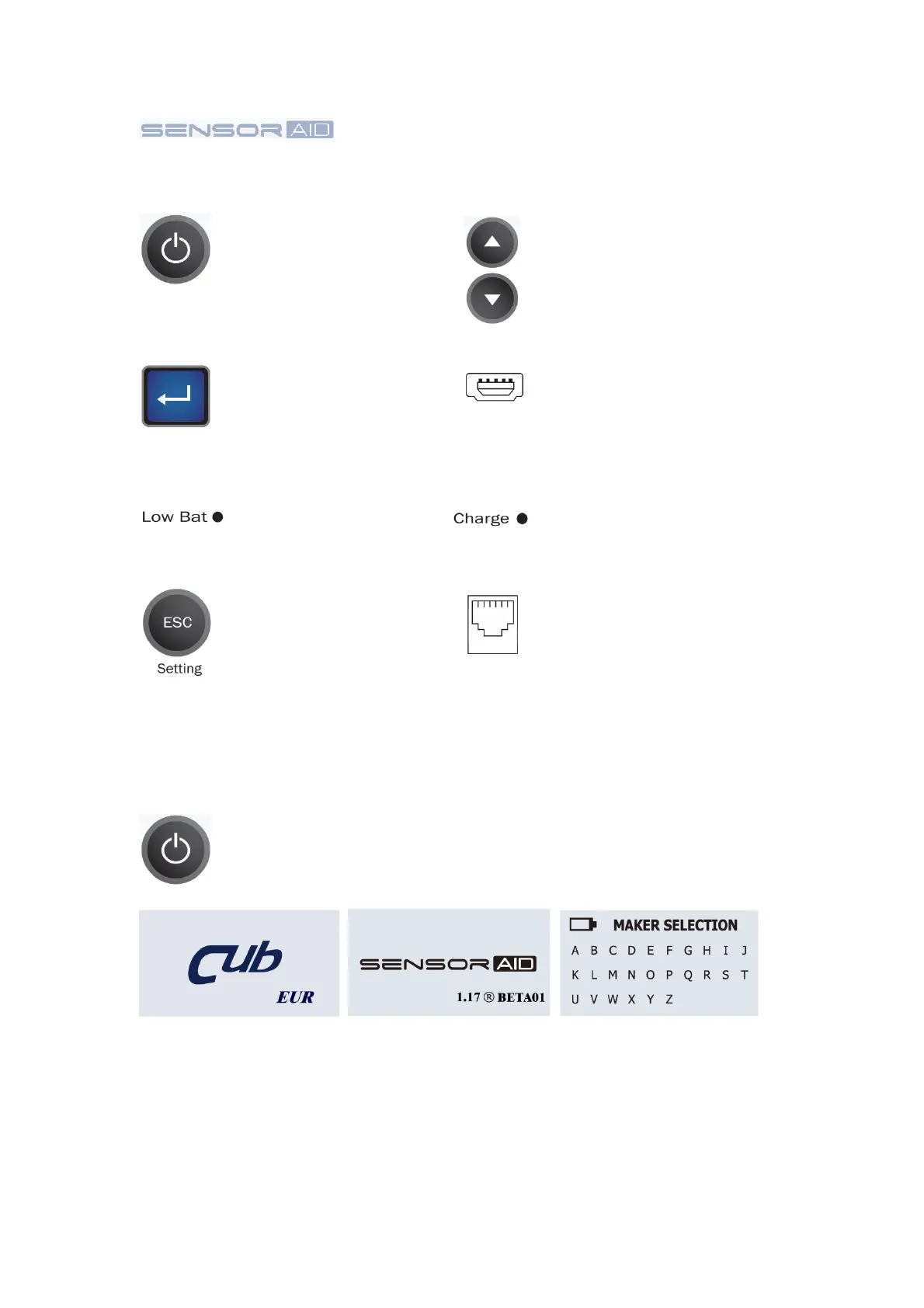
Power
On / Off
Navigate through measured
and parameters
by pressing up
and down keys
Enter key, press enter to
select function or validate
a parameter
The USB connection allows
software update via CUB
software
Indicator will turn red
when battery is low
Indicator will turn orange
when charging
Esc key, press to return to
the previous menu without
parameter validation
Press and hold the power key to power on the device
During power on, The
device display the CUB
logo and district. You can
switch USA/EUR region
in the setting page.
Software revision number
follows after the CUB
logo.
Now the device is at the
maker selection menu.
Connect to OBDII module
by RJ11 cable


 To Next Page