Software Update –
Device Software Update
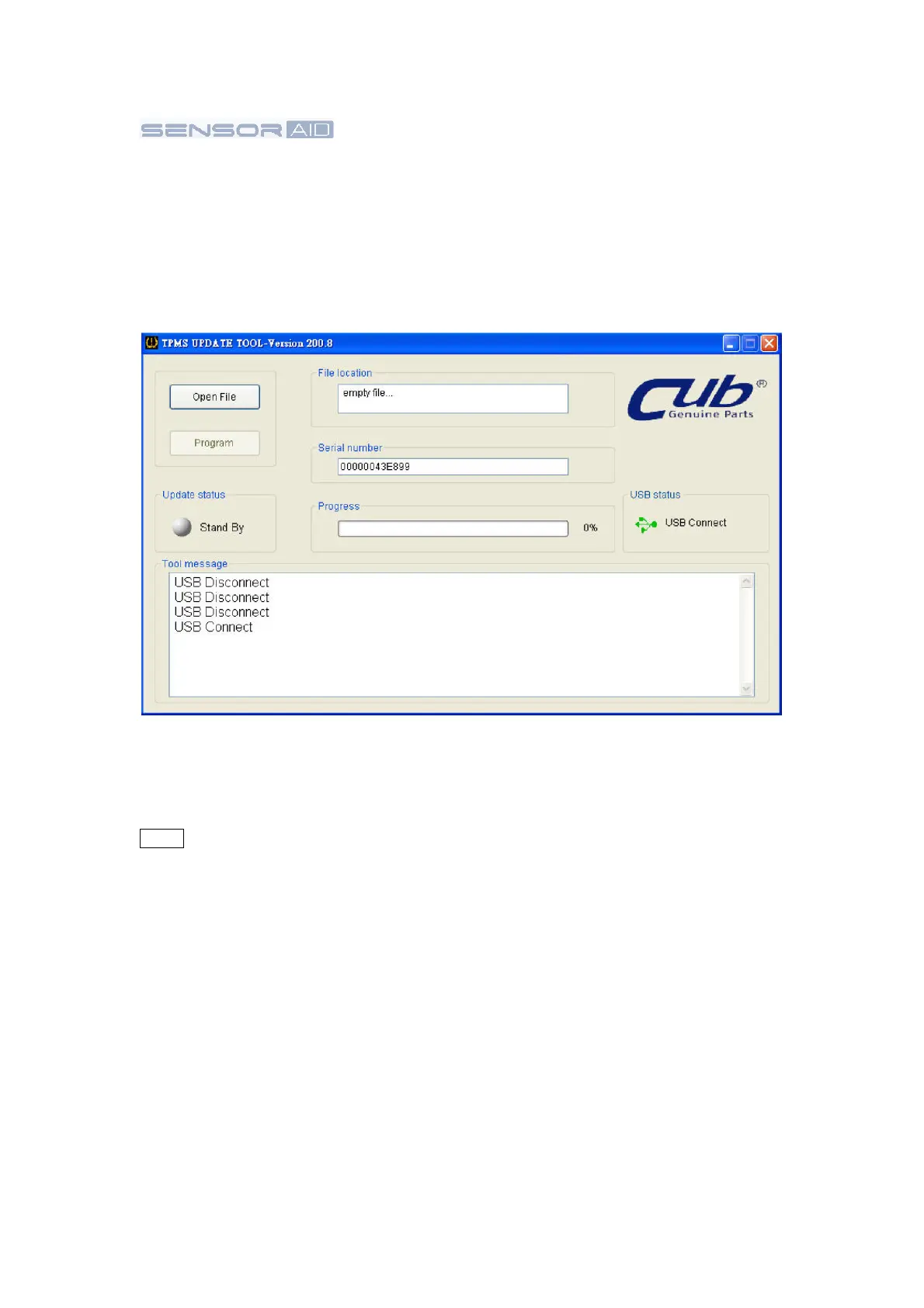
1. Connect the USB cable from Sensor AID to the PC, Click on the CUB TPMS update icon to
start the program.
2. The following screen appear, When you see USB connected, Click open file to select the
newest update file you download from the web or the newest CD you obtain.
3. Click
program
after the file is selected to start the update
process
NOTE Every device has it's unique license
number, the software
must
match the license
number to
update.
4. The update process should look like the
following
window, the update
status
light will
flash yellow light during the
update.
5. When update is
complete
the update status light will be solid
green.
18


 To Next Page