NOTE
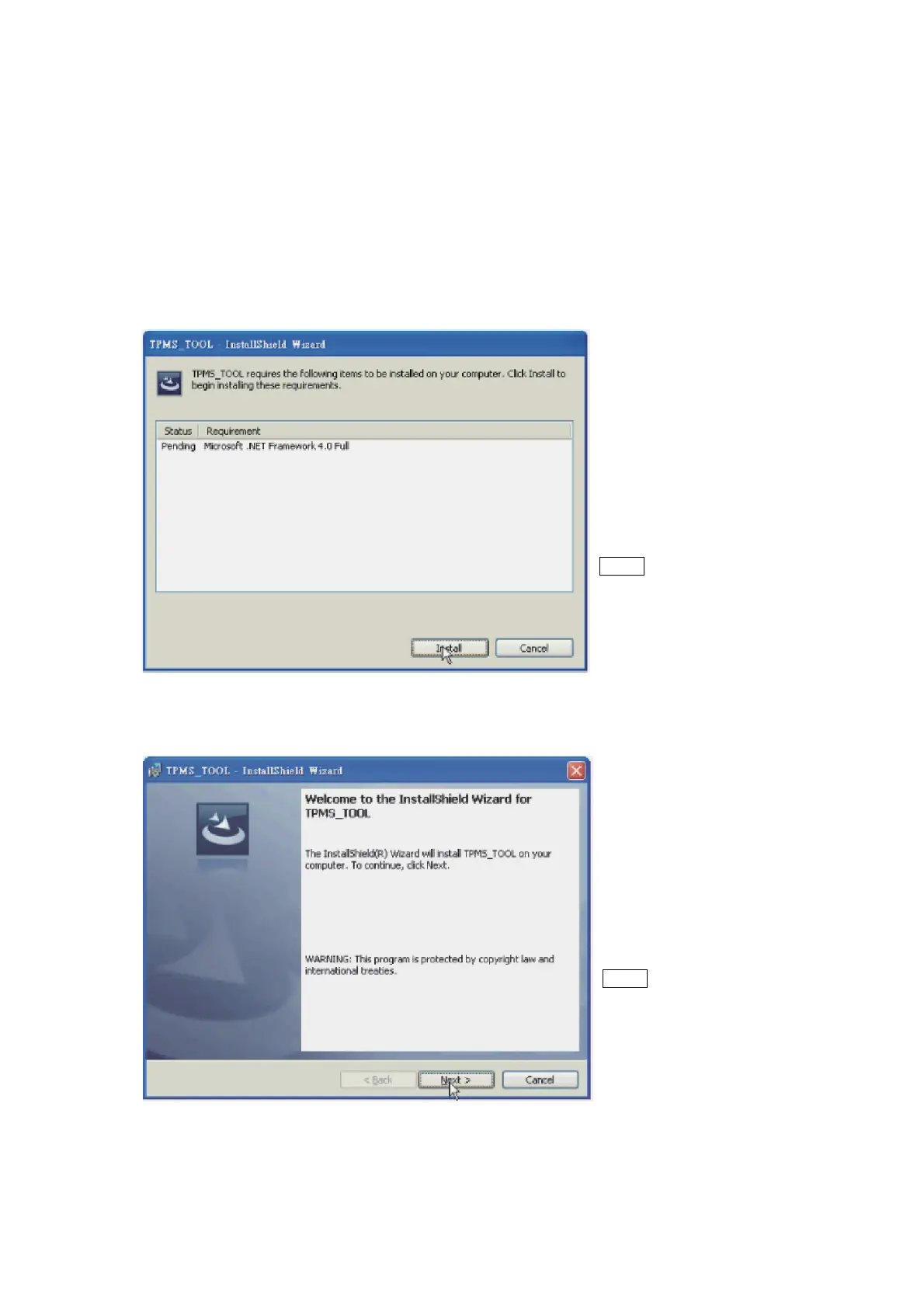
This screen will only appear if
you don’t have Microsoft.Net
Framework 4.0 installed. This
process will take a while to
complete.
NOTE
Please read the license
agreement carefully, and
select “I accept the terms in
the license agreement” and
click “Next” to complete the
software installation.
English
8.
Software Update –
Software Installation
1. Insert the CD, supplied with
instrument,
into the PC drive and click on
the
CUB icon to
start the
installation.
2. The following screen will appear. Click “Install”.
3. The following window will appear, Please click “Next”
17


 To Next Page