EasyManua.ls Logo

Cub SENSOR AID - ID Format Setting; Auto Off Setting; Display Contrast Setting; Buzzer Setting

Cub SENSOR AID
21 pages
Print Icon
To Next Page IconTo Next Page
To Previous Page IconTo Previous Page
Loading...
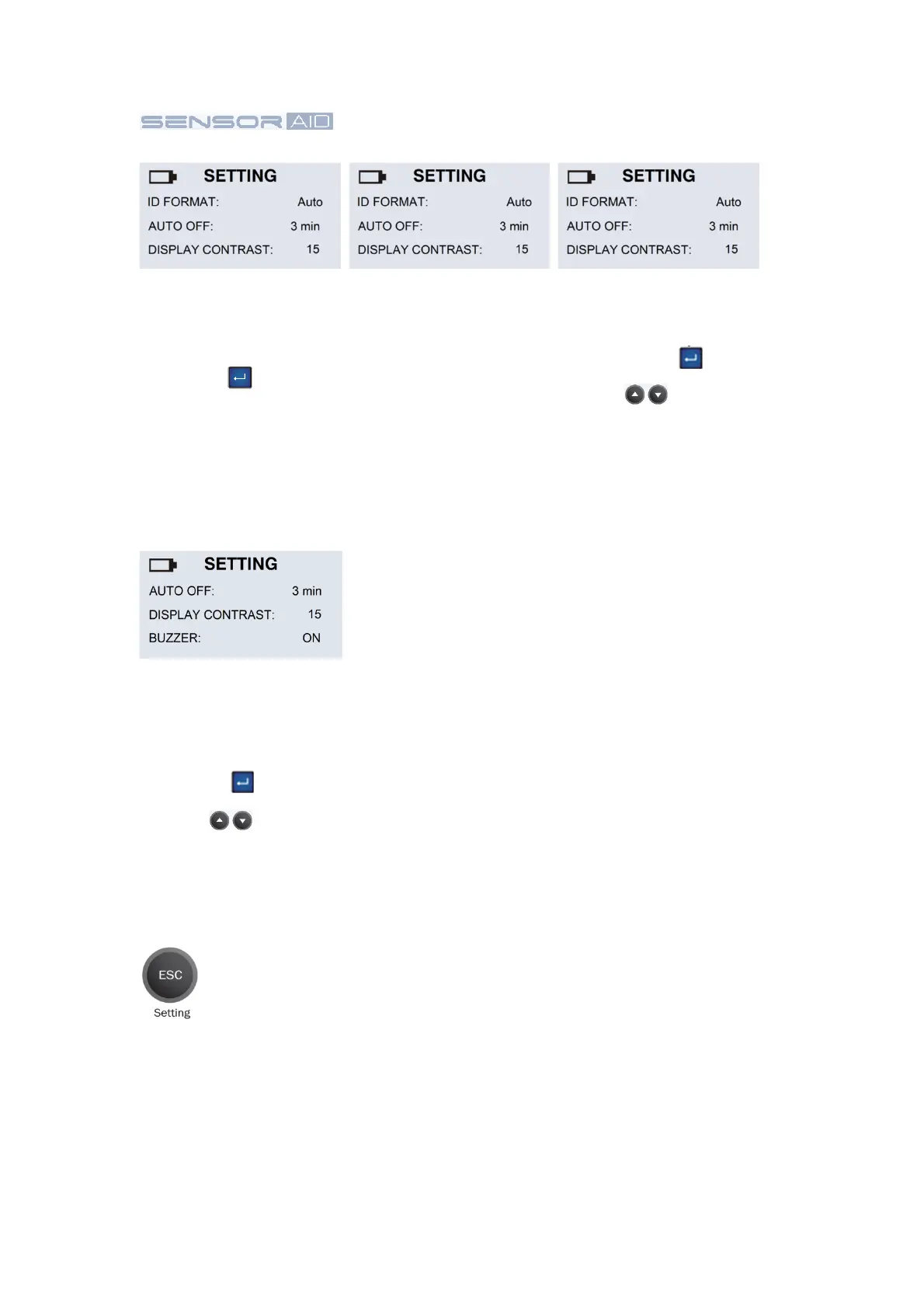
Buzzer:
User can adjust the
device to beep after
receiving tire sensor
information. Press the
“Enter” key to
buzzer and use the
arrows to adjust
between on and off.
Display contrast:
User can adjust the
contrast of display. Press
the “Enter” key to
highlight and use the
arrows to adjust
between 01 to 30.
Auto off:
User can adjust how
quickly the tool will turn
off after a period of
non-use. This feature can
also be disabled. Press
the “Enter” key to select
desired auto off time.
ID Format:
Change the ID format
between decimal and
hexadecimal with the
“Enter” key
Note: The present setting
is AUTO that
automatically change
format based on input.
Press ESC again to go back to maker selection.
16