EasyManua.ls Logo

Cub SENSOR AID - 7. Sensor AID Settings - Device Setting; Language Setting; Device Serial Number and Firmware Update; Area Setting (EUR;USA)

Cub SENSOR AID
21 pages
Print Icon
To Next Page IconTo Next Page
To Previous Page IconTo Previous Page
Loading...
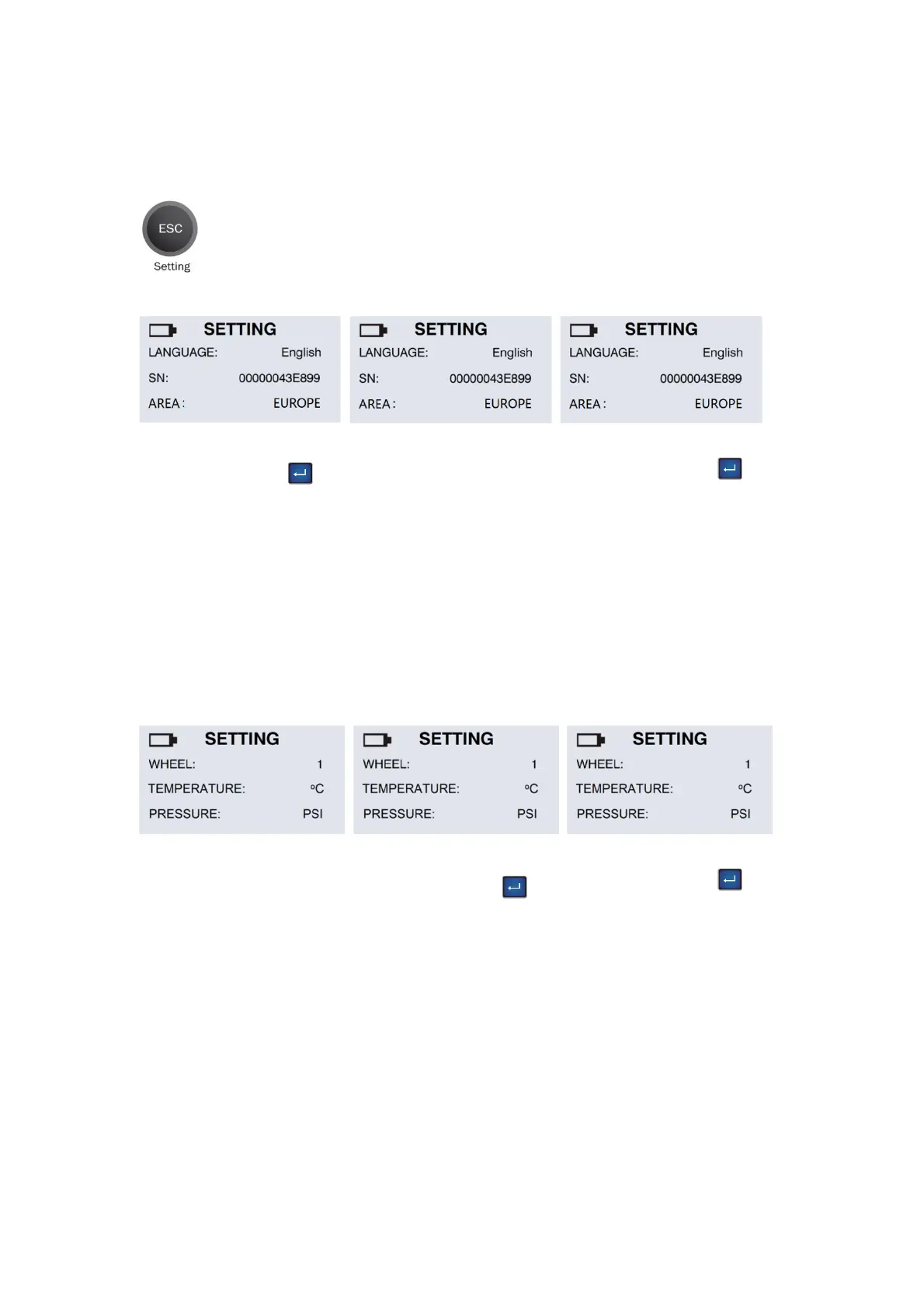
Area:
Use the “Enter” key
to choose the EUR/USA
region.
Device S/N:
The device serial number
is for you to update the
device’s firmware via CD
or internet.
Note: All the update
firmware is synchronous
to the device’s serial
number.
Language:
Use the “Enter” key
to choose the language
you prefer.
Pressure:
Use the “Enter” key
to choose between PSI
and kPa.
Temperature:
Use the “Enter” key
to choose between
Fahrenheit and Celsius.
Wheel number:
Only scan one sensor,
please select 1. Scan 4
wheels sensors, please
select 4.
Note: The ID to PC
function is available for
wheel 4 only.
English
7.
Sensor AID Settings –
Device Setting
Press ESC to go in to setting at maker selection menu
15