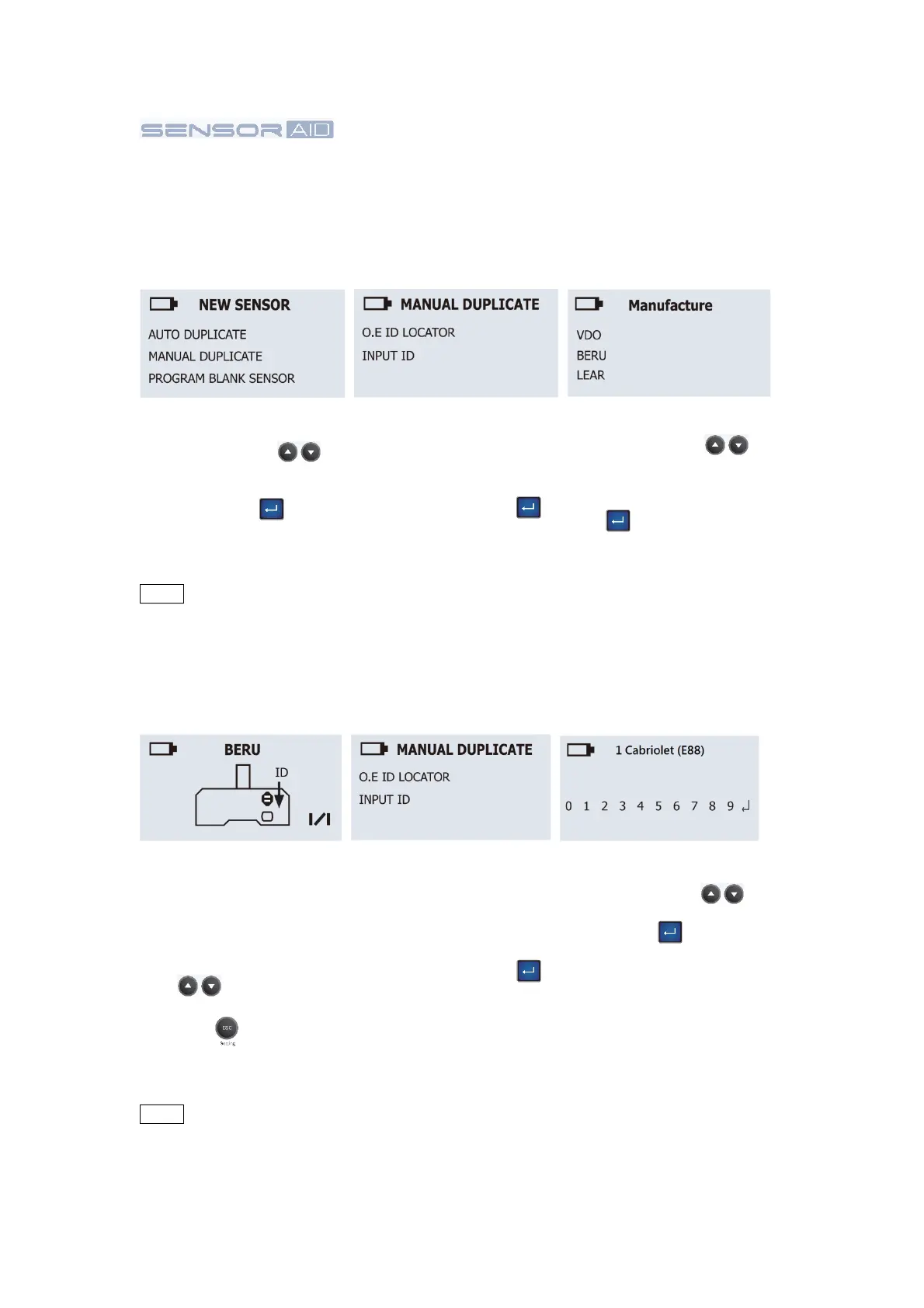
Manufacture Selection:
Use the arrow key
to select the
manufacturer of the O.E
sensor. Press the “Enter”
key to select.
O.E ID Locator:
Use the O.E ID Locator to
help find the Sensor ID
on a dead O.E sensor.
Press the “Enter”
Function selection:
Use the arrow key
to select MANUAL
DUPLICATE and press
the “Enter” key to
select.
Input ID:
Use the Input ID function
will allow you to input the
ID from O.E Sensor to
program the Uni-sensor,
press the “Enter” key
to select.
ID Locator:
This will show you where
the ID is located. Some
manufacturer may have
more than one type of
sensors. Use the arrow
key to browse, to
get back by press the
ESC key .
Input Sensor ID:
Use the arrow key
to browse, Press the
“Enter” key to enter
the ID.
Please check if O.E
sensor ID is Hexadecimal
(0~9+A~F) or Decimal
(0~9) to select correct
mode in Manual
Duplicate.
3.2 Manual Duplicate-
Manual
Duplicate an
O.E
sensor
This function
is
designed
for you to bypass OBDII and manually
duplicate
an O.E
Sensor.
NOTE Duplicate and Program function will only work with CUB’s Sensor-AID and
Uni-sensor.
This function
is
designed
for you to bypass OBDII and manually
duplicate
an O.E
Sensor.
NOTE Duplicate and Program function will only work with CUB’s Sensor-AID and
Uni-sensor.
06


 To Next Page