CUBICON Single Plus User Manual
35
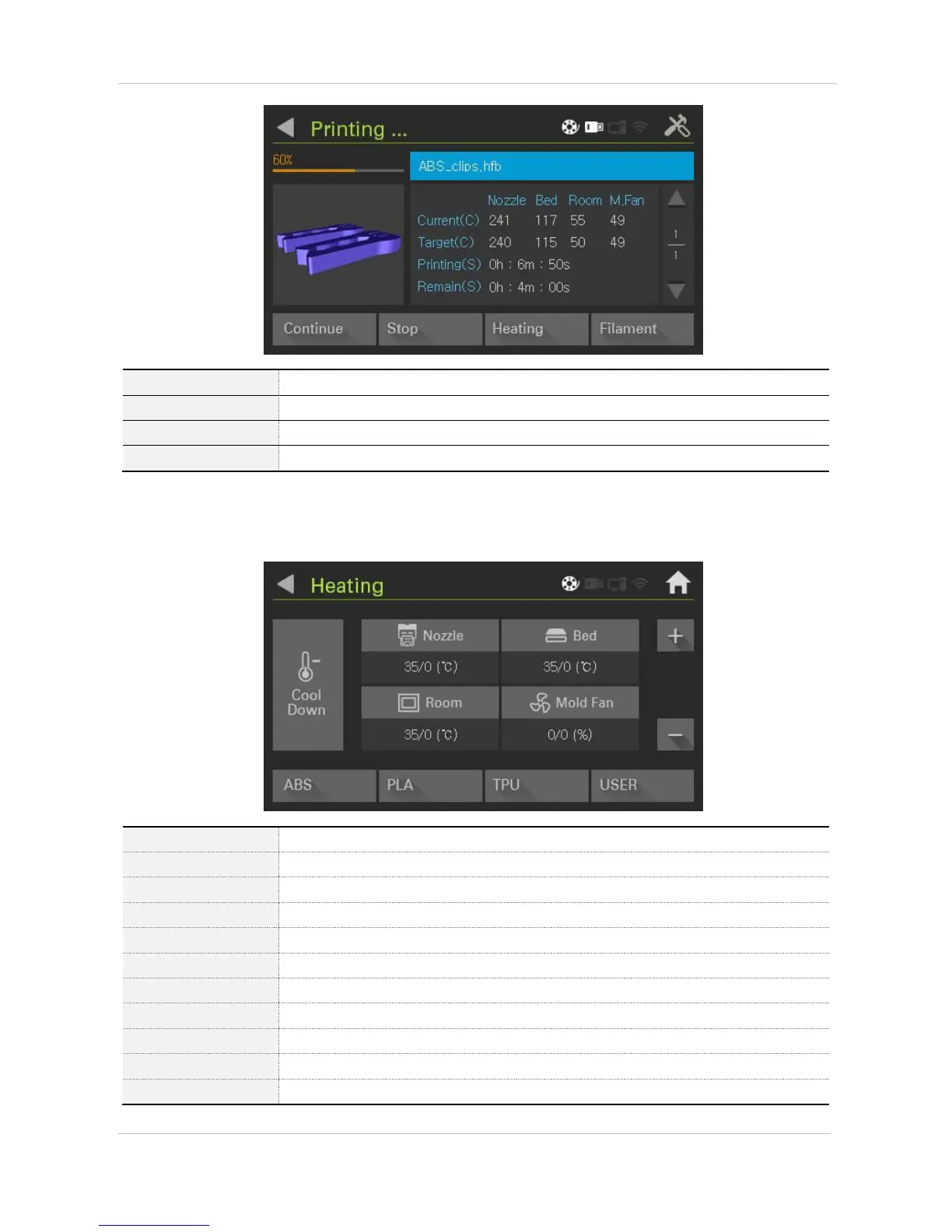
Connects and prints paused files from paused point.
Stops printing (Pup-up is activated after FW1.1)
Controls current temperature
Enters the filament loading / unloading
Inside printer temperature
Controls shaped fan wind power
Initializes all temperature setting value
Warms up basic setting temperature of ABS
Warms up basic setting temperature of PLA
Warms up basic setting temperature of TPU
Warms up user setting temperature. Basic temperature is 0°C


 To Next Page