64 Culligan® High Efficiency 1.5 Water Filter
64 Cat. No. 01024514
Test the Data Port
The Culligan Smart controller is capable of communicating with many different types of equipment including laptop and
desktop computers running Microsoft Windows
®
operating systems. In order to connect the Smart Controller to a com-
puter you will need a USB-to-GBE cable, Culligan P/N 01021507. You will also need to download a installation file from
the myCulligan Web site on the GBE downloads page. The file is called “Setup_Culligan_GBE.EXE”. Once you copy the
file to your PC, you can double-click on the file to install the USB drivers and the Data Port Output Viewer to your local
hard drive. You will be asked which directory you want to copy these files to. You may select any directory. Note: Previous
instructions showed how to view the output in Windows’ Hyperterminal. Although this is still possible, this program makes
the process much more simple.
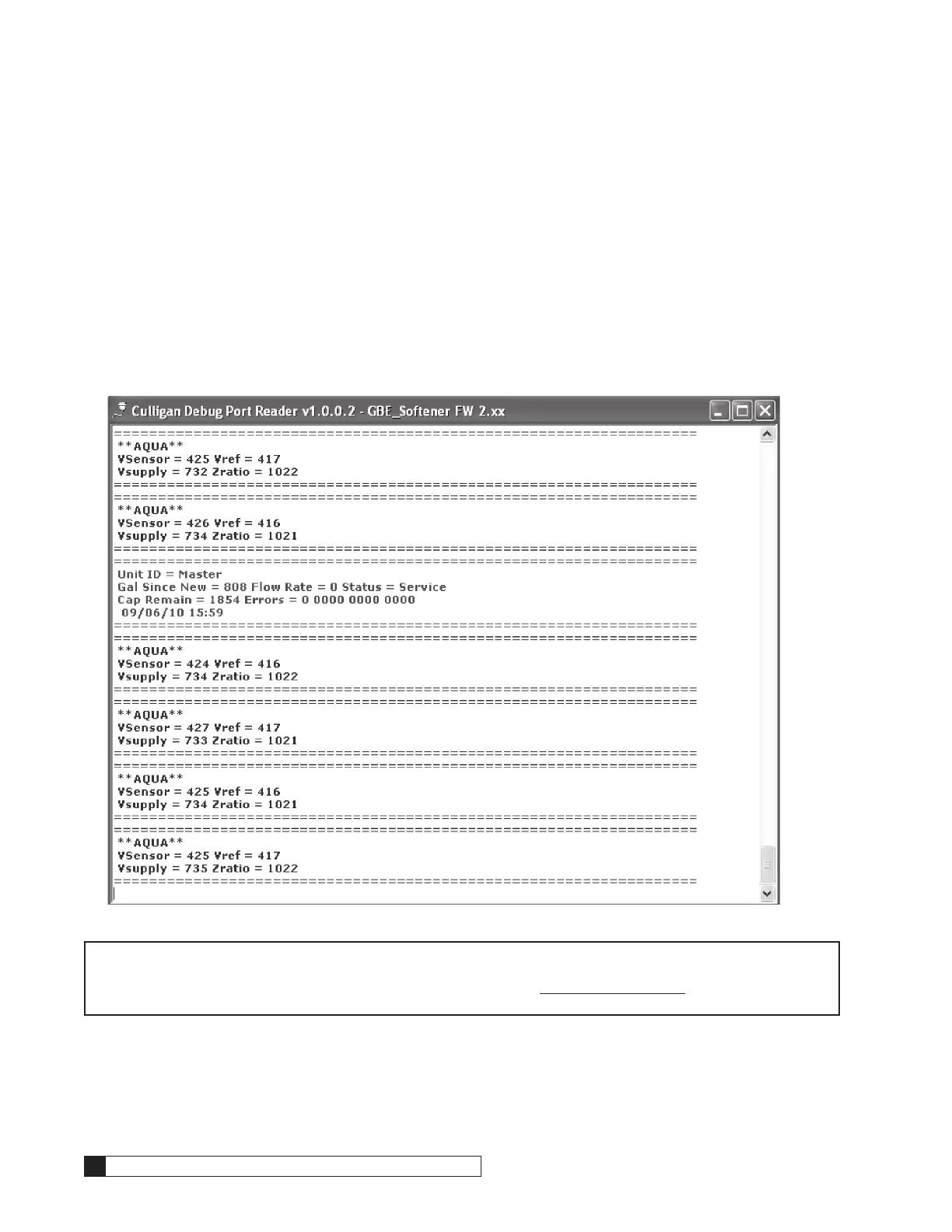
The instructions for using the program are included with the download. The program is a simple viewer window that
shows the decoded messages sent to the debug port. See figure below.
The following pages describe how to send a mini report to the viewer.
NOTE Refer to the GBE Programming for Commercial Softeners and Filters, except HF xN Manual (P/N
01027295) for instructions on obtaining a system data sheet. This manual can be obtained from your
local dealer, on C-Port (www.cport.culligan.com) under the Technical Service Tab or on the Service
Tech App.




 To Next Page