40
Slave Unit Setting
1
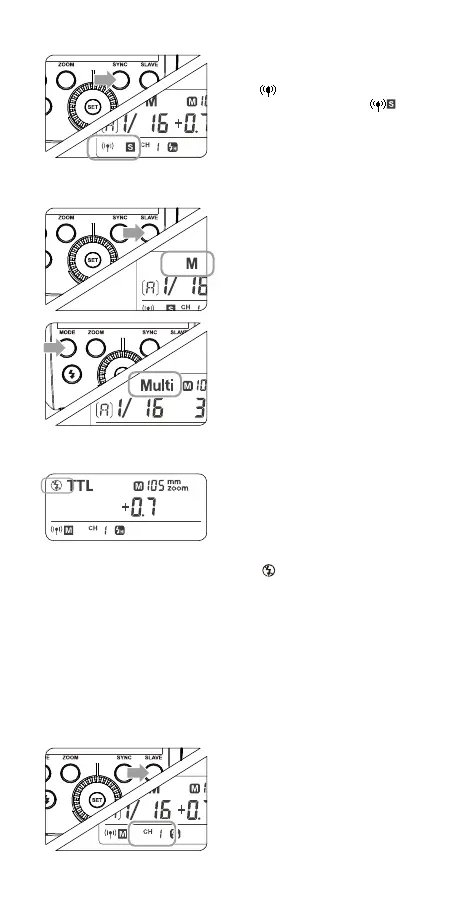
Long Press the < SYNC >
button for 2 seconds so that
<
> is blinking. Turn the
Select Dial until the <
>
is displayed on the LCD pan-
el, which means the slave
unit.
2. Setting Group Unit’s Flash Mode
1
Press the < SLAVE > Button
to choose the group from
A/B/C. Then, press the
< MODE > Button so that
the master unit can work in
OFF / TTL / M ash mode.
Choose one of them as the
ash mode of master unit.
2
Press the < MODE > Button
for 2 seconds to switch to
Multi mode.
3. Master Unit‘s Flash OFF
1
When the ash attach to
camera, enter the external
ash control on the cam-
era menu.
2
Turn off the master control
ash on the camera . The
< > icon will blink on the
CUlight FR 36C panel, and
the ash master control unit
is disabled. Select turn on
to cancel the master control
unit disabled.
4. Setting the Communication Channel
If there are other wireless ash systems nearby, you can change
the channel IDs to prevent signal interference. The channel IDs of
the master unit and the slave unit(s) must be set to the same.
1
Long press the < SLAVE >
Button for 2 seconds un-
til the channel IDs is blink-
ing. Turn the Select Dial to
choose a channel ID from
1 to 16.



 To Next Page