45
• If the wall or ceiling is too far away, the bounced ash
might be too weak and result in underexposure.
• The wall or ceiling should be a plain, white color for high
reectance. If the bounce surface is not white, a color
cast may appear in the picture.
• Point the ash head straight ahead and then upward by
90°. The catchlight will not appear if you swing the ash
head left or right.
• For best catchlight effect, stay 1.5m/4.9ft away from the
subject.
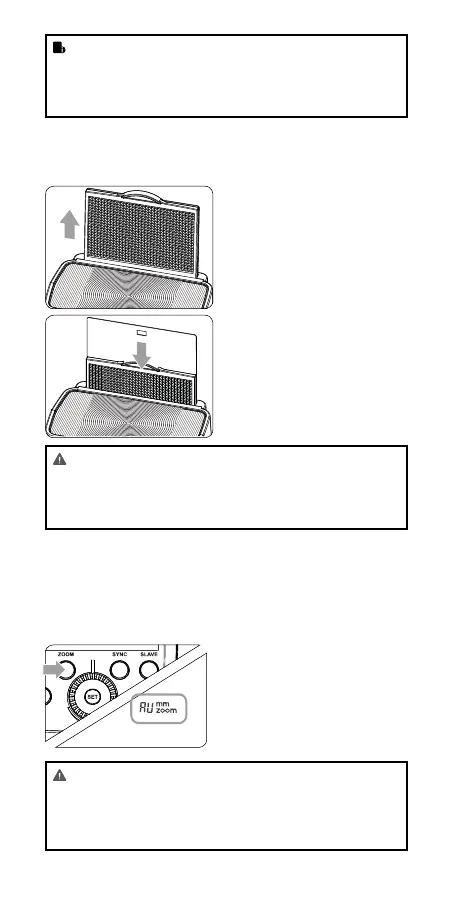
Creating a Catchlight
With the catchlight panel, you can create a catchlight in the sub-
ject’s eyes to add life to the facial expression.
1
Point the ash head upward
by 90°.
2
Pull out the wide panel. The
catchlight panel will come
out at the same time.
3
Push the wide panel
back in.
• Push in only the wide
panel.
• Follow the same proce-
dures as for bounce ash.
ZOOM: Setting the Flash Coverage
and Using the Wide Panel
The ash coverage can be set automatically or manually. It can be
set to match the lens focal length from 24mm to 105mm. Also,
with the built-in wide panel, the ash coverage can be expanded
for 14mm wide-angle lenses.
In Manual Zoom mode, press
the < ZOOM > button.
• Turn the Select Dial to
change the ash cov-
erage.
• If < AU > is displayed, the
ash coverage will be set
automatically.
• If you set the ash coverage manually, make sure it cov-
ers the lens focal length so that the picture will not have
a dark periphery.
• When the low battery indicator is displayed, the ZOOM
can not be adjusted, it will constantly be 24mm.



 To Next Page