46
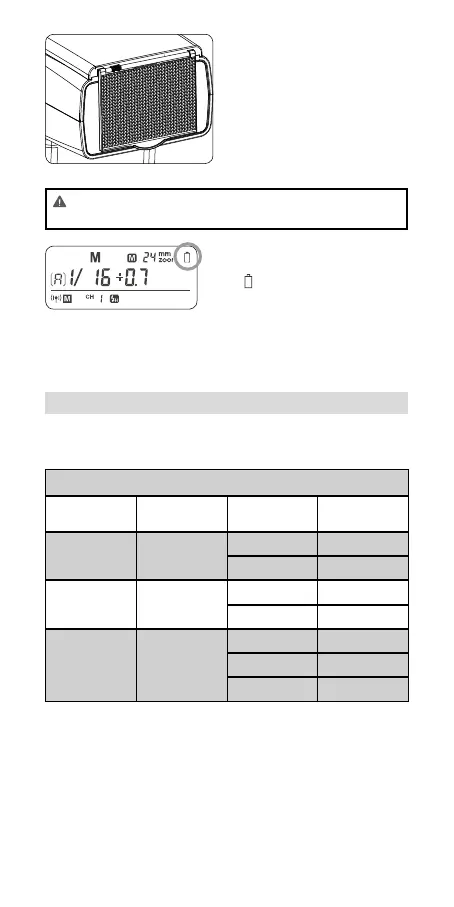
Using the Wide Panel
Pull out the wide panel and
place it over the ash head as
shown. The ash coverage will
then be extended to 14 mm.
• The catchlight panel will
come out at the same time.
Push the catchlight panel
back in.
• When pull out the wide panel, the ZOOM will constantly
be 14mm. The <ZOOM> button will not work.
Low Battery Warning
If the battery power is low,
<
> will appear and blink on
the LCD panel. Please replace
the battery immediately. When
the low battery indicator is dis-
played, the ZOOM can not be
adjusted, it will constantly be
24mm.
C.Fn: Setting Custom Functions
The following table lists the available and unavailable custom
functions of this ash.
C.Fn Custom Functions
Custom Func-
tion Signs
Function Setting No. Settings & De-
scription
ST Auto sleep
(standby)
ON ON
OFF OFF
AF AF-assist beam ON ON
OFF OFF
BL Backlighting
control
10 sec. Off in 10 sec.
OFF Always off
ON Always lighting
1. Press the < ZOOM > Button for 2 seconds until C.Fn menu is
displayed.
2. Turn the Select Dial to select the Custom Functions.
3. Press the < SET > Button and the Setting No. blinks.
4. Turn the Select Dial to set the desired number. Pressing the
< SET > Button will conrm the settings.
5. Press the < ZOOM > Button to exit.



 To Next Page