45
Using Fully Automatic Wireless Flash
The FEC and other settings that set on the master unit will also
be appeared on the slave unit automatically. The slave unit does
not need any operation. Use the following settings to make
wireless ashes according to the same methods with normal
ash shooting.
• Flash Exposure Compensation (
Page 38)
• High-Speed Sync (
Page 39)
About Master Unit
Use two or more master units. By preparing several cameras
that with master units ash attached, cameras can be changed
in shooting while keeping the same lighting source (slave unit).
5. M: Wireless Flash Shooting
with Manual Flash
This describes wireless (multiple shooting) using manual ash.
You can shoot with a different ash output setting for each slave
unit (ring group). Set all parameters on the master unit.
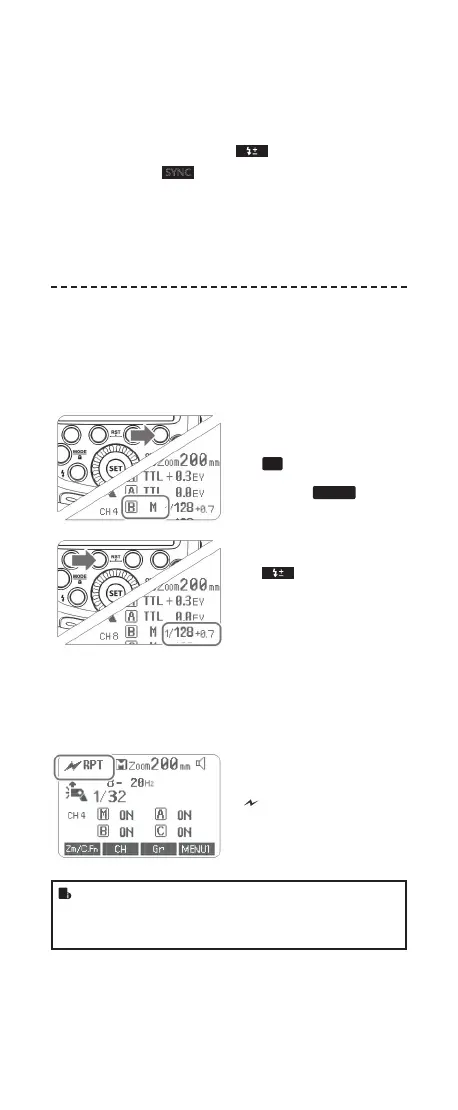
1
Setting the ash mode to
<M>.
• Press Function Button 4
<
Gr
> to choose groups.
Then, press Function
Button 3 <
MODE
> to set
the ash to M mode.
2
Setting ash output.
• Press Function Button 2
< >. Turn the Select
Dial to set the ash output
of the groups. Press the
<SET> button to conrm.
3
Taking the picture.
• Each group res at the set
ash ratio
6. RPT: Wireless Flash Shooting with
Manual Flash
Setting < RPT > stroboscopic
ash.
• Press <MODE> button so that
<
RPT> is displayed.
• Setting the stroboscopic ash.
(Page 41)
• The ring frequency of stroboscopic ash during the optic
transmission wireless shooting can be set from 1Hz to
100Hz (settings from 250 Hz to 500 Hz are not available).
FR60X_Nikon 171010.indd 45 10.10.2017 17:14:04



 To Next Page