48
2
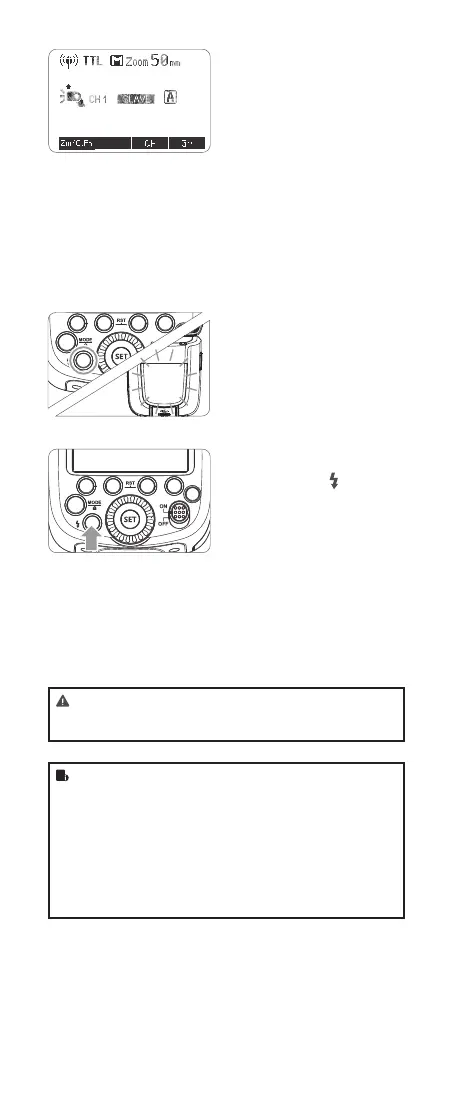
Slave Unit Setting
• Set the other ash unit as
the wireless slave Unit.
(Page 47)
• The slave unit can be set
as A/B/C.
3
Check the communication
channel.
• If the master unit and slave
unit(s) are set to a different
channel, set them to the
same channel. (Page 47)
4
Position the camera and
ashes.
• Position the camera and
ashes as the picture
shows. (Page 44)
5
Check that the ash is
ready.
• Check that the master ash
ready indicator is lightened.
• When the slave ash ready
indicator is ready, the
AF-assist beam lighting
area will blinks at 1 second
intervals.
6
Check the ash operation.
• Press the master unit’s
Test Button < >.
• Then, the slave unit will
re. If not, adjust the slave
unit’s angle toward the
master unit and distance
from the master unit.
R
• The slave unit might be out of order or re an unwanted
ash due to the nearby uorescent lamp or computer
screen.
• If the slave unit’s auto power off function is workable,
press the master unit’s test button to power it on. Please
note that test ring is unavailable during the camera’s
regular metering time.
• The effective time of slave auto power off is changeable.
(C.Fn-Sv APOT Page 54)
• By making some settings, the auto AF-assist transmitter
will not blink after the slave unit`s ash ready indicator is
lightened. (C.Fn-AF Page 54)
616x0_CUlight_FR60X_BDA_Sony englisch.indd 48 24.10.2016 13:59:23



 To Next Page