20
COUNTDOWN FUNCTION
The board is equipped with a countdown function which automatically
turns on the equipment.
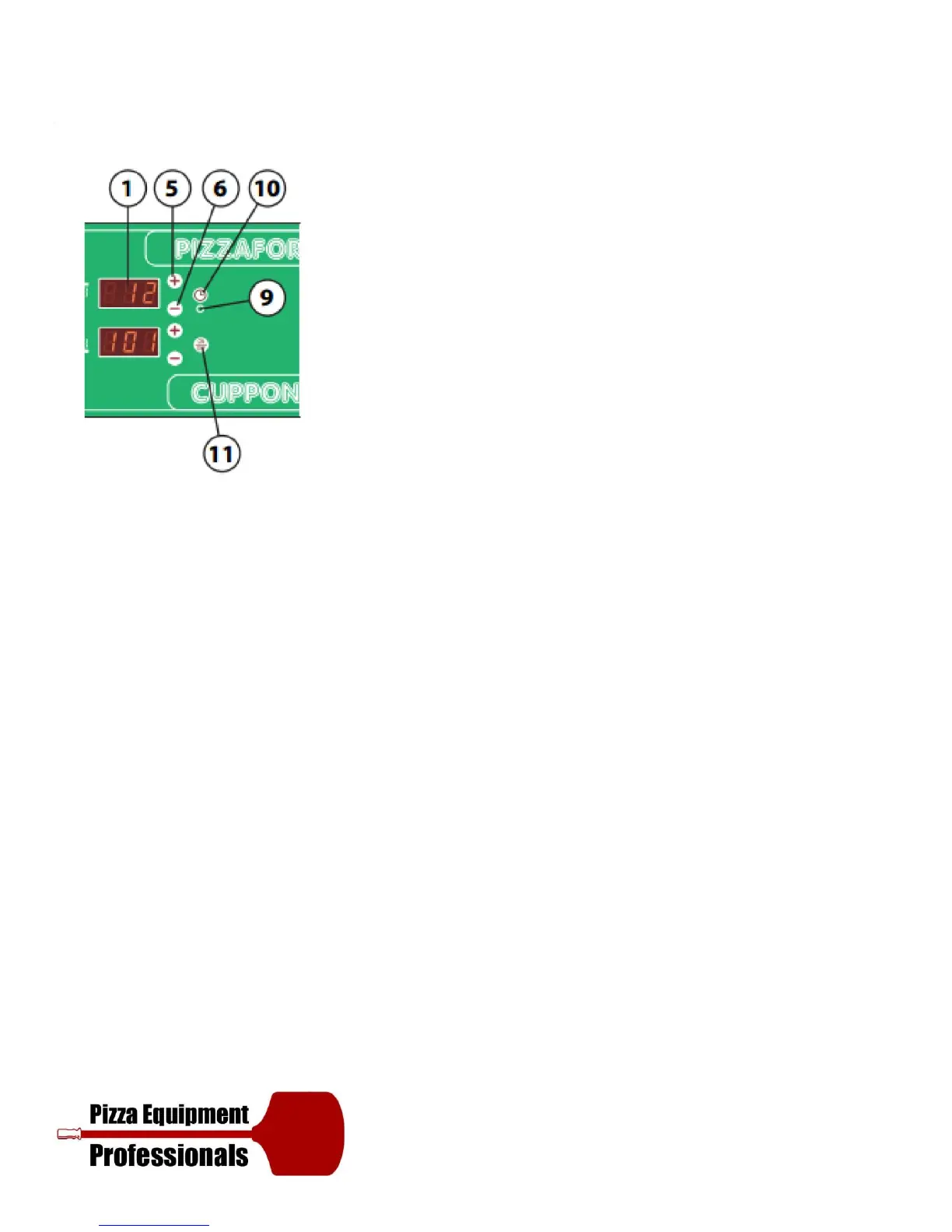
To activate this function, press Timer key (10) with the equipment
turned off. The time remaining before the oven is due to turn itself on
will appear on display (1); to modify the time, use keys (5) and (6)
(maximum limit 99.5: 99 hours and 50 minutes). When making the
selection, the TIMER Led (9) flashes. Should you wish to exit the function
and cancel the countdown, press key (10) or key (11) to switch the
equipment on. Otherwise, the equipment will switch on upon expiry of
the set time, according to the time set at the time of switching off the
aforementioned.
WARNING! In the instance of power failure, the countdown value is
saved and will resume upon the return of power: for example, let’s
consider the following situation, if 4 hours were remaining before the
oven was due to turn itself on and the power supply was cut o for 30
minutes, once the power supply has returned, 4 hours will still remain
before the oven is due to turn itself on.


 To Next Page