Installation Instructions
LOOP® IC Controller Programming
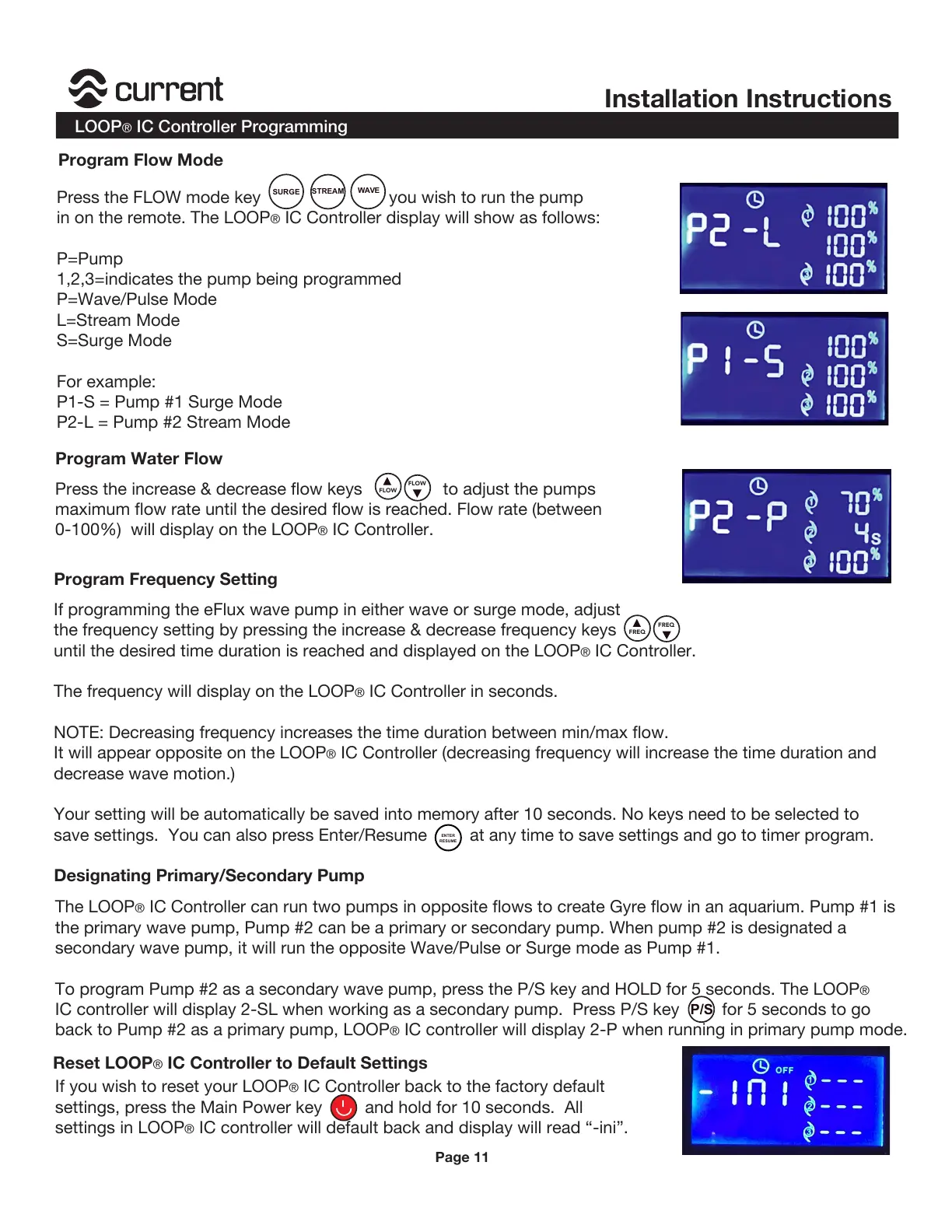
Press the FLOW mode key you wish to run the pump
in on the remote. The LOOP
® IC Controller display will show as follows:
P=Pump
1,2,3=indicates the pump being programmed
P=Wave/Pulse Mode
L=Stream Mode
S=Surge Mode
For example:
P1-S = Pump #1 Surge Mode
P2-L = Pump #2 Stream Mode
STREAM
SURGE
WAVE
Press the increase & decrease flow keys to adjust the pumps
maximum flow rate until the desired flow is reached. Flow rate (between
0-100%) will display on the LOOP
® IC Controller.
If programming the eFlux wave pump in either wave or surge mode, adjust
the frequency setting by pressing the increase & decrease frequency keys
until the desired time duration is reached and displayed on the LOOP® IC Controller.
The frequency will display on the LOOP
® IC Controller in seconds.
NOTE: Decreasing frequency increases the time duration between min/max flow.
It will appear opposite on the LOOP® IC Controller (decreasing frequency will increase the time duration and
decrease wave motion.)
Your setting will be automatically be saved into memory after 10 seconds. No keys need to be selected to
save settings. You can also press Enter/Resume at any time to save settings and go to timer program.
The LOOP
® IC Controller can run two pumps in opposite flows to create Gyre flow in an aquarium. Pump #1 is
the primary wave pump, Pump #2 can be a primary or secondary pump. When pump #2 is designated a
secondary wave pump, it will run the opposite Wave/Pulse or Surge mode as Pump #1.
To program Pump #2 as a secondary wave pump, press the P/S key and HOLD for 5 seconds. The LOOP
®
IC controller will display 2-SL when working as a secondary pump. Press P/S key for 5 seconds to go
back to Pump #2 as a primary pump, LOOP
® IC controller will display 2-P when running in primary pump mode.
FLOW
FLOW
FREQ
FREQ
ENTER
RESUME
If you wish to reset your LOOP® IC Controller back to the factory default
settings, press the Main Power key and hold for 10 seconds. All
settings in LOOP
® IC controller will default back and display will read “-ini”.
P/S
Program Flow Mode
Program Water Flow
Program Frequency Setting
Designating Primary/Secondary Pump
Page 11
Reset LOOP® IC Controller to Default Settings


 To Next Page