Installation Instructions
LOOP® IC Controller Programming
To Program a CUSTOM Color Spectrum
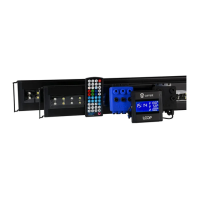
Press CUSTOM key M on wireless remote and “L4” will display on the LOOP
®
IC Controller screen. Use the RGBW keys to change the % intensity. Once the
desired color spectrum is achieved, Press and hold the CUSTOM key
for 5 seconds. The LOOP
® IC Controller will display “E4” indicating spectrum is saved.
On Demand Dynamic Modes
Moonlight Modes
Press either Full Moon or Fading Moon on IC wireless
remote to activate on-demand moonlight. Program will run 30
minutes then resume into normal programming.
To exit on-demand program, press on wireless remote.
Weather Modes
Press either Rolling Cloud ,Random Cloud , Lightning
Storm , or Full Storm with Lightning on wireless remote
to activate on-demand weather. Program will run 30 minutes,
then resume into normal timer programming.
To exit On-Demand program, press .
CLEAN Mode
Press CLEAN on wireless remote activate a color spectrum
for cleaning the aquarium. Program will run for 30 minutes, then resume
into normal timer programming.
To exit on-demand programs at any time, press .
ENTER
RESUME
ENTER
RESUME
ENTER
RESUME
()"*#
eFlux Wave Pump Programming
Turning Pumps On/Off
Press the Main On/Off key on wireless remote to turn all of the wave pumps
on or off. When turning off, “OFF” will be display on the LOOP
® IC Controller and
each pump icon will be followed by “---”.
Turning Individual Wave Pumps On/Off
To individually turn each wave pump on or off, simply hold the designated pump
key for 5 seconds. The individual pump will turn on/off, if off the pump
icon will display “OFF” on the LOOP
® IC Controller.
FEED Mode
To set all wave pumps into feed mode, press the FEED Mode key . All eFlux
wave pumps (1,2,3) within the LOOP
® network will stop flowing for 10 minutes and
“FEED” will appear on the LOOP
® IC Controller. After 10 minutes, wave pumps will
ramp back into their previous programmed flow setting.
NOTE: Any eFlux DC Flow Pumps within the LOOP
® network network will ramp down to a 30% flow speed
for 10 minutes. After 10 minutes, pumps will ramp back into their previous programmed flow setting.
**Note: Any on-demand Mode, CLEAN mode or FEED mode can be exited at any time by pressing
+
,
-
FEED
ENTER
RESUME
On-demand icon moonlight or
weather icon will display on screen


 To Next Page