EasyManua.ls Logo

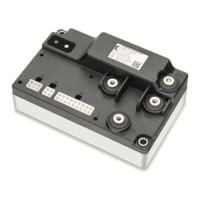
Curtis 1236E - User Manual

Curtis 1236E
157 pages
Print Icon
To Next Page IconTo Next Page
Loading...
Manual
Models 1232E/34E/36E/38E
and 1232SE/34SE/36SE
Enhanced AC Controllers
for Induction Motors
and Surface Permanent Magnet Motors
Read Instructions Carefully!
Specications are subject to change without notice.
© 2015 Curtis Instruments, Inc. ® Curtis is a registered trademark of Curtis Instruments, Inc.
© The design and appearance of the products depicted herein are the copyright of Curtis Instruments, Inc. 53134, OS30 11/24/2015
Curtis Instruments, Inc.
200 Kisco Avenue
Mt. Kisco, NY 10549
www.curtisinstruments.com
» Software Version OS 30.0 «

Table of Contents

Questions and Answers

  • D
    Diane SmithAug 16, 2025
    What to do if Curtis Controller shows Overcurrent Shutdown?
    • G
      Gina LeeAug 16, 2025
      If your Curtis Controller shows an Overcurrent Shutdown, it indicates that the phase current exceeded the current measurement limit. This can be caused by: 1. An external short in the phase U, V, or W motor connections. 2. Mis-tuned motor parameters. 3. A defective controller. 4. Speed encoder noise problems. To clear this, cycle KSI (Key Switch Input).
  • J
    James NovakAug 19, 2025
    What to do if my Curtis 1236E displays a Current Sensor Fault Shutdown?
    • D
      Dana ReyesAug 19, 2025
      If your Curtis Controller displays a Current Sensor Fault Shutdown, it means the controller's current sensors have an invalid offset reading. This can occur due to: 1. Leakage to the vehicle frame from phase U, V, or W (short in motor stator). 2. A defective controller. To clear the fault, cycle KSI.
  • J
    joanwrightAug 22, 2025
    Why does my Curtis 1236E Controller show a Precharge Failed Shutdown?
    • T
      Todd McdonaldAug 22, 2025
      A Precharge Failed Shutdown on your Curtis Controller indicates that the precharge process failed to charge the capacitor bank to the KSI voltage. This can be due to: 1. Refer to the Monitor menu, Battery: Capacitor Voltage for more details. 2. An external load on the capacitor bank (B+ connection terminal) preventing charging. To resolve this, cycle the Interlock input or use the VCL function Precharge().
  • J
    Jason MillerAug 25, 2025
    How to troubleshoot a Precharge Failed error on a Curtis 1236E Controller?
    • R
      Robert LopezAug 26, 2025
      Precharge failure in a Curtis Controller means the precharge has failed to charge the capacitor bank to the KSI voltage. This can be caused by an external load on the capacitor bank (B+ connection terminal) preventing charging. To clear it, cycle the Interlock input or use the VCL function Enable_Precharge().
  • M
    Megan FarmerAug 27, 2025
    What to do if Curtis Controller shows Severe Undertemp Shutdown?
    • C
      Charles WatkinsAug 27, 2025
      If your Curtis Controller displays a Severe Undertemp Shutdown, it means the heatsink temperature is below -40°C. This can happen because: 1. Refer to the Monitor menu, Controller: Temperature for more details. 2. The controller is operating in an extreme environment. To clear this, bring the heatsink temperature above -40°C, and then cycle the interlock or KSI.
  • M
    Michael GarciaAug 30, 2025
    What to do if my Curtis 1236E shows a severe overtemp?
    • J
      John GutierrezAug 30, 2025
      If the Curtis Controller's heatsink temperature rises above +95°C, it triggers a severe overtemp condition. This could be due to the controller operating in an extreme environment, excessive vehicle load, or improper mounting. To resolve this, reduce the heatsink temperature below +95°C and cycle the interlock or KSI.
  • B
    burnssusanSep 2, 2025
    How to fix a Curtis 1236E overcurrent issue?
    • W
      williamwalkerSep 2, 2025
      Controller overcurrent can occur if the phase current exceeds the current measurement limit. This can be caused by an external short in the phase U, V, or W motor connections, mis-tuned motor parameters, a defective controller, or speed encoder noise problems. To clear this, cycle the KSI.
  • M
    michelle33Sep 4, 2025
    Why does my Curtis Controller show a severe B+ undervoltage?
    • M
      Mr. Jerry SnyderSep 4, 2025
      Severe B+ undervoltage in a Curtis Controller happens when the capacitor bank voltage drops below the Severe Undervoltage limit with the FET bridge enabled. This can be caused by misadjusted battery parameters, non-controller system drain on the battery, high battery resistance, the battery disconnecting during driving, or a blown B+ fuse. To resolve, bring the capacitor voltage above the Severe Undervoltage limit.
  • M
    Mallory BradfordSep 7, 2025
    What causes a Curtis Controller severe undertemp error?
    • G
      gburkeSep 7, 2025
      If the Curtis Controller's heatsink temperature falls below -40°C, it triggers a severe undertemp condition, often due to operating in an extreme environment. To resolve this, bring the heatsink temperature above -40°C and cycle the interlock or KSI.
  • D
    derrickcolemanSep 10, 2025
    Why is my Curtis 1236E Controller showing a severe KSI undervoltage?
    • M
      mmillerSep 10, 2025
      Severe KSI undervoltage in a Curtis Controller occurs when the KSI voltage drops below the Brownout Voltage for 2 seconds. This can be due to a non-controller system drain on the battery/KSI circuit wiring, KSI disconnecting while driving, or a blown KSI fuse. To fix this, bring the KSI voltage above the Brownout Voltage.

Summary

Installation and Wiring

High Current Connections

Specifies wiring requirements for high current terminals (B+, B-, U, V, W) and lug assembly.

Low Current Connections

Outlines connections for low power signals via a 35-pin AMPSEAL connector.

Programmable Parameters

Motor Response Tuning

Explains tuning motor response via speed or torque control modes.

Control Mode Select

Parameter to determine motor response control method (Speed Express, Speed, or Torque).

Initial Setup

Before You Start

Essential preparatory steps and information before beginning controller setup procedures.

2 Current Limits (see page 41)

Setting drive, regen, brake, EMR, and interlock current limits as percentages of rated current.

3 Battery (see page 64)

Setting the nominal battery pack voltage for system protection thresholds.

6 Throttle (see pages 13-17 and 44-46)

Configuring throttle input types, deadbands, mapping, and offsets for proper operation.

7 Brake (see page 47)

Setting up brake input types, deadbands, mapping, and offsets for control.

8 Motor Technology & Feedback Type (see pages 55 and 61)

Configuring motor type (ACIM/SPM) and corresponding feedback sensor settings.

9 Faults (see Section 9)

Checking for and clearing controller faults before proceeding with setup.

bm Motor Characterization

Performing motor characterization to learn motor parameters for optimal performance.

ACIM Induction Motor Characterization

Automated ACIM Motor Characterization Procedure

Step-by-step guide for automatically characterizing ACIM motors using the controller.

Part 1: Traction and Hydraulic Systems

Initial steps for characterizing ACIM motors in traction and hydraulic system applications.

SPM Permanent Magnet Motor Characterization

Automated SPM Motor Characterization Procedure

Step-by-step guide for automatically characterizing SPM motors using the controller.

Tuning Guide

Selecting the Control Mode (see page 29)

Guide on selecting the appropriate control mode (Speed Express, Speed, or Torque) for tuning.

VCL

Vehicle Control Language (VCL)

Introduction to VCL, a language for implementing complex vehicle control functions.

Diagnostics and Troubleshooting

Diagnostics and Troubleshooting

Overview of how the controllers detect and report faults and error conditions.

Diagnostics

Methods for obtaining diagnostics information via programmer display or LED codes.

Troubleshooting

Guidance on using the troubleshooting chart to diagnose and resolve controller issues.

Appendix B: EN13849 Compliance

EN13849 Compliance

Details compliance with European Machinery Directive and EN13849 safety standards.

Curtis 1236E Specifications

General IconGeneral
BrandCurtis
Model1236E
CategoryController
LanguageEnglish

Related product manuals