EasyManua.ls Logo

Curtis 1234E - User Manual

Curtis 1234E
157 pages
Print Icon
To Next Page IconTo Next Page
Loading...
Manual
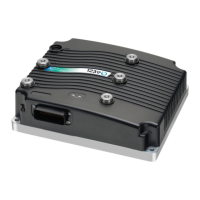
Models 1232E/34E/36E/38E
and 1232SE/34SE/36SE
Enhanced AC Controllers
for Induction Motors
and Surface Permanent Magnet Motors
Read Instructions Carefully!
Specications are subject to change without notice.
© 2015 Curtis Instruments, Inc. ® Curtis is a registered trademark of Curtis Instruments, Inc.
© The design and appearance of the products depicted herein are the copyright of Curtis Instruments, Inc. 53134, OS30 11/24/2015
Curtis Instruments, Inc.
200 Kisco Avenue
Mt. Kisco, NY 10549
www.curtisinstruments.com
» Software Version OS 30.0 «

Table of Contents

Questions and Answers

  • M
    moorekyleAug 17, 2025
    What to do if Curtis Controller shows Overcurrent Shutdown?
    • E
      Elizabeth PenaAug 17, 2025
      If your Curtis Controller shows an Overcurrent Shutdown, it indicates that the phase current exceeded the current measurement limit. This can be caused by: 1. An external short in the phase U, V, or W motor connections. 2. Mis-tuned motor parameters. 3. A defective controller. 4. Speed encoder noise problems. To clear this, cycle KSI (Key Switch Input).
  • C
    Christopher NelsonAug 19, 2025
    What to do if my Curtis Controller displays a Current Sensor Fault Shutdown?
    • C
      Courtney BenderAug 20, 2025
      If your Curtis Controller displays a Current Sensor Fault Shutdown, it means the controller's current sensors have an invalid offset reading. This can occur due to: 1. Leakage to the vehicle frame from phase U, V, or W (short in motor stator). 2. A defective controller. To clear the fault, cycle KSI.
  • M
    Matthew SnyderAug 22, 2025
    Why does my Curtis 1234E Controller show a Precharge Failed Shutdown?
    • J
      John FisherAug 22, 2025
      A Precharge Failed Shutdown on your Curtis Controller indicates that the precharge process failed to charge the capacitor bank to the KSI voltage. This can be due to: 1. Refer to the Monitor menu, Battery: Capacitor Voltage for more details. 2. An external load on the capacitor bank (B+ connection terminal) preventing charging. To resolve this, cycle the Interlock input or use the VCL function Precharge().
  • J
    joneswilliamAug 25, 2025
    How to troubleshoot a Precharge Failed error on a Curtis 1234E?
    • D
      Danielle CalhounAug 26, 2025
      Precharge failure in a Curtis Controller means the precharge has failed to charge the capacitor bank to the KSI voltage. This can be caused by an external load on the capacitor bank (B+ connection terminal) preventing charging. To clear it, cycle the Interlock input or use the VCL function Enable_Precharge().
  • A
    Amanda WilliamsAug 27, 2025
    What to do if Curtis Controller shows Severe Undertemp Shutdown?
    • J
      Jay GoodmanAug 27, 2025
      If your Curtis Controller displays a Severe Undertemp Shutdown, it means the heatsink temperature is below -40°C. This can happen because: 1. Refer to the Monitor menu, Controller: Temperature for more details. 2. The controller is operating in an extreme environment. To clear this, bring the heatsink temperature above -40°C, and then cycle the interlock or KSI.
  • C
    Cassandra WilliamsonAug 30, 2025
    What to do if my Curtis 1234E Controller shows a severe overtemp?
    • H
      Heather WilliamsAug 31, 2025
      If the Curtis Controller's heatsink temperature rises above +95°C, it triggers a severe overtemp condition. This could be due to the controller operating in an extreme environment, excessive vehicle load, or improper mounting. To resolve this, reduce the heatsink temperature below +95°C and cycle the interlock or KSI.
  • K
    Kim StoneSep 2, 2025
    How to fix a Curtis Controller overcurrent issue?
    • H
      Heidi ReynoldsSep 2, 2025
      Controller overcurrent can occur if the phase current exceeds the current measurement limit. This can be caused by an external short in the phase U, V, or W motor connections, mis-tuned motor parameters, a defective controller, or speed encoder noise problems. To clear this, cycle the KSI.
  • D
    Dr. Maxwell Cain MDSep 5, 2025
    Why does my Curtis Controller show a severe B+ undervoltage?
    • J
      Joanna MasseySep 5, 2025
      Severe B+ undervoltage in a Curtis Controller happens when the capacitor bank voltage drops below the Severe Undervoltage limit with the FET bridge enabled. This can be caused by misadjusted battery parameters, non-controller system drain on the battery, high battery resistance, the battery disconnecting during driving, or a blown B+ fuse. To resolve, bring the capacitor voltage above the Severe Undervoltage limit.
  • S
    Susan MitchellSep 8, 2025
    What causes a Curtis 1234E Controller severe undertemp error?
    • M
      Michael HollandSep 8, 2025
      If the Curtis Controller's heatsink temperature falls below -40°C, it triggers a severe undertemp condition, often due to operating in an extreme environment. To resolve this, bring the heatsink temperature above -40°C and cycle the interlock or KSI.
  • H
    Hunter MillerSep 10, 2025
    Why is my Curtis Controller showing a severe KSI undervoltage?
    • M
      millerryanSep 12, 2025
      Severe KSI undervoltage in a Curtis Controller occurs when the KSI voltage drops below the Brownout Voltage for 2 seconds. This can be due to a non-controller system drain on the battery/KSI circuit wiring, KSI disconnecting while driving, or a blown KSI fuse. To fix this, bring the KSI voltage above the Brownout Voltage.

Summary

1. OVERVIEW

2. INSTALLATION AND WIRING

HIGH CURRENT CONNECTIONS

Guidelines for connecting high-current terminals (B+, B-, U, V, W) and lug assembly.

CONTROLLER WIRING: BASIC CONFIGURATION

Basic wiring diagram and EEC safety requirements for main contactor wiring.

THROTTLE WIRING

Explanation of throttle types and how they are wired and programmed.

3. PROGRAMMABLE PARAMETERS

Control Mode Selection

Determines the motor response control method (Speed Mode Express, Speed Mode, Torque Mode).

Throttle and Brake Configuration

Settings for throttle and brake input types, mapping, deadbands, and filters.

Motor and Feedback Setup

Parameters for motor type, characterization, feedback, and temperature control.

4 a. MONITOR MENU

4 b. CONTROLLER INFORMATION MENU

5. INITIAL SETUP

Motor Parameter Determination

Steps to obtain motor data (type, poles, speed, current) for proper controller configuration.

Controller Configuration Steps

Detailed sequence for setting up motor temp sensor, current limits, battery, contactors, brake, and throttle.

6 a. AUTOMATED ACIM MOTOR CHARACTERIZATION PROCEDURE

6 b. AUTOMATED SPM MOTOR CHARACTERIZATION PROCEDURE

7. TUNING GUIDE

9. DIAGNOSTICS AND TROUBLESHOOTING

Troubleshooting Chart

Detailed chart listing fault codes, effects, possible causes, and set/clear conditions.

APPENDIX C: PROGRAMMING DEVICES

Curtis 1234E Specifications

General IconGeneral
BrandCurtis
Model1234E
CategoryController
LanguageEnglish

Related product manuals