EasyManua.ls Logo

Curtis 1212 - User Manual

Curtis 1212
50 pages
Print Icon
To Next Page IconTo Next Page
Loading...
1212 Manual
1212 Manual, p/n 53112
Rev. A: July 2009
CURTIS INSTRUMENTS, INC.
200 Kisco Avenue
Mt. Kisco, New York 10549 USA
Tel. 914.666.2971
Fax 914.666.2188
www.curtisinstruments.com
© 2009 CURTIS INSTRUMENTS, INC.
DESIGN OF CURTIS PMC 1200 SERIES
CONTROLLERS PROTECTED BY U.S.
PATENT NO. 4626750.
1212
M O D E L
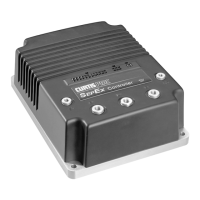
MOTOR CONTROLLER
Question and Answer IconNeed help?

Do you have a question about the Curtis 1212 and is the answer not in the manual?

Summary

Overview of Curtis 1212 Motor Controller

Smooth and Secure Control

Precise speed regulation, linear cutback, and proprietary algorithms for smooth operation.

Easy Installation and Setup

Industry standard footprint, easy programming with 1311/1314, robust connections.

Valuable Additional Features

Optional inputs, multi-mode, power saver, BDI output, IPX5 sealing.

Robust Safety and Reliability

High RF immunity, monitored circuits, power-up checks, compliance with regulations.

Meets or Complies with Relevant US and International Regulations

Designed to meet EN 12184, EN 55022, IEC 61000, ISO-7176-14.

Installation and Wiring Guide

Mounting the Controller

Choosing a clean, dry location; mounting dimensions and M4 screws for secure attachment.

Connections: High Current

Four 1/4" Faston terminals for motor (M1, M2) and battery (B+, B-) connections.

Connections: Low Current

14-pin connector for logic control, programmer, charger; 2-pin for brake.

Wiring: Standard Installation

Typical installation diagram showing connections for throttle, switches, programmer, and motor.

Programmable Parameters Configuration

Drive Menu Parameters

Parameters for acceleration, deceleration, speed limits, soft start, creep, and push mode.

Throttle Menu Parameters

Settings for throttle type, deadband, HPD, speed limit pot, throttle map, and calibration.

Current Menu Parameters

Limits for main, braking, and boost current; duration for boost.

BDI Menu Parameters

Battery voltage settings, charge/discharge factors, and low BDI level speed limits.

Inhibit Menu Parameters

Configuration for speed input inhibit type and maximum speed during inhibit.

Brake Menu Parameters

Parameters for brake delay, fault check, hold voltage, and brake light function.

Horn Menu Parameters

Settings for fault beep, reverse beep, and beep tone constant or pulse.

Motor Menu Parameters

Parameters for system resistance, auto compensation, speed scaler, current rating, and cutback.

Compensation Menu Parameters

Settings for IR compensation and anti-rollback compensation.

Miscellaneous Menu Parameters

Parameters for sleep mode, fault code type, and resetting drive time.

Monitor Menu for Real-Time Data

Monitor Menu Details

Real-time data display for controller status, inputs, outputs, and temperature.

Initial Setup and Configuration

Begin Setup Procedures

Initial steps: throttle neutral, keyswitch on, programmer connection, and wiring check.

Throttle Setup and Tuning

Setting Throttle Type and tuning Neutral Deadband for proper operation.

Tuning Throttle Max Settings

Adjusting Throttle Max for full throttle response and desired active range.

Confirm Proper Throttle Operation

Verifying motor direction, speed response, switch inputs, and charger inhibit.

Basic Vehicle Checkout

Checking switch status, throttle/speed limit pot inputs, and charger inhibit function.

Setting System Resistance

Procedure to accurately measure and set the System Resistance parameter for optimal performance.

Vehicle Performance Adjustment Procedures

Setting Maximum Speeds

Configuring maximum forward/reverse speeds based on speed limit pot position.

Setting Acceleration and Deceleration Rates

Defining acceleration/deceleration endpoints for forward and reverse at low/high speeds.

Forward Acceleration and Deceleration Rates

Adjusting Accel Min/Max and Decel Low/High for forward operation in different modes.

Reverse Acceleration and Deceleration Rates

Adjusting Rev Accel Min/Max and Rev Decel Low/High for reverse operation.

Fine-Tuning Acceleration and Deceleration Rates

Adjusting parameters like Soft Stop Speed and Throttle Map for further refinement.

Key Off Deceleration Rate

Setting the deceleration rate for key-off events or major faults.

E-Stop Deceleration Rate

Setting the deceleration rate for emergency reverse stops.

Adjusting IR Compensation

Setting IR Comp for load compensation and Anti-Rollback Comp for hill holding.

Fine-Tuning Vehicle Response Smoothness

Adjusting Gear Soften, Soft Start, and Tremor Suppression for smooth operation.

Tremor Suppression Adjustment

Adjusting response to sharp throttle movements, like those from hand tremors.

Diagnostics and Troubleshooting

Programmer Diagnostics

Using the programmer for fault display, history, and input/output status monitoring.

LED Diagnostics

Interpreting status LED flashes for fault identification codes (Type 0, 1, 2).

Fault Handling Response

Controller response to faults, ranging from current reduction to complete drive shutdown.

Maintenance Procedures

Diagnostic History Management

Accessing, checking, and clearing the controller's fault history file for routine maintenance.

Appendix A: EMC Design Considerations

Vehicle Design Considerations for EMC

Designing for emissions and immunity of RF energy in vehicle systems for optimal performance.

Appendix B: BDI Setup

Battery Discharge Indicator (BDI) Setup

Configuring BDI parameters for battery type, size, charger, and expected drive cycle.

Appendix C: Programmer Operation

Overview of Curtis Programmers

Overview of PC Programming Station (1314) and handheld programmer (1311) capabilities.

Using the Handheld Programmer (1311)

Guide to using the 1311 programmer: navigation, parameter modification, and bookmarking.

Appendix D: Specifications

1212 Controller Specifications

Technical specifications including electrical, environmental, dimensional, and regulatory compliance for the 1212 controller.

Summary

Overview of Curtis 1212 Motor Controller

Smooth and Secure Control

Precise speed regulation, linear cutback, and proprietary algorithms for smooth operation.

Easy Installation and Setup

Industry standard footprint, easy programming with 1311/1314, robust connections.

Valuable Additional Features

Optional inputs, multi-mode, power saver, BDI output, IPX5 sealing.

Robust Safety and Reliability

High RF immunity, monitored circuits, power-up checks, compliance with regulations.

Meets or Complies with Relevant US and International Regulations

Designed to meet EN 12184, EN 55022, IEC 61000, ISO-7176-14.

Installation and Wiring Guide

Mounting the Controller

Choosing a clean, dry location; mounting dimensions and M4 screws for secure attachment.

Connections: High Current

Four 1/4" Faston terminals for motor (M1, M2) and battery (B+, B-) connections.

Connections: Low Current

14-pin connector for logic control, programmer, charger; 2-pin for brake.

Wiring: Standard Installation

Typical installation diagram showing connections for throttle, switches, programmer, and motor.

Programmable Parameters Configuration

Drive Menu Parameters

Parameters for acceleration, deceleration, speed limits, soft start, creep, and push mode.

Throttle Menu Parameters

Settings for throttle type, deadband, HPD, speed limit pot, throttle map, and calibration.

Current Menu Parameters

Limits for main, braking, and boost current; duration for boost.

BDI Menu Parameters

Battery voltage settings, charge/discharge factors, and low BDI level speed limits.

Inhibit Menu Parameters

Configuration for speed input inhibit type and maximum speed during inhibit.

Brake Menu Parameters

Parameters for brake delay, fault check, hold voltage, and brake light function.

Horn Menu Parameters

Settings for fault beep, reverse beep, and beep tone constant or pulse.

Motor Menu Parameters

Parameters for system resistance, auto compensation, speed scaler, current rating, and cutback.

Compensation Menu Parameters

Settings for IR compensation and anti-rollback compensation.

Miscellaneous Menu Parameters

Parameters for sleep mode, fault code type, and resetting drive time.

Monitor Menu for Real-Time Data

Monitor Menu Details

Real-time data display for controller status, inputs, outputs, and temperature.

Initial Setup and Configuration

Begin Setup Procedures

Initial steps: throttle neutral, keyswitch on, programmer connection, and wiring check.

Throttle Setup and Tuning

Setting Throttle Type and tuning Neutral Deadband for proper operation.

Tuning Throttle Max Settings

Adjusting Throttle Max for full throttle response and desired active range.

Confirm Proper Throttle Operation

Verifying motor direction, speed response, switch inputs, and charger inhibit.

Basic Vehicle Checkout

Checking switch status, throttle/speed limit pot inputs, and charger inhibit function.

Setting System Resistance

Procedure to accurately measure and set the System Resistance parameter for optimal performance.

Vehicle Performance Adjustment Procedures

Setting Maximum Speeds

Configuring maximum forward/reverse speeds based on speed limit pot position.

Setting Acceleration and Deceleration Rates

Defining acceleration/deceleration endpoints for forward and reverse at low/high speeds.

Forward Acceleration and Deceleration Rates

Adjusting Accel Min/Max and Decel Low/High for forward operation in different modes.

Reverse Acceleration and Deceleration Rates

Adjusting Rev Accel Min/Max and Rev Decel Low/High for reverse operation.

Fine-Tuning Acceleration and Deceleration Rates

Adjusting parameters like Soft Stop Speed and Throttle Map for further refinement.

Key Off Deceleration Rate

Setting the deceleration rate for key-off events or major faults.

E-Stop Deceleration Rate

Setting the deceleration rate for emergency reverse stops.

Adjusting IR Compensation

Setting IR Comp for load compensation and Anti-Rollback Comp for hill holding.

Fine-Tuning Vehicle Response Smoothness

Adjusting Gear Soften, Soft Start, and Tremor Suppression for smooth operation.

Tremor Suppression Adjustment

Adjusting response to sharp throttle movements, like those from hand tremors.

Diagnostics and Troubleshooting

Programmer Diagnostics

Using the programmer for fault display, history, and input/output status monitoring.

LED Diagnostics

Interpreting status LED flashes for fault identification codes (Type 0, 1, 2).

Fault Handling Response

Controller response to faults, ranging from current reduction to complete drive shutdown.

Maintenance Procedures

Diagnostic History Management

Accessing, checking, and clearing the controller's fault history file for routine maintenance.

Appendix A: EMC Design Considerations

Vehicle Design Considerations for EMC

Designing for emissions and immunity of RF energy in vehicle systems for optimal performance.

Appendix B: BDI Setup

Battery Discharge Indicator (BDI) Setup

Configuring BDI parameters for battery type, size, charger, and expected drive cycle.

Appendix C: Programmer Operation

Overview of Curtis Programmers

Overview of PC Programming Station (1314) and handheld programmer (1311) capabilities.

Using the Handheld Programmer (1311)

Guide to using the 1311 programmer: navigation, parameter modification, and bookmarking.

Appendix D: Specifications

1212 Controller Specifications

Technical specifications including electrical, environmental, dimensional, and regulatory compliance for the 1212 controller.

Curtis 1212 Specifications

General IconGeneral
BrandCurtis
Model1212
CategoryController
LanguageEnglish

Related product manuals