30
REFRESHER UNIT
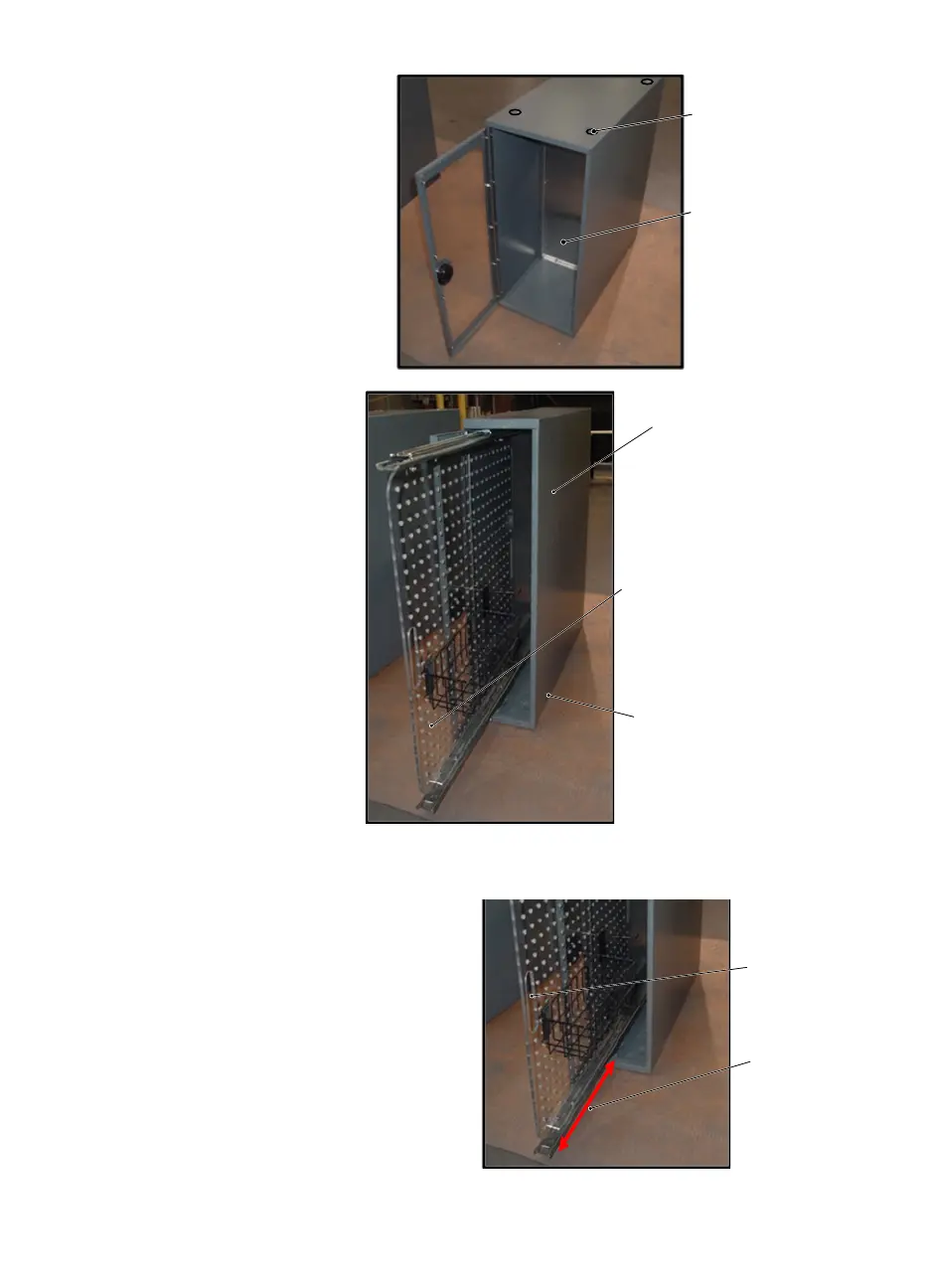
• 12” and 18” Center Module:
Both the 12” and 18” modules are aligned by
four dimple bosses on the bottom. Removal of
the larger units may require a second person
to help support the module. Push upward
slightly to nudge the dimple bosses free, while
pulling the module out of the unit. Support the
module with both hands.
NOTICE: Passenger side counter-top must
be removed and module clamps
must be loosened before attempt-
ing module removal.
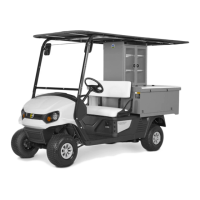
• 6” Pull Out Module:
All 6” modules are the same size and
similar weight. They have dimple bosses
on the bottom for positioning. To remove
these modules, remove the passenger
side counter top and loosen both mod-
ule clamps (refer to lock down mecha-
nism) and gently pull the module up and
out using the door handle and or top end
of module.
Slide Out Compartments
• 6” Pull Out Module:
This module has a pull out board inside; it is equipped with
slide rails for pull out access for cleaning and or refilling.
The board inside can be removed after the slide locks are
released.
Dimple Boss
(all four corners)
12” module shown -
18” module has wider
spacing and shelving.
6” pull out module
housing
Dimple bosses
located on bottom
Make sure pull board is inside
the module with the door
closed before removing module.
Slides for in
and out
access
Pull Handle



 To Next Page