CyberSuite™ LED Keypad User Manual
14
TROUBLE CONDITIONS
The CyberSuite™ Security System continually monitors five
system trouble conditions that can occur on your system.
When a trouble condition occurs the
CyberSuite™ keypad can be programmed to
generate an audible tone every 120 seconds.
The trouble tone is cancelled when the
trouble condition is viewed or the condition
is returned to normal.
Viewing System Trouble Information
• Enter SETUP LOGIN mode if you have not done so
already (see page 6 for details)
• Enter the following key press sequence:
,
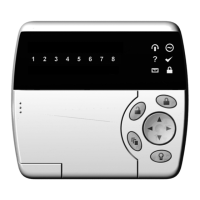
The numbered LED corresponding to the trouble
condition(s) present will be lit, and can be identified by
the numbered item in the TROUBLE LIST beginning on
the next page.


 To Next Page